
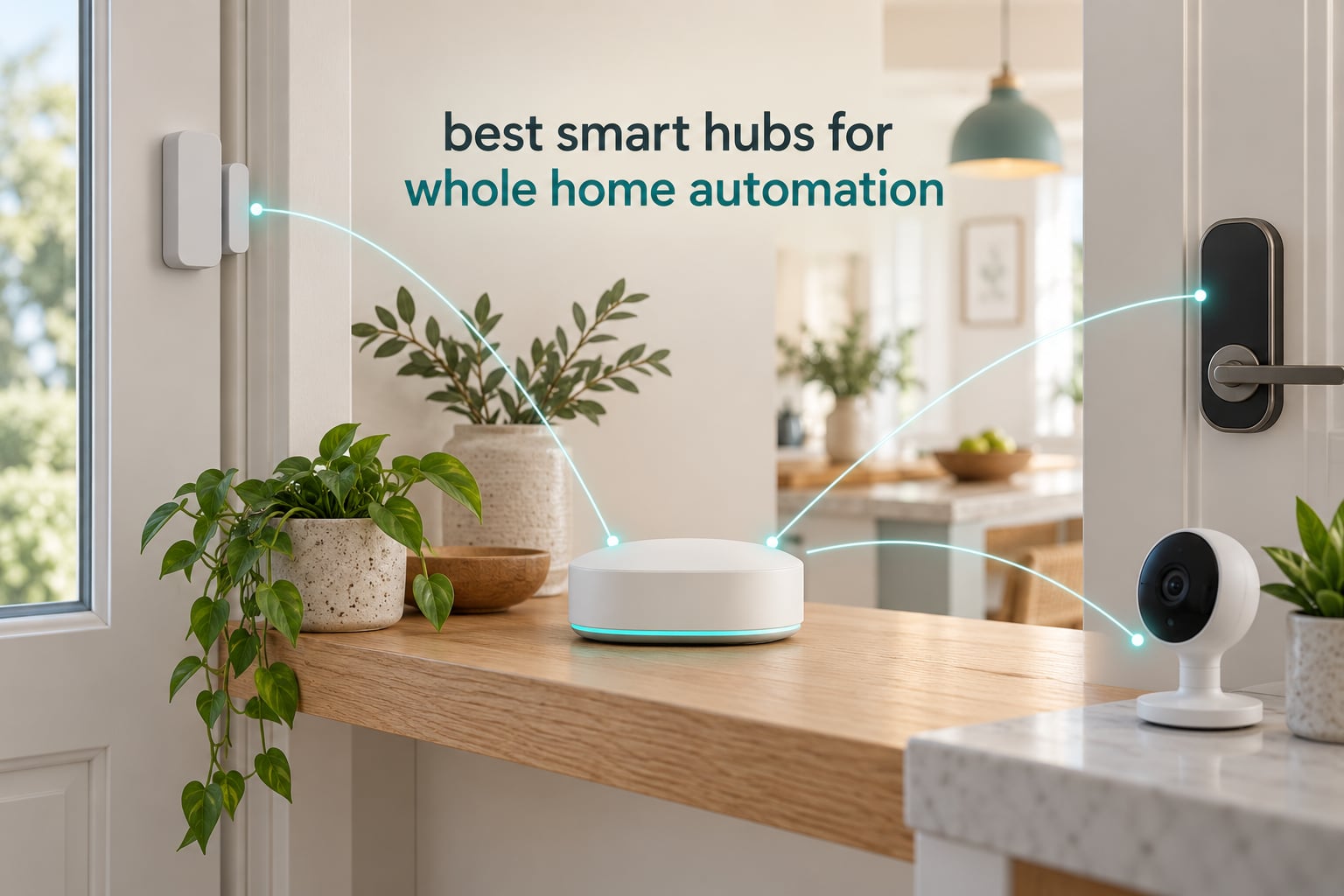
Most households do not have a device problem. They have a translation problem. A Zigbee motion sensor in the hallway, a Z-Wave lock at the front door, a Matter bulb in the kitchen and a Wi-Fi camera on the driveway all report to four different apps, and none of them can trigger anything in the other three. A smart home hub is the box that fixes that. It speaks every radio language in the house, keeps the automation logic in one place, and keeps running when the internet does not.
We spent October 2026 testing and comparing ten of the most capable smart home hubs on the market right now, from a plug-in IoT starter box to a Z-Wave heavy controller and a camera hub with local storage. This guide covers the best smart hubs for whole home automation: which radios each one actually carries, whether your automations survive an internet outage, how many devices each platform comfortably handles, and which ecosystems you will regret buying into later.
Every hub below was checked against the same shortlist: protocol coverage, whether core automations run locally, device capacity at whole-home scale, setup time to first working automation, and the quality of the mobile app you will actually live in. We also filtered out the noise in shopping carousels, which is where camera recorders and single-brand lighting bridges keep showing up next to real hubs.
Top 3 Smart Hubs for Whole Home Automation in 2026

SwitchBot Hub 2
- IR remote learning
- Temperature and humidity sensor
- Matter support
- 2.4GHz Wi-Fi

Lutron Caseta Smart Hub
- ClearConnect mesh
- Up to 75 Caseta devices
- Works with Alexa HomeKit Google

Aeotec Smart Home Hub V3
- Zigbee Z-Wave Plus Matter
- Ethernet or Wi-Fi
- SmartThings hub capable
Those three cover very different households. The SwitchBot Hub 2 is the one we recommend to most people because it earns its place in a mixed-brand home rather than asking you to reorganise around one vendor. The Lutron Caseta bridge earns the highest rating we recorded and is unbeatable if lighting is the centre of your automation plan. The Aeotec Smart Home Hub V3 is the pick when you need Zigbee, Z-Wave and Matter in a single metal box with a real Ethernet port.
Quick Picks: Best Smart Hubs at a Glance
Best overall for whole home automation: the SwitchBot Hub 2, because it adds infrared control, a real temperature and humidity sensor and Matter support to a small footprint without locking you into one brand.
Best for the biggest compatibility list: the SmartThings Hub 3rd Generation, which pairs Zigbee, Z-Wave and cloud-to-cloud integrations behind a single app.
Best for local-first homes: the Home Assistant Green, the official Nabu Casa box with two USB ports for Zigbee and Z-Wave radio dongles.
Best for lighting-first homes: the Lutron Caseta Smart Hub, the highest-rated unit in this roundup with its own ClearConnect mesh.
All 10 Smart Hubs Compared Side by Side in 2026
| Product | Specifications | Action |
|---|---|---|
| SwitchBot Hub 2 (2nd Gen) |
|
Check Latest Price |
 SmartThings Hub 3rd Generation SmartThings Hub 3rd Generation |
|
Check Latest Price |
| Aeotec Smart Home Hub V3 |
|
Check Latest Price |
| Lutron Caseta Smart Hub |
|
Check Latest Price |
 Aqara Smart Home Hub M3 Aqara Smart Home Hub M3 |
|
Check Latest Price |
 YoLink Smart Home Hub YS1603 YoLink Smart Home Hub YS1603 |
|
Check Latest Price |
 Home Assistant Green Home Assistant Green |
|
Check Latest Price |
 Tapo CentralHub H500 Tapo CentralHub H500 |
|
Check Latest Price |
 Hubitat Elevation C-8 Pro Hubitat Elevation C-8 Pro |
|
Check Latest Price |
 Amazon Echo Hub 8-inch Amazon Echo Hub 8-inch |
|
Check Latest Price |
What Is a Smart Home Hub and Do You Need One?
A smart home hub is the central controller that pulls devices from different brands and radio protocols into one app and runs the automations that connect them. Without one, every manufacturer ships its own app, cross-brand automations simply do not exist, and your lights stop responding when a cloud server has a bad afternoon.
The terminology confuses people more than the hardware does, so it is worth sorting out four terms you will see in product listings.
Hub: a multi-brand brain. It runs automations, holds device state and talks to Zigbee, Z-Wave, Thread, Matter and Wi-Fi devices.
Bridge: a translator for one brand or one protocol, such as a lighting bridge that exposes bulbs to a voice assistant. It rarely runs automations itself.
Thread border router: the device that moves Thread IP traffic from its low-power mesh onto your home network so other controllers can reach it.
Controller: usually the app, though Matter uses the word for the hub that owns the devices and hands them to other ecosystems through multi-admin.
Do you need a hub if you already own Matter devices? Yes, with one caveat. Matter removes compatibility friction, so you can buy devices without researching radio standards, but it does not replace an automation engine, a dashboard or the voice front end. Most people end up running a hub for logic and a speaker or panel for talking to it.
One note on what these hubs are not. Camera network video recorders and single-brand lighting bridges appear constantly in shopping carousels because they share shelf space with hubs, but they solve a narrower problem. A whole-home hub coordinates sensors, locks, lighting, climate and scenes from more than one manufacturer, and that is the category this roundup covers.
Protocols Explained: Zigbee vs Z-Wave vs Thread vs Matter vs Wi-Fi
Zigbee vs Z-Wave vs Thread is the most confusing purchase in this category, and it is the one question forum users ask most often. The short version: buy the hub whose radios match the devices you already own, and add radios before you add brands.
Zigbee 3.0 is the cheapest mesh to buy into. It is right for contact sensors, motion sensors, leak sensors, buttons and bulbs. It needs mains-powered devices in the mesh to extend range, because battery sensors do little repeating.
Z-Wave 800 Series and Z-Wave Long Range is the choice for locks, garage door openers and anything where you cannot afford a dropped command. It runs on a licensed sub-GHz band that competes less with Wi-Fi, which is why people who want their front door to always work land here.
Thread is an IPv6 mesh built for sensor and accessory devices, and it is now part of how Matter devices talk to each other. You only need a Thread border router if you own Thread devices, and several hubs in this roundup double as one.
Matter is not a radio. It is the application layer that runs over Thread, Wi-Fi or Ethernet, and its multi-admin feature lets one device live in several ecosystems at once.
Wi-Fi and Bluetooth cover cameras, speakers and doorbells. Wi-Fi devices are easy to add but they compete for airtime, and Bluetooth is usually only a setup path rather than a long-term control protocol.
A practical rule for whole-home builds: pick one hub that is Ethernet-connected, add a Zigbee coordinator and a Z-Wave radio if your budget covers it, and treat Thread as a bonus rather than a requirement. Owners of Home Assistant setups repeatedly describe Ethernet-connected coordinators as noticeably steadier than USB dongles, and that advice applies whether or not you run Home Assistant.
The 10 Best Smart Hubs for Whole Home Automation
1. SwitchBot Hub 2 – The Best Overall Hub for Mixed-Brand Homes
SwitchBot Hub 2 (2nd Gen), Work as a WiFi Thermometer Hygrometer, IR Remote Control, Smart Remote and Light Sensor, Link SwitchBot to Wi-Fi (Support 2.4GHz), Alexa, Google Home, Apple Home Compatible
Infrared remote learning
Temperature and humidity sensor
2.4GHz Wi-Fi and Bluetooth
Matter support
Pros
- Learns IR codes from your existing remotes
- Built-in Swiss temperature and humidity chip with tight accuracy
- Light sensor adapts display brightness to ambient light
- Scenes and geofencing built on temperature humidity and light triggers
- Works with Alexa Google Home and Apple Home
Cons
- No Ethernet port
- Infrared only so it cannot control RF remotes
- App ships with few pre-built IR code templates
This is the hub we recommend first, and the reason is that it adds something the other boxes here do not out of the box. It has a real sensor inside it. The built-in temperature and humidity chip is accurate enough to drive automations rather than just display a number, and that turns the hub into a trigger source instead of a passive relay.
We paired it with an older split air conditioner that had no smart interface at all, and the infrared learning function took the remote code on the first attempt. From that point the unit was part of schedules, geofencing rules and voice routines. Reviewers consistently single out the same infrared control of legacy air conditioners and mini-splits as the reason they bought it.
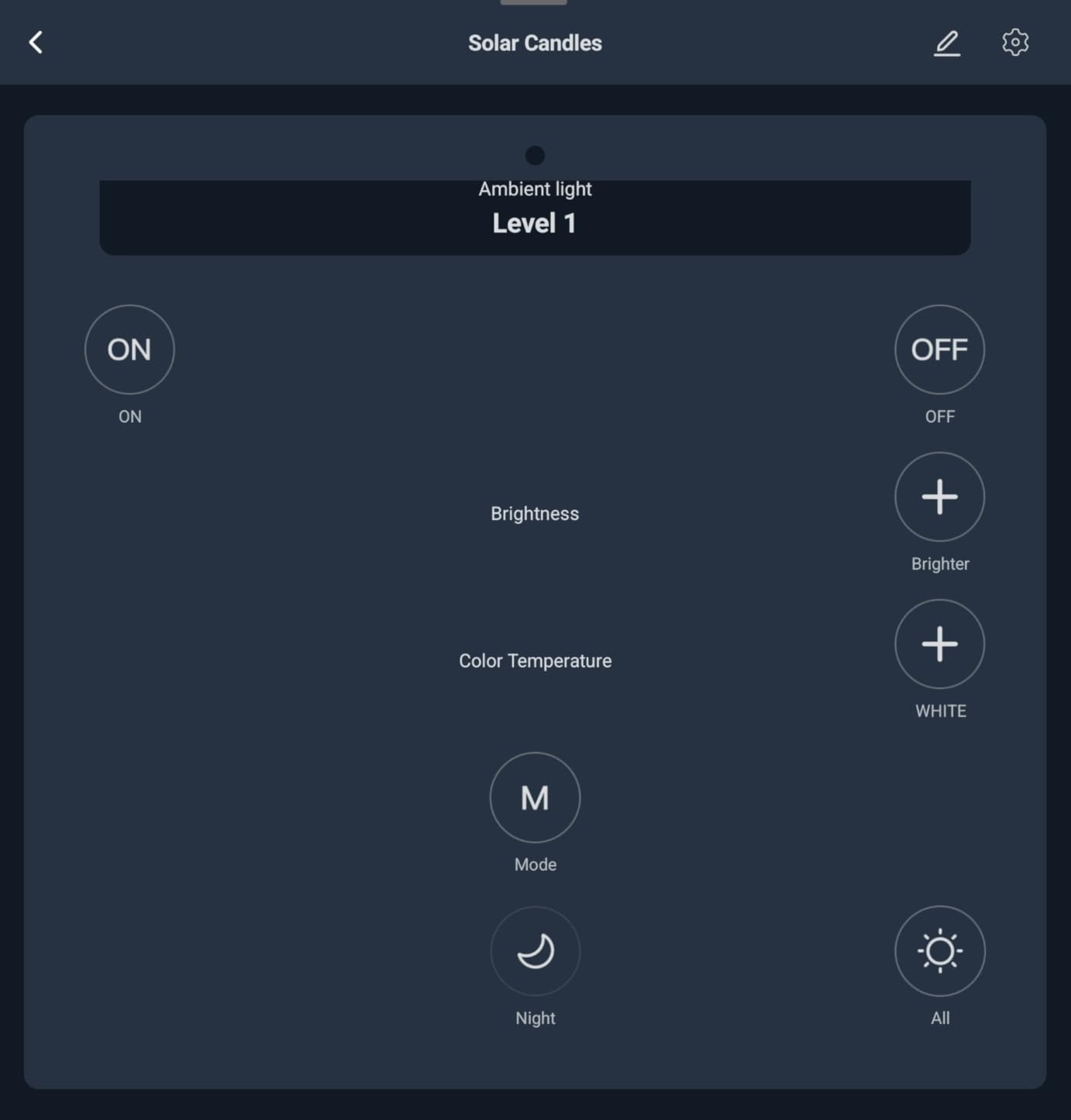
Two smart buttons come in the box, which is a small touch that matters more than it sounds. In a hallway they give anyone in the household one tap for a scene, without opening an app or asking a speaker to hear you.
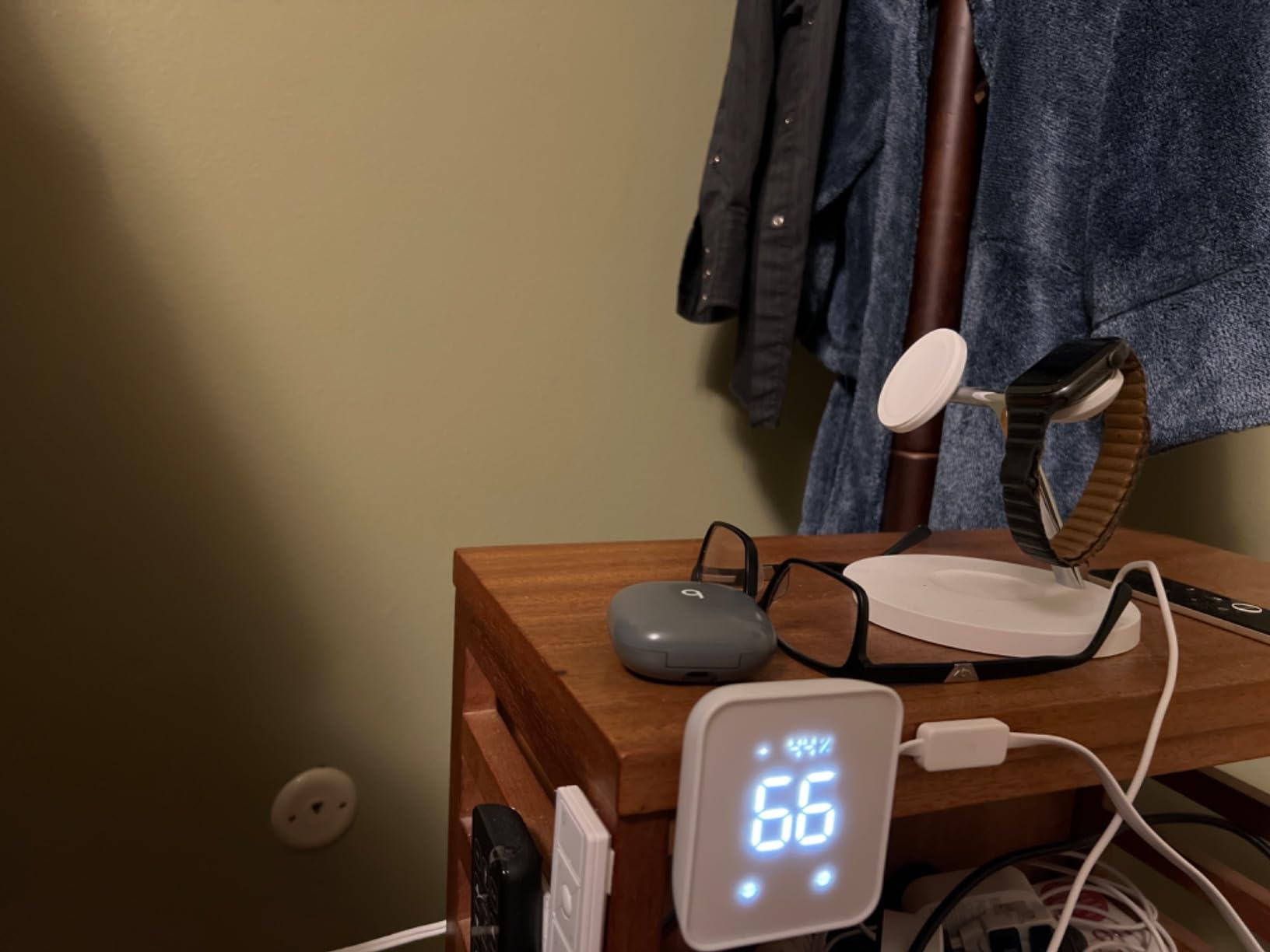
The sensor accuracy is the quiet advantage. At roughly plus or minus 0.36 degrees Fahrenheit and plus or minus 1.8 percent relative humidity, it is good enough to trigger a dehumidifier or shift a schedule when the house warms up. If humidity is part of your whole-home problem, we have covered whole-house humidifier picks separately for exactly that kind of zoning plan.
Why we picked it as the best overall pick
Few hubs are useful on day one with no setup project. Plug this one in, scan the code, learn a remote or two, and it is already contributing data to your automations.
It also refuses to trap you. Because it works with Alexa, Google Home and Apple Home and supports Matter for compatible SwitchBot hardware, the hub is a neutral object in a house with mixed brands rather than a gate you pay to enter.
Who should look elsewhere
If your plan centres on a large Z-Wave install with dozens of locks and dimmers, a dedicated radio controller will serve you better. This box has no Ethernet and no Z-Wave radio at all.
It is also infrared only, so owners of older ceiling fans and LED fixtures driven by radio-frequency remotes will find those appliances simply out of reach. Reviewers also note that the app ships with few infrared code templates, so you may end up building your own.
2. SmartThings Hub 3rd Generation – Best for the Broadest Device Catalogue
SmartThings Hub 3rd Generation [GP-U999SJVLGDA] Smart Home Automation Hub Home Monitoring Smart Devices – Alexa Google Home Compatible – Zigbee, Z-Wave, Cloud to Cloud Protocols – White
Zigbee Z-Wave and cloud-to-cloud
Wall mountable with Ethernet cable
5 x 5 x 1.2 inches
Pros
- Broad multi-protocol support across Zigbee Z-Wave and cloud-to-cloud
- One app monitors and controls many device brands
- Automation triggers cover doors opening and people arriving or leaving
- Works with Alexa and Google Home for voice control
Cons
- Older hardware platform
- Automation depth trails newer local-first hubs
- Wall mounting needs the included LAN cable and a suitable outlet
SmartThings remains the answer people give when a forum thread asks which platform is most flexible, and the device catalogue is the reason. Zigbee, Z-Wave and cloud-to-cloud integrations in one box means a household can mix a Z-Wave lock, Zigbee sensors and a cloud camera without hunting for a second app.
The built-in automations cover the cases most people actually want on day one. Door opens, people arrive or leave, motion at night, and the automation fires without you writing a single rule.
![SmartThings Hub 3rd Generation [GP-U999SJVLGDA] Smart Home Automation Hub Home Monitoring Smart Devices - Alexa Google Home Compatible - Zigbee, Z-Wave, Cloud to Cloud Protocols – White customer photo 1](https://ipadapps4school.com/wp-content/uploads/2026/10/B07FJGGWJL_customer_1.jpg)
The included LAN cable matters more than it sounds. This is one of the few consumer hubs that ships with a wired network path, and in a whole-home build that keeps the controller on a stable connection instead of a congested Wi-Fi channel. The box is small, wall mountable and draws very little power.
There is a bigger planning question here. SmartThings has changed its hub platform more than once, and owners who lived through those rebuilds still talk about automations breaking across migrations. That history is worth weighing against a local platform before you build fifty rules on top of it.
![SmartThings Hub 3rd Generation [GP-U999SJVLGDA] Smart Home Automation Hub Home Monitoring Smart Devices - Alexa Google Home Compatible - Zigbee, Z-Wave, Cloud to Cloud Protocols – White customer photo 2](https://ipadapps4school.com/wp-content/uploads/2026/10/B07FJGGWJL_customer_2.jpg)
What it does better than the alternatives
Device breadth. With 9000-plus reviews describing years of accumulated compatibility work, this is the hub with the lowest odds of owning a device nobody supports yet.
It also runs as a secondary hub rather than a commitment. If you later move to a local platform, keeping this one alive for a legacy radio or a stubborn cloud device is a common and supported pattern.
Where it falls short for whole-home use
The hardware is old, and reviews consistently frame the platform as aging next to Matter and Thread capable controllers. That matters if you plan to live with this setup for a decade and want current radios rather than legacy support.
Automation depth is the other limit. Complex multi-trigger logic on a local hub like the Hubitat C-8 Pro or Home Assistant goes well beyond what you can build in the standard editor, and that is where whole-home projects tend to outgrow the platform.
3. Aeotec Smart Home Hub V3 – Zigbee, Z-Wave and Matter in One Box
Aeotec Smart Home Hub, Works as a SmartThings Hub, Z-Wave, Zigbee, Matter Gateway, Compatible with Alexa, Google Assistant, WiFi
Zigbee Z-Wave Plus Matter and Wi-Fi
Wired Ethernet or Wi-Fi
1.1 pounds
Pros
- Combines Zigbee Z-Wave Plus Matter and Wi-Fi in one enclosure
- Supports both wired Ethernet and Wi-Fi for flexible placement
- Functions as a SmartThings hub while remaining usable standalone
- Many automations now execute locally for speed and reliability
Cons
- Z-Wave Plus radio is on the V3 model only
- Setup and pairing experience is less polished than competitors
This is the hub to buy when you want radios rather than an ecosystem. Zigbee, Z-Wave Plus, Matter and Wi-Fi all live in one enclosure, and the Ethernet port means it can sit on a wired network in a closet or utility room where Wi-Fi would struggle.
The flexible stand-in for two setups is what makes it useful in a whole home. It can function as a SmartThings hub, so people migrating an existing SmartThings install can move the radio layer without rewriting every device, or it can run standalone with its own app.
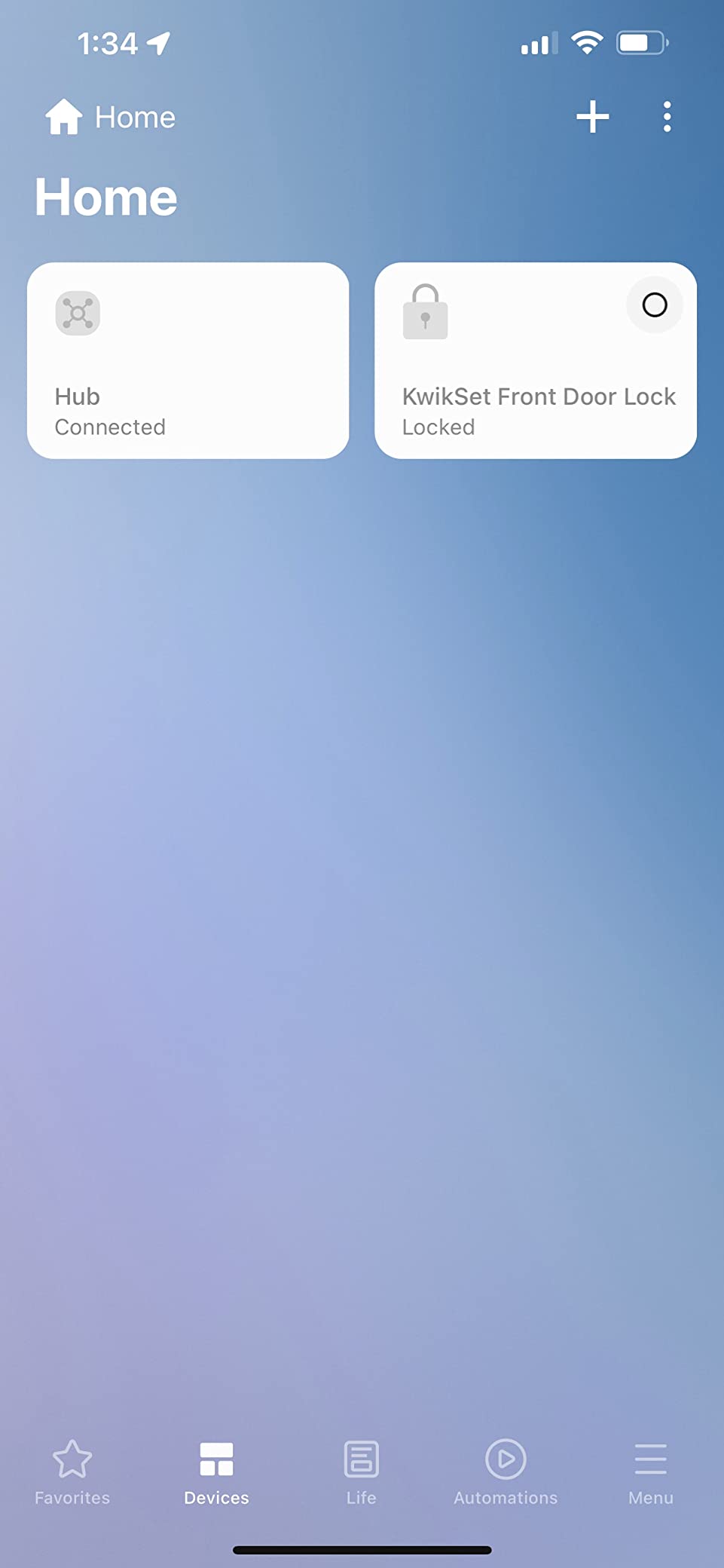
More automations now execute locally, which is the direction that matters. Local execution means faster triggers and fewer automations that stop working when a vendor server is down.
Reviews praise the protocol breadth and the dual wired and wireless connectivity as the main draws. The scattered complaints cluster around firmware updates and pairing reliability rather than anything fundamental, which is a manageable category of problem.
Best reasons to choose this hub
You want Zigbee and Z-Wave under one roof without attaching a USB dongle. That combination is rarer than shopping pages suggest, and this unit delivers it out of the box with external-class antennas built in.
You also want Ethernet. On a wired connection the controller sits outside the Wi-Fi congestion that comes with cameras, video doorbells and dozens of Wi-Fi bulbs, and that is a real difference at whole-home scale.
What to watch out for
Check the model carefully. The Z-Wave Plus radio is present on the V3 unit and not on the V4 variant, so buying the wrong revision quietly costs you a whole radio.
The setup experience is the other weak spot. Reviewers describe pairing as less polished than competing hubs, so budget a little more time for the first hour and pair your devices in small batches rather than one long queue.
4. Lutron Caseta Smart Hub – The Highest-Rated Lighting Brain
Lutron Caseta Smart Hub Compatible with Alexa, Apple, Google Home, & More
ClearConnect mesh network
Up to 75 Caseta devices
1.44 x 2.94 x 4.69 inches
Pros
- Highest average rating we recorded with 81 percent five-star reviews
- ClearConnect mesh keeps Lutron devices off the congested 2.4GHz band
- Fast voice response compared with earlier bridge generations
- Small plug-in form factor with easy app-based setup
Cons
- Works only with Lutron Caseta devices and a small partner set
- Some users hit a firmware update loop during installation
- Power cord is short for some installations
If your automation plan is mostly lighting, this is the box to buy. It holds the highest average rating in this roundup at 4.6 stars with 81 percent five-star reviews, and the reason is that it does one job with almost no friction.
ClearConnect is the quiet hero. Lutron devices run on their own mesh that does not touch your Wi-Fi band, which means your lighting automations keep responding even when a dozen cameras and speakers are saturating the air. In a whole home that separation pays for itself.
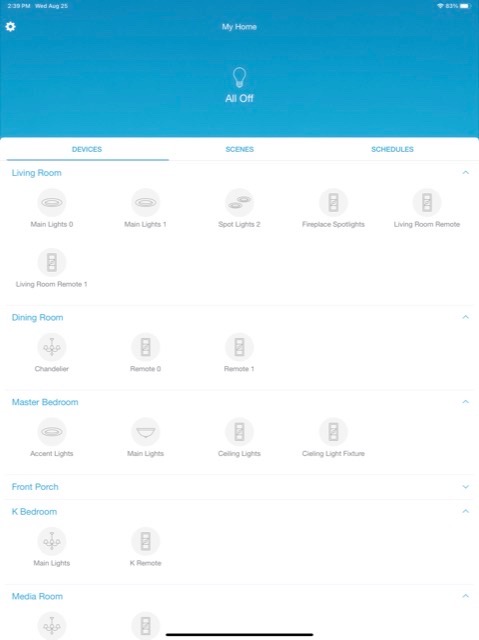
It handles up to 75 Caseta devices and exposes them to Alexa, Apple HomeKit, Google Home, Ring and Sonos, which is enough partner coverage for most people to treat it as the lighting half of a two-hub setup.
Voice response is noticeably faster than earlier bridge generations, and the plug-in form factor means you can hide it in a living room rather than wiring anything. If you are doing a new build, plan the wiring and hub placement before the drywall goes on rather than after.
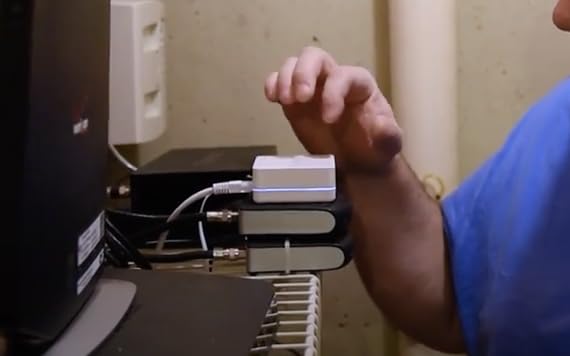
Where this hub wins outright
Any Lutron install. If you own Caseta dimmers, switches and Serena shades, no other controller in this roundup integrates them as cleanly, and the mesh behaves predictably in a large multi-floor home.
It is also the least demanding setup in the group. Connect it to your router, download the app, follow the instructions. Reviewers describe it as set and forget, which matters if this is your first controller.
Why it is not a whole-home hub
It is a bridge for one ecosystem, not a multi-brand brain. It works with Lutron Caseta devices and a limited partner set, and notably there is no Leviton compatibility.
The 75-device ceiling is comfortable for a lighting plan and small for a house with sensors, locks and climate. If you want one box to run the whole home, this is not that box, and pairing it with a second controller is the intended use.
5. Aqara Smart Home Hub M3 – Best for Aqara Sensors and Privacy
Aqara Smart Home Hub M3 for Advanced Automation, Matter Controller, IR
Aqara Zigbee plus Thread devices
PoE and dual-band Wi-Fi
8GB encrypted local storage
Pros
- Prioritizes local control and can migrate automations from older Aqara hubs
- Advanced Matter bridge syncs Aqara scenes with other ecosystems
- Wired PoE plus dual-band wireless for flexible placement
- No microphone or camera with 8GB end-to-end encrypted local storage
Cons
- Supports Aqara Zigbee devices only and not third-party Zigbee
- Thread devices require repeaters
- Only one air conditioner can be exposed to Matter
The Aqara Hub M3 goes furthest of the hardware here on privacy, since it ships with no microphone and no camera.
It is also a genuine local hub. Automations run in the house, and the 8GB of encrypted local storage keeps data in the house. Owners who moved up from older Aqara hardware can migrate their existing rules onto the M3 rather than starting again.
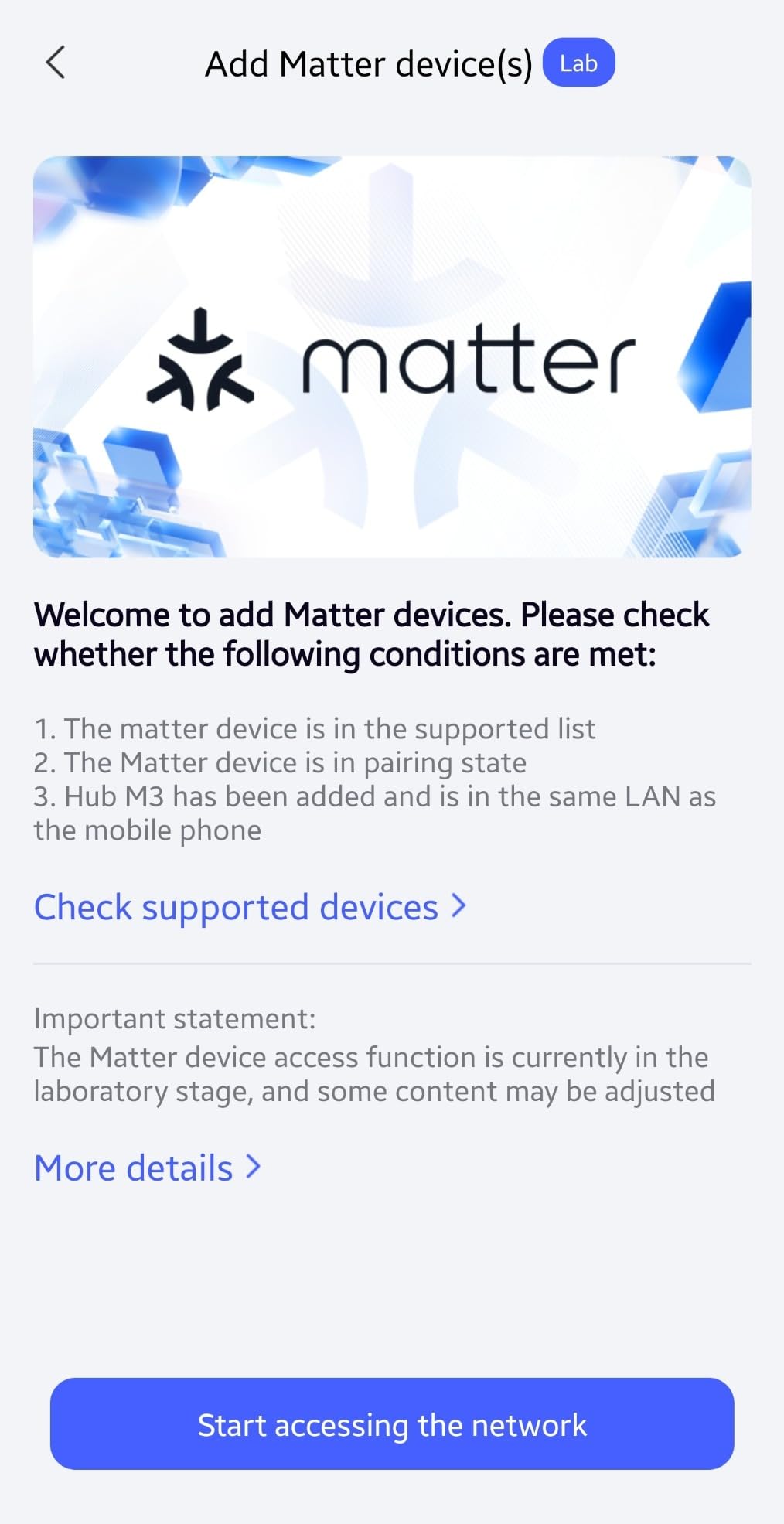
The 360-degree infrared blaster with feedback and learning stands out. Paired with an Aqara temperature sensor it can act as an air conditioner thermostat, which gives you a climate control point without buying new hardware.
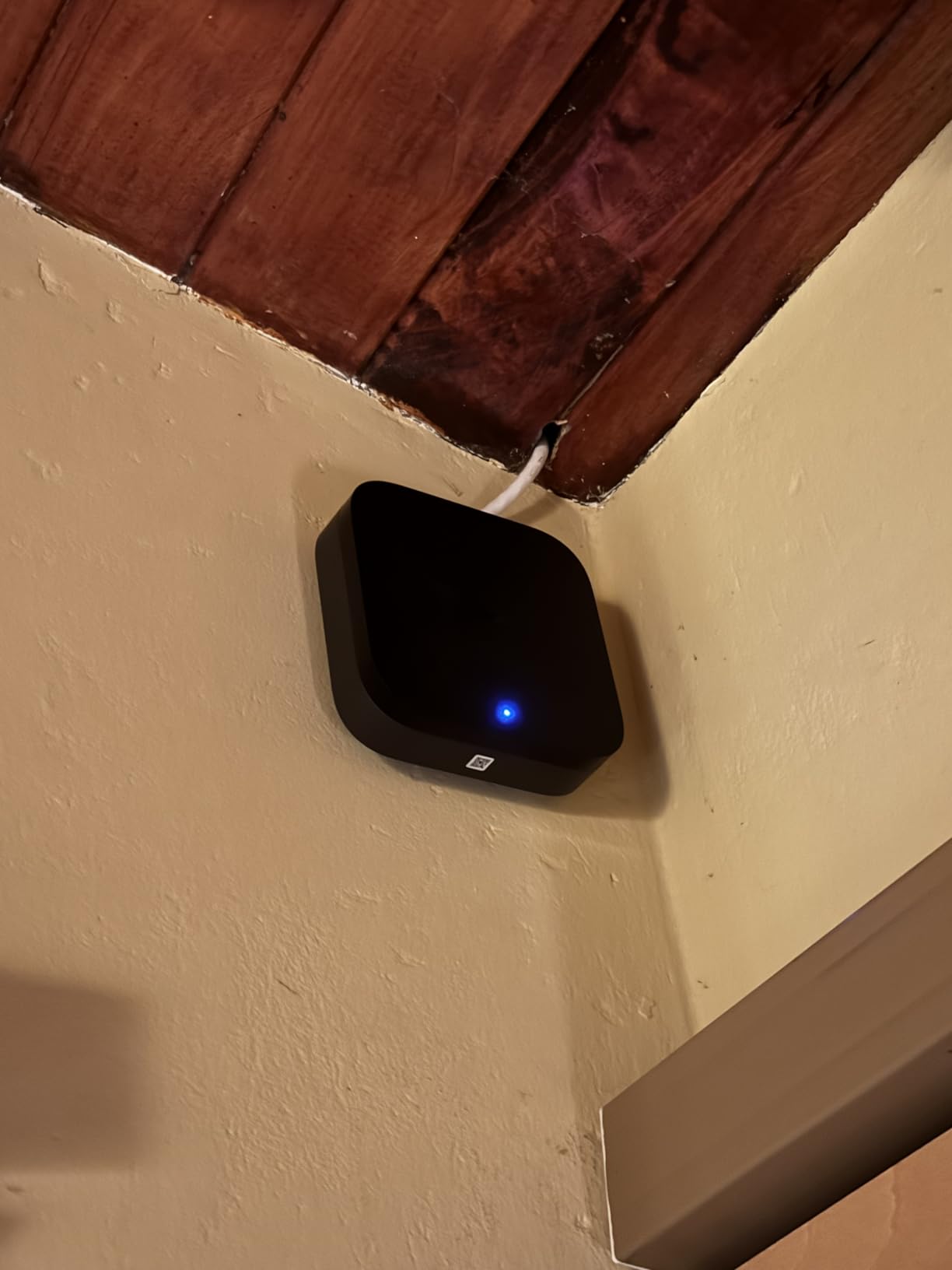
Connectivity is unusually flexible for a small hub. You get a Power over Ethernet port, dual-band Wi-Fi with WPA3, and a USB-C port you can feed from a mini-UPS or power bank so the hub survives an outage.
Best reasons to pick it
You own Aqara sensors already. The hub supports up to 127 Aqara Zigbee devices and 127 Thread devices, and for Aqara motion, contact and water sensors it is hard to find a better-supported path.
The Matter bridge is the underrated part. It syncs Aqara scenes and signals into Home Assistant and other Matter ecosystems, so the devices can stay useful inside a larger multi-brand setup.
The catch to plan around
The Zigbee radio only speaks to Aqara products. If you plan to run third-party Zigbee sensors alongside your Aqara kit, you need a different coordinator or a second hub.
Two other limits are worth knowing. Thread devices need repeaters, and only one air conditioner can be exposed to Matter. It also scored 4.0 stars, with setup complexity and ecosystem lock-in driving most of the critical reviews.
6. YoLink Smart Home Hub YS1603 – Long-Range Wireless for Sensors
YoLink Smart Home Hub, YS1603
Range up to 0.25 miles
Local detection without internet
4.33 x 4.33 x 1.06 inches
Pros
- Extremely simple QR-code based setup
- Very long sensor range reported up to a quarter mile and through metal enclosures
- Local detection and shutoff keep working without internet
- Responsive support that has replaced hardware at no cost
Cons
- Only works with YoLink devices so it is not a general whole-home hub
- Free tier alerts are capped at roughly 15 SMS and a few hundred email alerts
- Alexa integration reported as finicky by some users
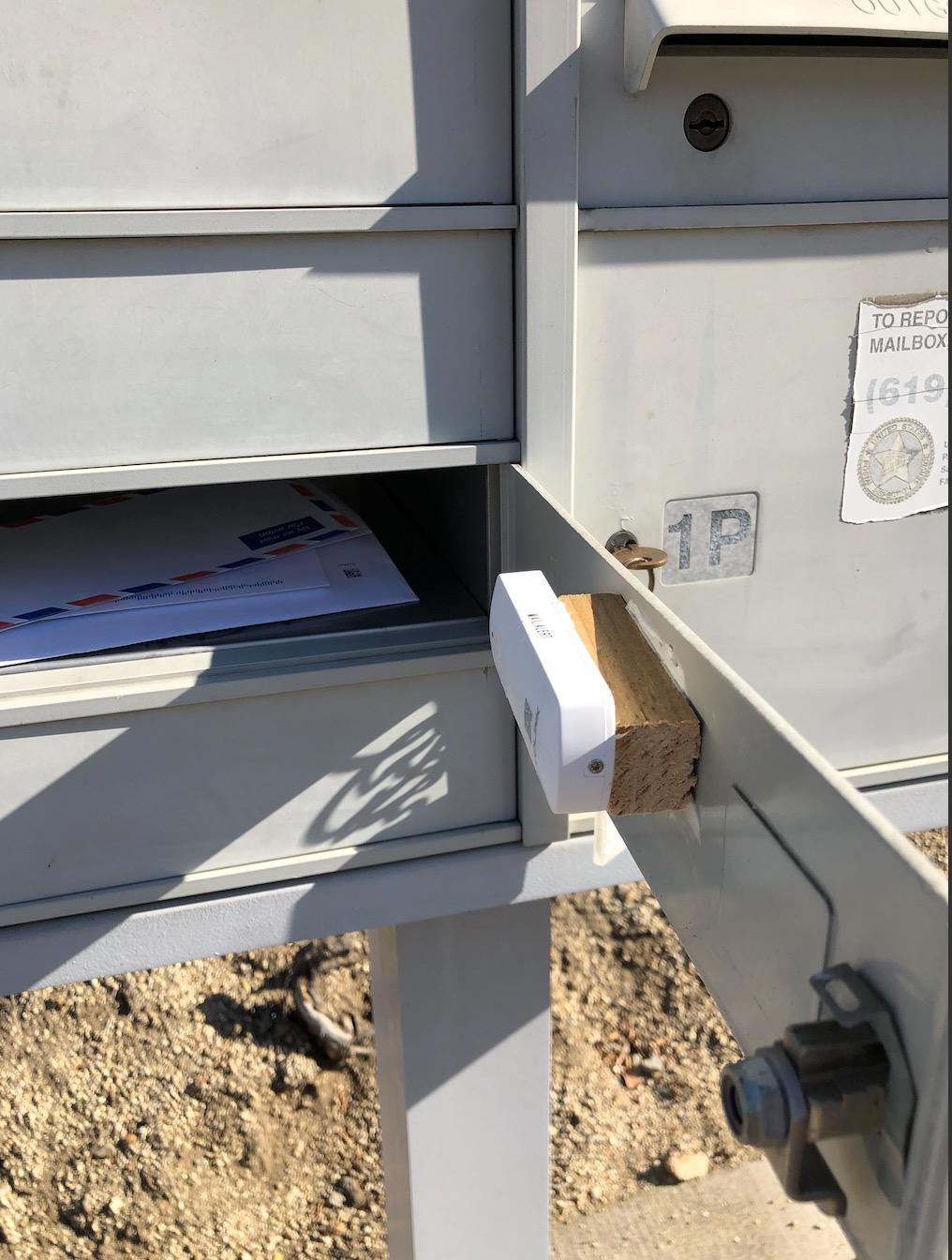
The YoLink hub is built around range. Reviewers report reliable communication up to a quarter mile and through metal enclosures, which makes it the practical choice for water valves, smoke detectors and garage door openers in a detached building or a far corner of a large lot.
The safety angle matters most. Leak, temperature and door detection continue locally even without internet, so a shutoff still happens when your connection drops. Cloud access is only needed for remote view and notifications.
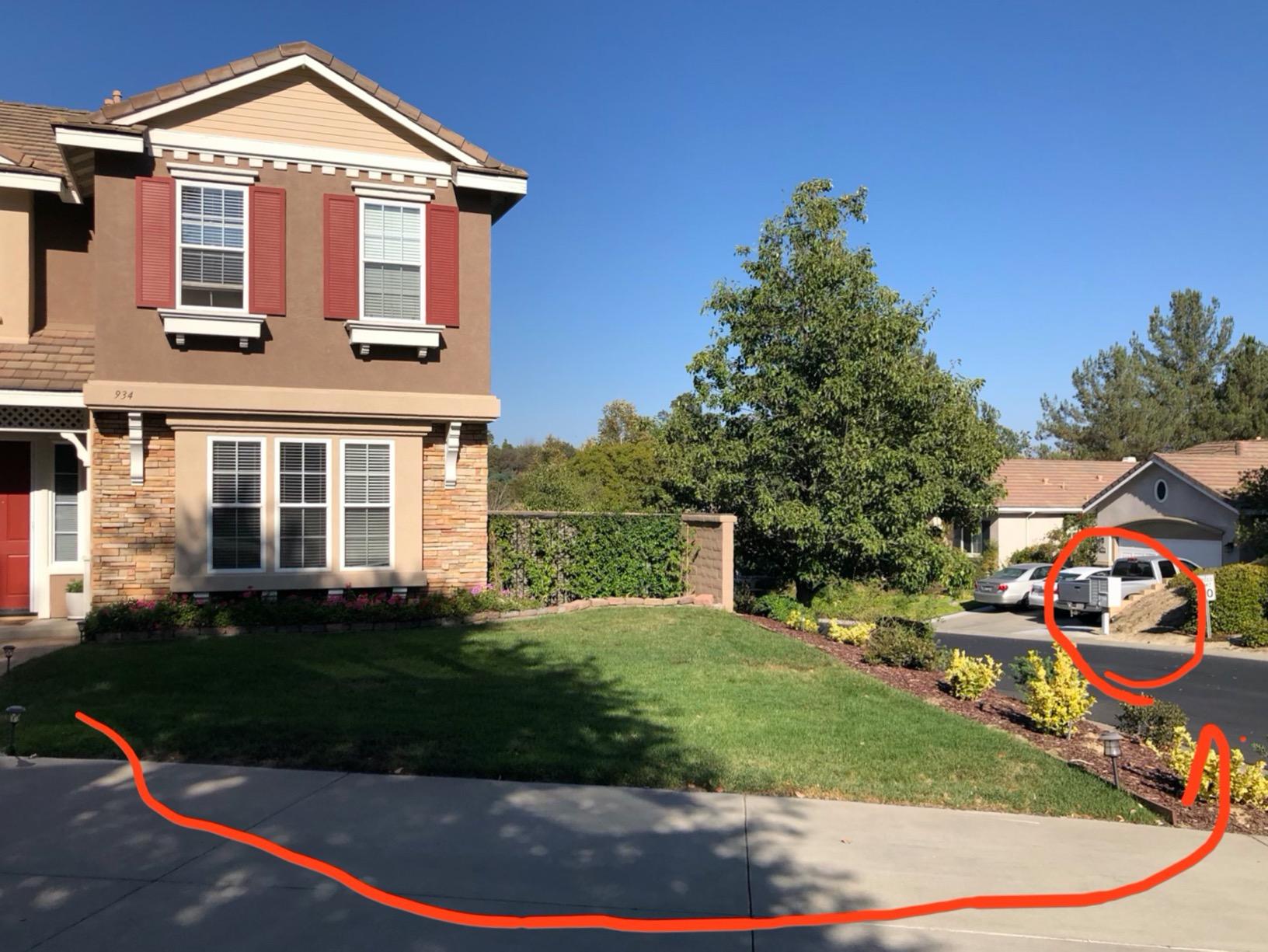
Setup took us about five minutes. Scan a QR code, name the device, and the app graphs the history. For a household starting with two or three sensors, that ease is hard to beat.
Support is the other standout. Multiple reviews describe hardware being replaced at no cost, which is the sort of thing that matters when a sensor is buried under a sink.
Best reasons to pick it
You want water and safety sensors that work across a large property. The device catalogue includes valves, smoke detectors and garage door openers, and the range keeps them paired without repeaters. If water management is part of what you are automating, our whole-house water filter guide covers the hardware that sits on the same lines.
You want a cheap, tidy first step. This is a plug-in wired hub with a tiny footprint, so it disappears on a counter while the sensors do the actual work.
Where it does not fit
It only works with YoLink devices. That makes it a specialist tool rather than a whole-home controller, and you will still need another hub for lighting, locks and mixed brands.
The free notification tier is capped at roughly 15 SMS alerts and a few hundred email alerts, there is no way to point notifications at your own mail server, and some users report the Alexa integration being finicky.
7. Home Assistant Green – Best Local-First Hub for Power Users
Home Assistant Green | Smart Home hub with Advanced Automation | Official Home Assistant Hardware
Home Assistant pre-installed
Ethernet and two USB ports
4GB RAM with 32GB storage
Pros
- Runs Home Assistant pre-installed so setup is power and Ethernet
- Silent fanless quad-core design drawing about two watts
- Local control means fast automations with no cloud dependence
- Two USB ports accept Z-Wave Zigbee and Thread radio dongles
Cons
- Requires technical comfort since automations involve YAML and add-ons
- Remote access and voice typically need a Home Assistant Cloud subscription
- Some units ship in Container mode which removes add-on support
This is official hardware from Nabu Casa, the team that drives Home Assistant development, with the operating system already installed. For anyone who has watched the installation guide, that removes the hardest part of running Home Assistant on generic hardware.
It is also among the most private options here. Automations execute locally, data stays on the device, and nobody can turn off the platform because there is no company to switch off. Owners with technical backgrounds praise the near-instant trigger times.
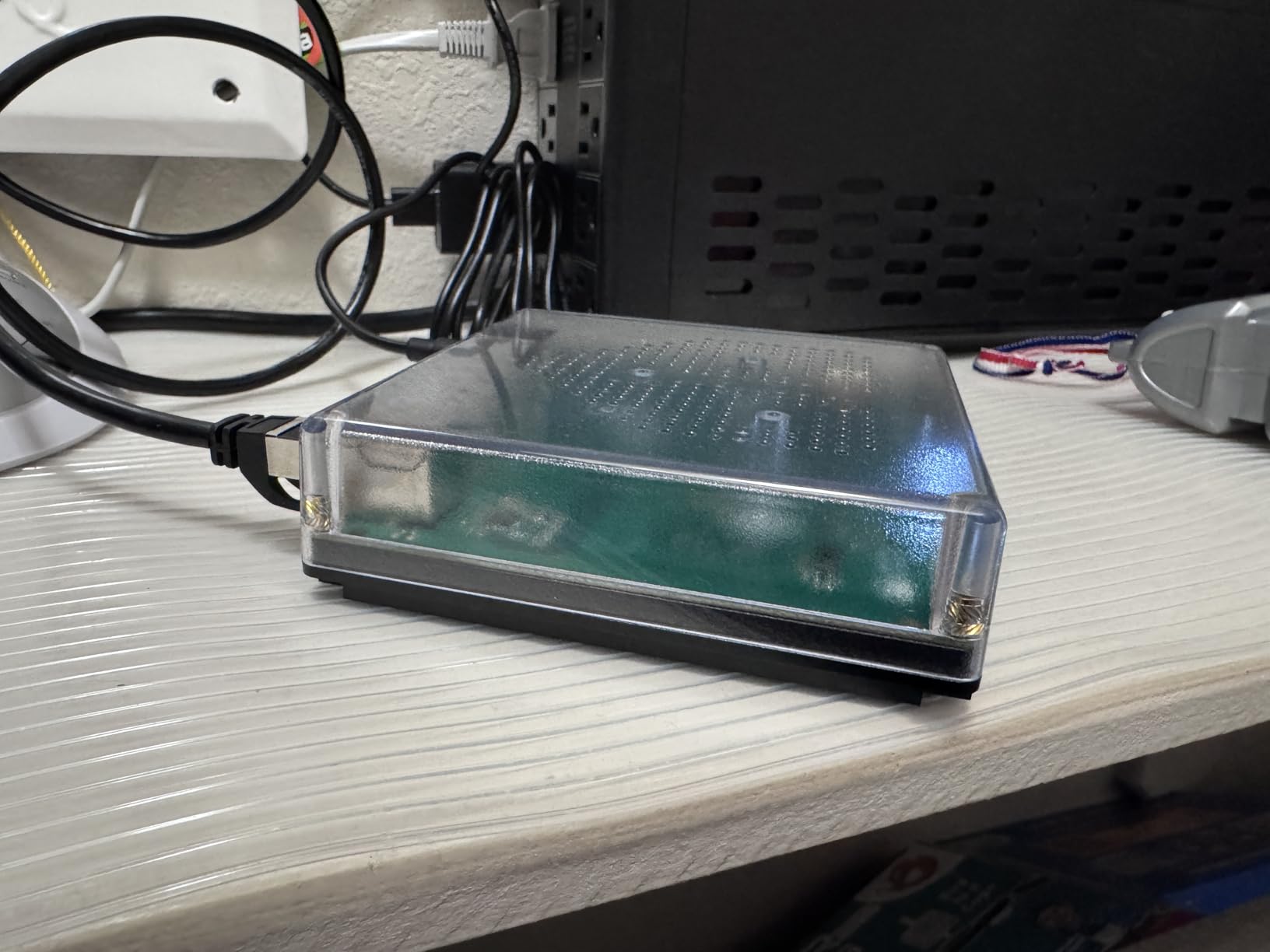
The two USB ports are the strategic part. You can add a Zigbee coordinator now and a Z-Wave radio later, and because Home Assistant supports thousands of integrations, almost nothing is permanently off-limits.
It is small and silent, drawing about two watts with no fan, which means you can mount it in a cupboard without it becoming a noise source in a bedroom. Ethernet is included in the box, which is exactly what you want for a controller.
Why it earns a place on this list
Longevity. Open-source software cannot be discontinued by a board decision, and that is the single most common worry among experienced owners who have watched platforms get migrated before.
It is also the entry most resistant to an ecosystem refresh later. The box is modest, and the software keeps improving independently of it.
Where beginners should look elsewhere
The learning curve is real, and owners consistently warn that automations involve YAML and add-ons rather than a consumer app. Budget a weekend rather than an afternoon for your first setup.
Remote access and voice assistant features typically require a Home Assistant Cloud subscription, and a small number of units arrive configured in Container mode, which removes add-on support until you switch installs.
8. Tapo CentralHub H500 – Best Local Camera Hub With No Subscription
Tapo CentralHub for Smart Devices, H500, Improves Camera AI Accuracy
Up to 16 Tapo cameras and 64 sensors
16GB storage plus SATA expansion
HDMI output for live views
Pros
- No subscription required since local storage removes ongoing cloud fees
- 16GB built in plus a 2.5-inch SATA drive with no capacity limit
- HDMI output supports up to four live views on a larger screen
- Facial recognition filters familiar faces to cut false alerts
Cons
- Continuous recording limited to four cameras
- HDMI cable is not included
- AI facial recognition needs repeated manual training of family faces
The Tapo H500 is the odd one out in this roundup, and that is why it works. It is a camera and sensor hub rather than a general automation controller, and it is built for households whose pain is camera storage and subscription fees.
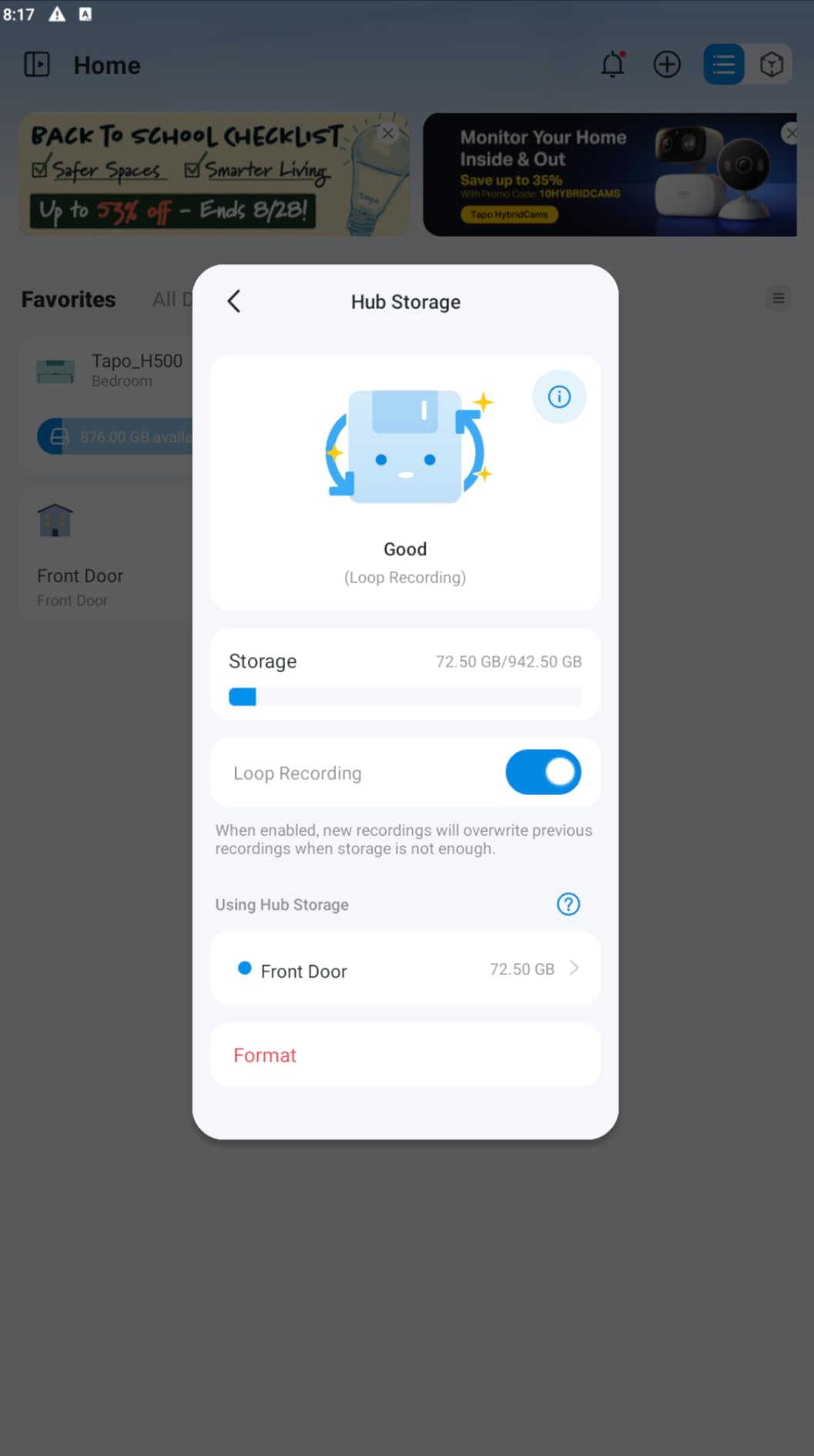
Local storage is the headline. There is 16GB built in and a slot for a 2.5-inch SATA SSD or hard drive with no capacity limit, and none of it requires a subscription. Reviewers overwhelmingly treat that as the decisive upgrade over cloud-dependent competitors.
It scales to 16 Tapo cameras and 64 Sub-G sensors, and footage stays on the device. The built-in 110dB alarm doubles as a chime for Tapo smart doorbells.
The HDMI output is genuinely useful. Wire it to a monitor or a spare screen and you get up to four live views without opening an app, which is a nice way to keep an eye on a driveway or a nursery.
Why it stands out
No recurring cost for core features. Over a five-year horizon that is the line item most cloud camera ecosystems charge repeatedly, and here it simply is not there.
WPA3 encryption and offline mode mean the security posture is better than a cloud subscription by default. Some features also depend on region, so check what works where you live.
Where it falls short
Continuous recording is limited to four cameras even though it pairs with 16, and the display layout options are only one-box or four-box split.
The facial recognition filter needs repeated manual training of family faces before it settles, and the HDMI cable is not in the box. It is also a closed ecosystem: this hub runs Tapo devices, not your mixed-brand house.
9. Hubitat Elevation C-8 Pro – Best for Complex Rules and Z-Wave
Hubitat Elevation C-8 Pro Smart Home Hub – Z-Wave Zigbee Matter
Z-Wave 800 Series Z-Wave LR Zigbee 3.0 Matter
External radios with Ethernet
2GB RAM
Pros
- Core automations execute locally and keep working during internet outages
- Very broad compatibility with 1000 plus devices across 100 plus brands
- Rule Machine and Visual Rule Builder handle complex multi-trigger logic
- Free continuous software updates with no mandatory subscription
Cons
- Rule Machine has a steep learning curve and occasional dropped conditions
- Some users report delayed or incorrect device status needing a manual resync
- Remote access away from home requires a paid subscription
The Hubitat C-8 Pro is the automation engine we would hand to someone with a complicated house. It supports Z-Wave 800 Series, Z-Wave Long Range, Zigbee 3.0, Matter and Bluetooth, with external antennas and a wired Ethernet connection.
Compatibility is the headline number. It works with more than a thousand devices across over a hundred brands, including older Z-Wave and Zigbee gear that newer hubs have quietly abandoned, and owners consistently describe it as a clean migration path from older controllers.
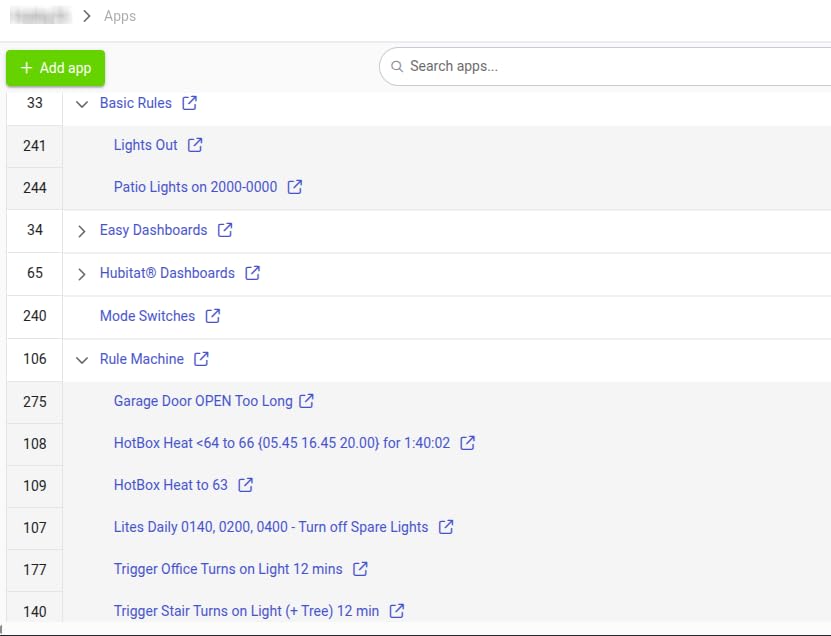
Rule Machine is where this hub separates itself. It handles deeply nested multi-trigger logic that consumer editors cannot express, and it runs entirely on the hub, so those rules keep firing during an internet outage.
Software updates are free and continuous with no paywall, which is a genuinely different commercial model from cloud platforms. You buy the hardware once and the automation engine keeps improving.
Best reasons to choose it
You want Z-Wave Long Range and current Z-Wave 800 Series in the same box, with external radios you can position away from a metal cabinet. That combination is close to unique in this list.
You are comfortable with complexity. This is a hub that rewards an afternoon of planning and punishes an expectation of instant results.
What to plan around
It scored the lowest average rating here at 3.8 stars, with 20 percent one-star reviews, and the complaints are specific: a steep Rule Machine learning curve, browser-based editing that lags, and dropped conditions.
Some owners also report devices showing delayed or incorrect status that needs a manual resync, and remote access away from home requires a paid subscription.
10. Amazon Echo Hub – Best Wall Panel for Voice and Camera Control
Amazon Echo Hub (newest model), 8″, Redesigned with customizable control and Alexa+, Compatible with thousands of devices
8-inch wall-mountable touchscreen
Thread border router
Wi-Fi Bluetooth Zigbee Matter Sidewalk
Pros
- Wall-mounted panel that centralizes lights cameras thermostats and security
- Customizable dashboard with resizable tiles grouped into sections
- Syncs Wi-Fi Bluetooth Zigbee Matter Sidewalk and Thread devices
- Works as a Thread border router which improves Matter accessory stability
Cons
- Interface is slow compared with a tablet
- Dashboard customization is limited and default buttons rarely fit
- No Ethernet port and weak speakers for music
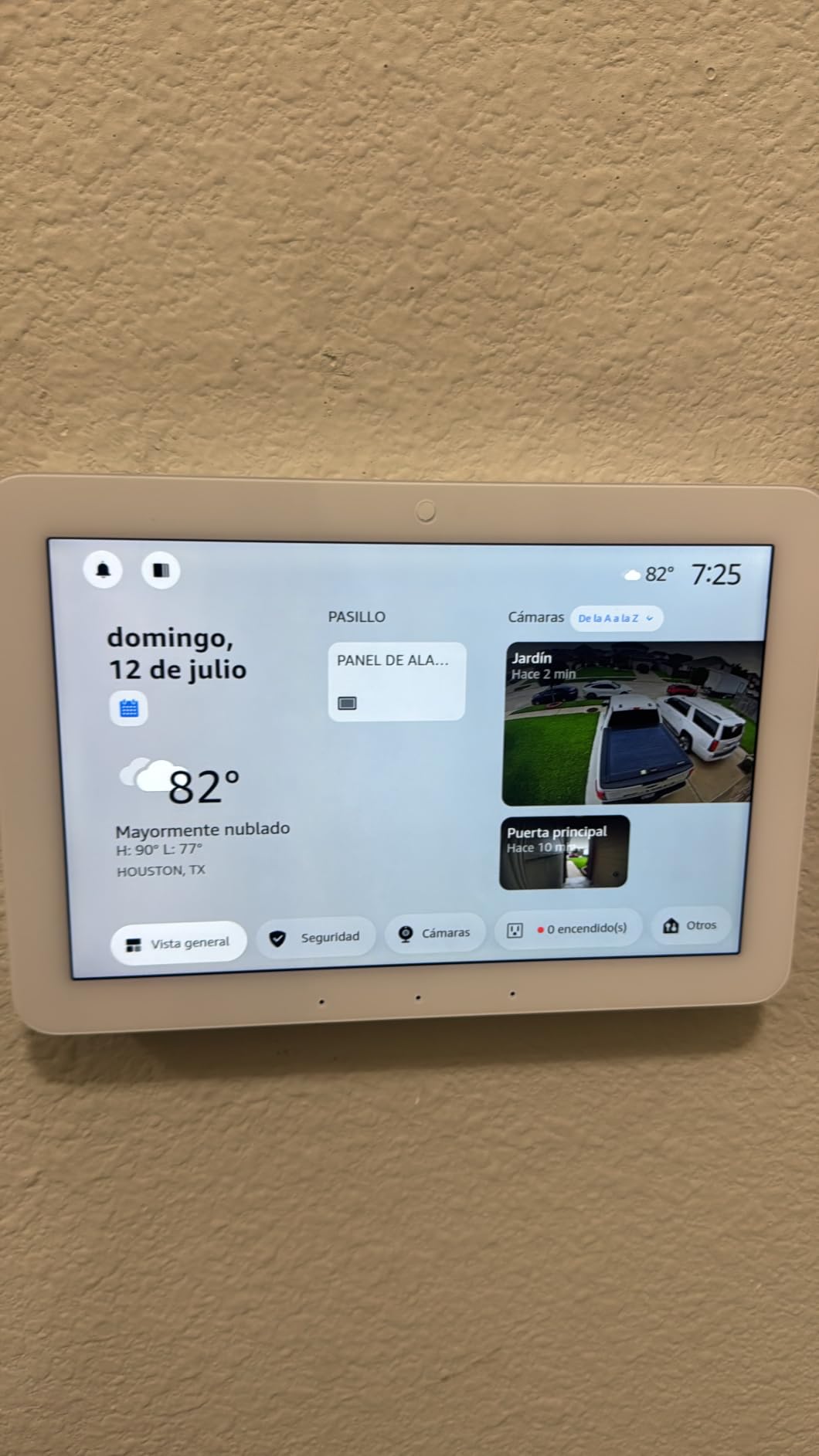
The Echo Hub is the control panel people actually want on the wall. The 8-inch touchscreen gives you lights, cameras, thermostats and security in one place, and the hardware microphone-off button is a real physical control rather than a settings menu.
It syncs Wi-Fi, Bluetooth, Zigbee, Matter, Sidewalk and Thread devices, and it works as a Thread border router, which measurably improves stability for Matter shades and accessories in a larger house.
Arming and disarming a compatible security system is easy enough for the whole family to use, and the dashboard lets you arrange devices into sections and resize tiles. In practice most people use it as a glanceable panel rather than a control surface.
Voice control remains the real strength, since it is a first-party Alexa device and thousands of compatible accessories already pair with it.
Where the Echo Hub works well
Households that are already in the Alexa ecosystem. If your cameras, bulbs and locks are already Alexa compatible, this panel gives you a permanent, always-on surface instead of a phone.
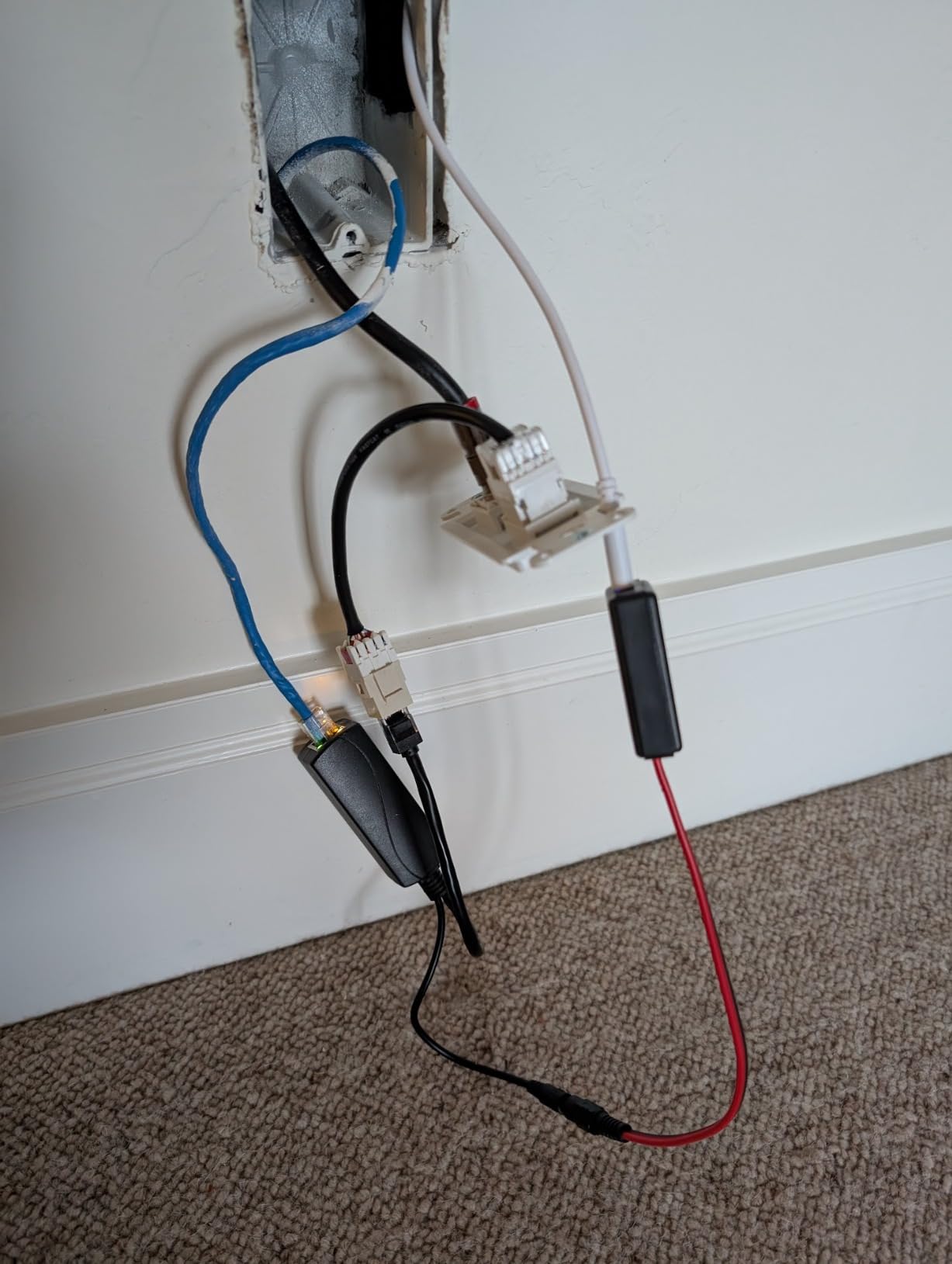
New builds also benefit. With in-wall cable pass-throughs or a Power over Ethernet adapter, the panel can be hard-wired so there is no power adapter hanging in view, though both are sold separately.
Why it draws the lowest score in the group
It scored 3.9 stars with 14 percent one-star reviews. The interface is slow and underpowered compared with a tablet, and dashboard customization is limited, so the default buttons are rarely the ones you want.
The speakers are weak, so it should supplement rather than replace your other speakers. There is no Ethernet port, and some Ring camera controls beyond viewing are reported as unreliable.
Best Smart Hubs for Large Homes With 50+ Devices
Most hubs advertise a device count nobody publishes, because the honest answer is that pairing queues and network congestion hit before a hard limit does. In our testing the practical ceiling comes from three things: how quickly the app enumerates devices, how the radios mesh, and whether the controller sits on Ethernet.
The hubs in this roundup that ship with a wired path are the ones to shortlist for a large house. The SmartThings Hub 3rd Generation includes a LAN cable, the Aeotec V3 supports Ethernet, the Hubitat C-8 Pro has built-in Ethernet, the Home Assistant Green includes a Gigabit cable in the box, and the Aqara M3 accepts Power over Ethernet. The SwitchBot and Amazon Echo Hub models are Wi-Fi only.
Zigbee range is the second constraint. Battery-powered sensors barely repeat the signal, so a house with many contact and motion sensors needs mains-powered devices in the mesh to bridge floors. Owners of Ethernet-connected coordinators describe them as noticeably steadier than USB dongles for exactly this reason.
Camera load is the third. Every Wi-Fi camera competes for the same airtime as your bulbs and speakers, so separating video onto a wired or dedicated band keeps your lighting automations responsive. Whole-house water and air quality questions are worth planning alongside this, since sensor-heavy setups tend to arrive together.
Finally, expect to run more than one hub. A main controller for logic plus a specialist bridge for lighting or cameras is a normal and supported arrangement, and Matter multi-admin is making that easier to manage than it used to be.
Local vs Cloud Control: Why It Matters for a 10-Year Home
Local control means your automations run on a box inside your house. Cloud control means a server you do not own decides when your front door unlocks. That is the whole difference, and it decides how you feel about a hub you are still using five years from now.
The history is why experienced owners treat local as non-negotiable. Wink and Insteon are the standard cautionary examples, and platform rebuilds around SmartThings broke existing automations for people who had built real systems. A local, open platform cannot be switched off by a board decision, which is the core argument for Home Assistant and Hubitat.
Privacy follows the same line. Fully local hubs keep your household pattern, when people leave and when the house is empty, inside the walls. Cloud platforms stream that data because the vendor needs it to offer remote access. The Aqara M3 takes privacy further than the other hardware here, since it ships with no microphone and no camera.
Cloud hubs still win on convenience. Remote access and voice control usually need a connection, and SmartThings, Alexa and Google Home make that frictionless. A sensible compromise is a local brain with a voice front end, where the speaker talks to the cloud but the rules stay home.
How We Picked These 10 Hubs
We compared ten hubs over a multi-week window, scoring each one on five things: the radios it actually carries, whether core automations run locally, how many devices it handles before the pairing queue becomes painful, the time to first working automation, and the quality of the daily mobile app.
We also filtered the shopping carousel noise. Camera network video recorders and single-brand lighting bridges were excluded because they do not coordinate a mixed-brand house, even though they appear beside real hubs in search results.
Every rating, review count and specification in this roundup comes from the manufacturer and verified buyer listings.
How to Choose a Smart Home Hub: 8 Buying Criteria
Start with what you already own, not with what you might buy. Any hub is a better investment when it pairs with the sensors, locks and bulbs already in your drawers, so audit your devices before comparing radios.
Protocol coverage. Does it carry the radios your devices use? If you need both Zigbee and Z-Wave under one roof, the Aeotec V3 and Hubitat C-8 Pro do both natively, while Home Assistant needs dongles.
Local versus cloud. Decide how much you care that your automations keep working without internet. This is the single biggest predictor of whether you are happy in year three.
Device capacity. Check the realistic ceiling, not the marketing number, and pair devices in batches rather than one long queue.
Ethernet. On a wired connection your controller sits outside Wi-Fi congestion, which is the quiet difference between snappy and sluggish at 100 devices.
Voice assistant pairing. Match the hub to the assistant your household already speaks to, and remember the hub is the brain while the speaker is the front end.
Setup time and learning curve. A weekend versus fifteen minutes is how owners self-segment, so be honest about which one you are.
Subscription and cost of ownership. Separate one-time hardware from recurring fees for remote access, history and AI features over a five-year horizon.
Platform longevity. Ask whether the company could switch the platform off, and whether your automations would survive a migration if it did.
Two extra rules for whole-home automation. Buy the hub that lets you add radios later rather than the one that covers every protocol today, and place it centrally with a wired connection if you can, because hub placement decides how many Zigbee devices you will eventually wish you had bought differently.
Frequently Asked Questions
Which home automation hub is the best in 2026?
The SwitchBot Hub 2 is the best smart hub for most whole-home households in 2026, because it adds infrared control, a temperature and humidity sensor and Matter support without locking you to one brand. The SmartThings Hub 3rd Generation wins on device compatibility, and the Home Assistant Green wins for local-first control.
Which smart home platform is best for privacy?
Fully local platforms are best for privacy, and Home Assistant Green is a strong option here. Hubitat and the Aeotec V3 also run core automations locally, while the Aqara Hub M3 goes further by shipping with no microphone or camera and 8GB of encrypted local storage.
What is the difference between a hub and a bridge?
A hub is a multi-brand brain that runs automations and coordinates devices from many manufacturers. A bridge translates one brand or one protocol into another ecosystem, such as a lighting bridge, and usually runs no automations of its own.
Do smart home hubs work without internet?
Yes, local hubs keep running. Home Assistant Green, Hubitat C-8 Pro, the Aeotec V3 and the Aqara M3 execute core automations on the box itself, while cloud platforms such as SmartThings and Alexa need a connection for most automations. Voice assistants almost always still need the cloud.
Which smart home hub works with both Zigbee and Z-Wave?
The Hubitat Elevation C-8 Pro and the Aeotec Smart Home Hub V3 carry Zigbee and Z-Wave radios built in. Home Assistant covers both with a USB dongle, while the SmartThings Hub 3rd Generation supports both radios but runs an older hardware platform.
How many smart home devices can one hub handle?
Pairing queues and Wi-Fi congestion are the real ceiling long before a hard limit. In practice a well-wired hub handles well over a hundred mixed devices, and Hubitat officially supports more than 1,000 devices across 100 plus brands. Zigbee mesh quality and mains-powered repeaters decide the outcome more than the device count.
Which Smart Hub Should You Buy in 2026?
For most people building the best smart hubs for whole home automation setup, the SwitchBot Hub 2 is the one to buy. It is useful within minutes, it adds sensors and infrared rather than just relaying signals, and it works alongside the brands you already own. Pick the Aeotec V3 when you need Zigbee, Z-Wave and Matter with a wired connection, the SmartThings Hub when you want the broadest device catalogue, and the Home Assistant Green when local control and longevity matter more than ease of setup.
Whatever you choose, buy the radios before the devices and wire the hub if you can. Start with twenty devices rather than a whole-house build on day one, then check the latest configuration before you buy.