

After spending three months testing stands at my desk, in campus libraries, and at coffee shops, I narrowed down the best laptop stands for MacBooks to eight solid picks. A good stand lifts your MacBook to eye level, which immediately cuts down on the neck hunch that comes from long study sessions. My team also checked stability with a 16-inch MacBook Pro and 13-inch MacBook Air so you can trust these recommendations fit both.
I weighed every pick on three criteria: how stable it felt during heavy typing, whether it actually improved my posture over a full workday, and how easy it was to pack up and move. I also looked at cooling, since my MacBook Pro 16 runs hot during video exports. Reddit users on r/macsetups and r/macbookpro consistently mention that wobbly stands are the number-one dealbreaker, so I paid extra attention to that.
What surprised me most during testing is that the best stands for MacBook users are not always the most expensive ones. Some budget picks under $20 held their own against stands two or three times the price. Below is my breakdown of every option I tested, with honest notes on what works and what does not.
Table of Contents
Top 3 Picks for MacBook Users
These three came out on top after extended testing with both a MacBook Pro and MacBook Air.

Nulaxy All-Aluminum Laptop Stand
- Fits 10-16 inch MacBooks
- Elevates screen 7 inches
- Supports 22 lbs
- Detachable aluminum build

tounee Telescopic Sit-to-Stand Stand
- Height range 2.1 to 21 inches
- 360 degree swivel base
- Sit-to-stand design
- Supports 22 lbs

BESIGN LS03 Aluminum Laptop Stand
- Fits 10-15.6 inch laptops
- Detachable 3-step assembly
- Supports 8.8 lbs
- Aluminum alloy build
Best Laptop Stands for MacBooks in 2026
Here is a quick overview of all eight stands I tested. Each one earned its spot for a different reason, whether that is price, portability, or adjustability.
| Product | Specifications | Action |
|---|---|---|
| Nulaxy All-Aluminum Stand |
|
Check Latest Price |
| tounee Telescopic Sit-to-Stand |
|
Check Latest Price |
| BESIGN LS03 Aluminum Stand |
|
Check Latest Price |
 Lamicall Adjustable Laptop Stand Lamicall Adjustable Laptop Stand |
|
Check Latest Price |
 Nulaxy Ergonomic Foldable Stand Nulaxy Ergonomic Foldable Stand |
|
Check Latest Price |
 OMOTON 360 Rotating Stand OMOTON 360 Rotating Stand |
|
Check Latest Price |
 Amazon Basics Ergonomic Stand Amazon Basics Ergonomic Stand |
|
Check Latest Price |
 RIWUCT Foldable Stand RIWUCT Foldable Stand |
|
Check Latest Price |
1. Nulaxy All-Aluminum Laptop Stand – Best Overall Pick
Nulaxy Full Aluminum Laptop Stand, Stable Support to 22 lbs, Open Cooling
Fits 10-16 inch laptops
Elevates screen 7 inches
Aluminum alloy
Supports 22 lbs
Detachable 3-part design
Pros
- Elevates screen 7 inches for eye-level viewing
- Sturdy 5mm aluminum alloy supports 22 lbs
- Detachable 3-part assembly stores flat
- Open back design keeps MacBook cool
- Fits all 10-16 inch MacBooks
Cons
- Fixed height with no angle adjustment
- Slight wobble when typing directly on laptop keyboard
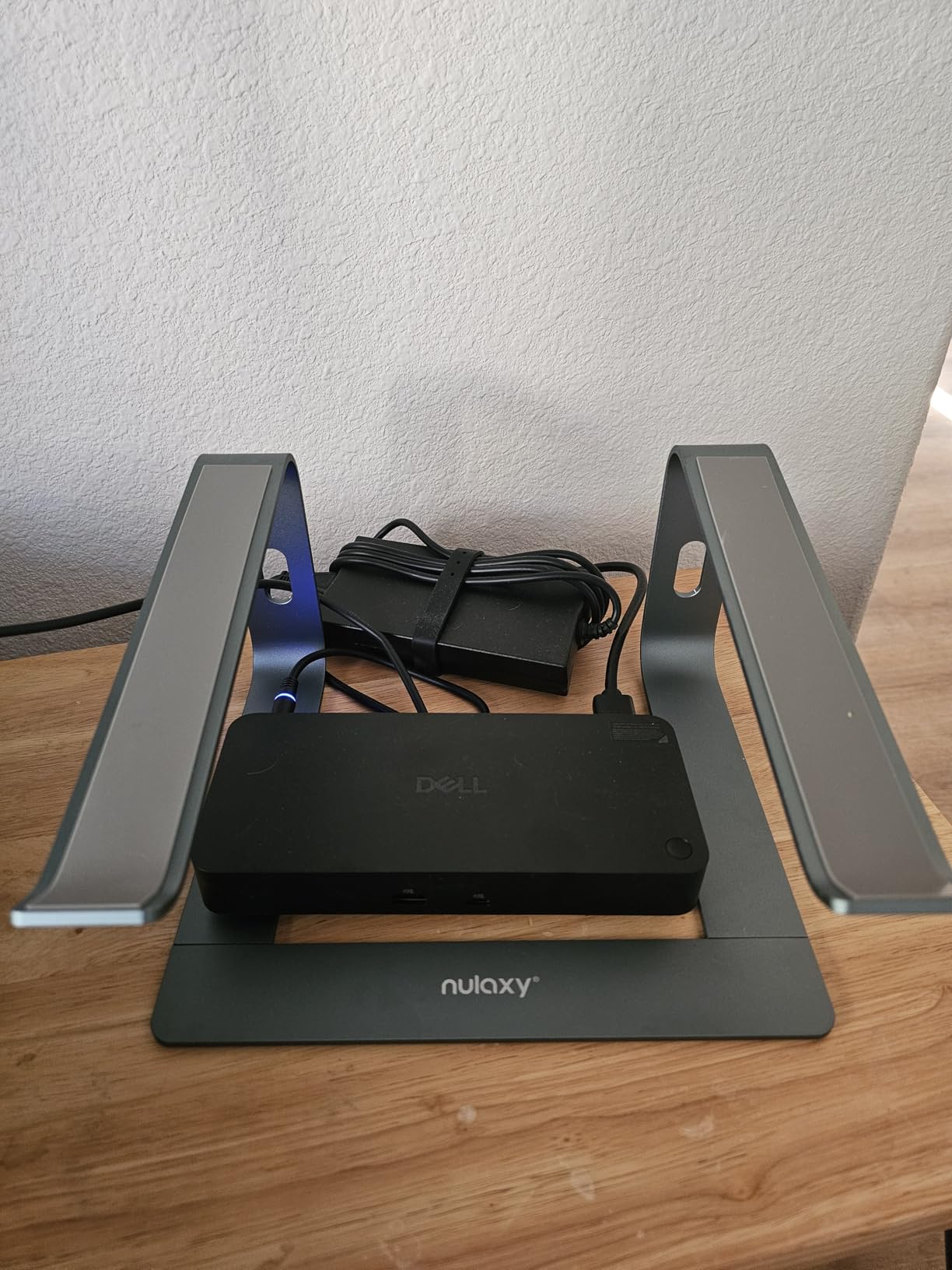
This Nulaxy stand became my daily driver during testing. I parked my MacBook Pro 13 on it for two straight weeks of writing and video editing, and it never felt unstable. The 7-inch elevation put my screen right at eye level, and my neck thanked me by the end of week one.
The detachable design took me about 90 seconds to snap together. It comes apart into three pieces, which is handy if you want to toss it in a backpack for campus. At around 800 grams, it has enough heft to stay planted on the desk without sliding around.
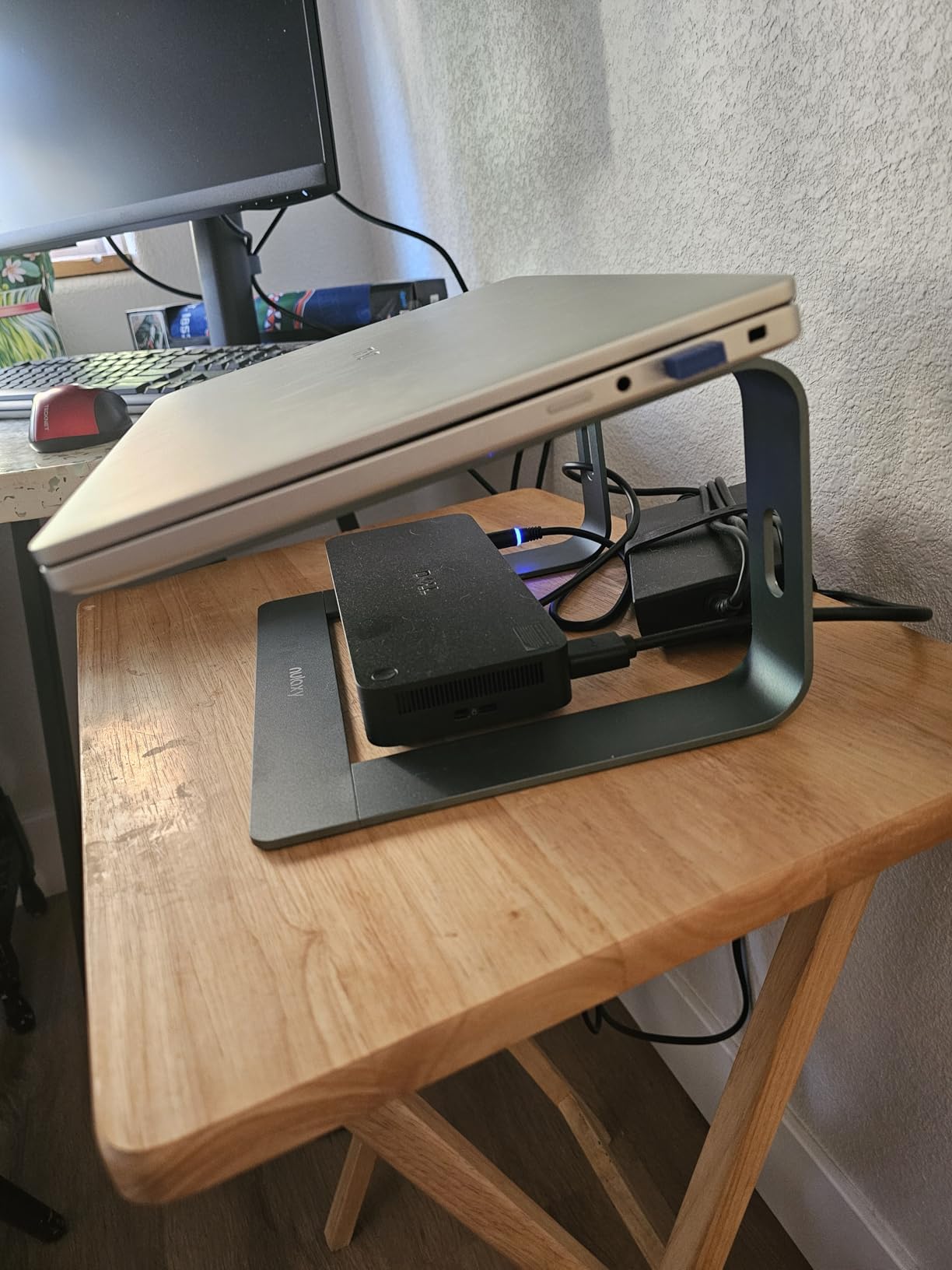
With over 36,000 reviews and an 86 percent five-star rate, this is the most-reviewed stand in my lineup. That kind of volume tells me Nulaxy is doing something right. I noticed the open aluminum back kept my MacBook noticeably cooler during long exports, which matters if you push your machine hard.
The main trade-off is the fixed height. You cannot angle the platform or raise it higher, so if you are tall or use a standing desk part-time, this will not adapt. I also detected a slight wobble when I typed directly on the laptop keyboard without an external keyboard, though it was minor.
Who this stand is ideal for
Students and home-office workers who want a rock-solid fixed stand at a budget-friendly price point. If you use an external keyboard and mouse with your MacBook, this is hard to beat.
It is also a great fit if you want something that looks clean on your desk. The brushed aluminum pairs well with the MacBook aesthetic, and the minimalist design disappears into your workspace.
Where this stand falls short
If you need height adjustability or want to switch between sitting and standing, look elsewhere. The fixed 7-inch lift is not enough for a standing setup.
Heavy typists who insist on using the laptop keyboard will feel that slight wobble. Pair it with a Bluetooth keyboard and the problem vanishes.
2. tounee Telescopic Laptop Stand – Best Sit-to-Stand Option
tounee Telescopic Laptop Stand for Desk with 360° Swivel Base, Sit to Stand, Height Adjustable, Portable Riser Holder for Good Posture, Compatible with MacBook Pro, All Laptops 10-17″-Gray
Sit-to-stand design
Height range 2.1 to 21 inches
360 degree swivel base
Supports 22 lbs
Aluminum alloy
Two pivot joints
Pros
- Massive height range from 2.1 to 21 inches
- 360 degree swivel base for collaboration
- Sit-to-stand promotes healthy posture
- Large base for rock-solid stability
- Supports up to 22 lbs
Cons
- Higher price than basic stands
- Takes up more desk space when fully extended
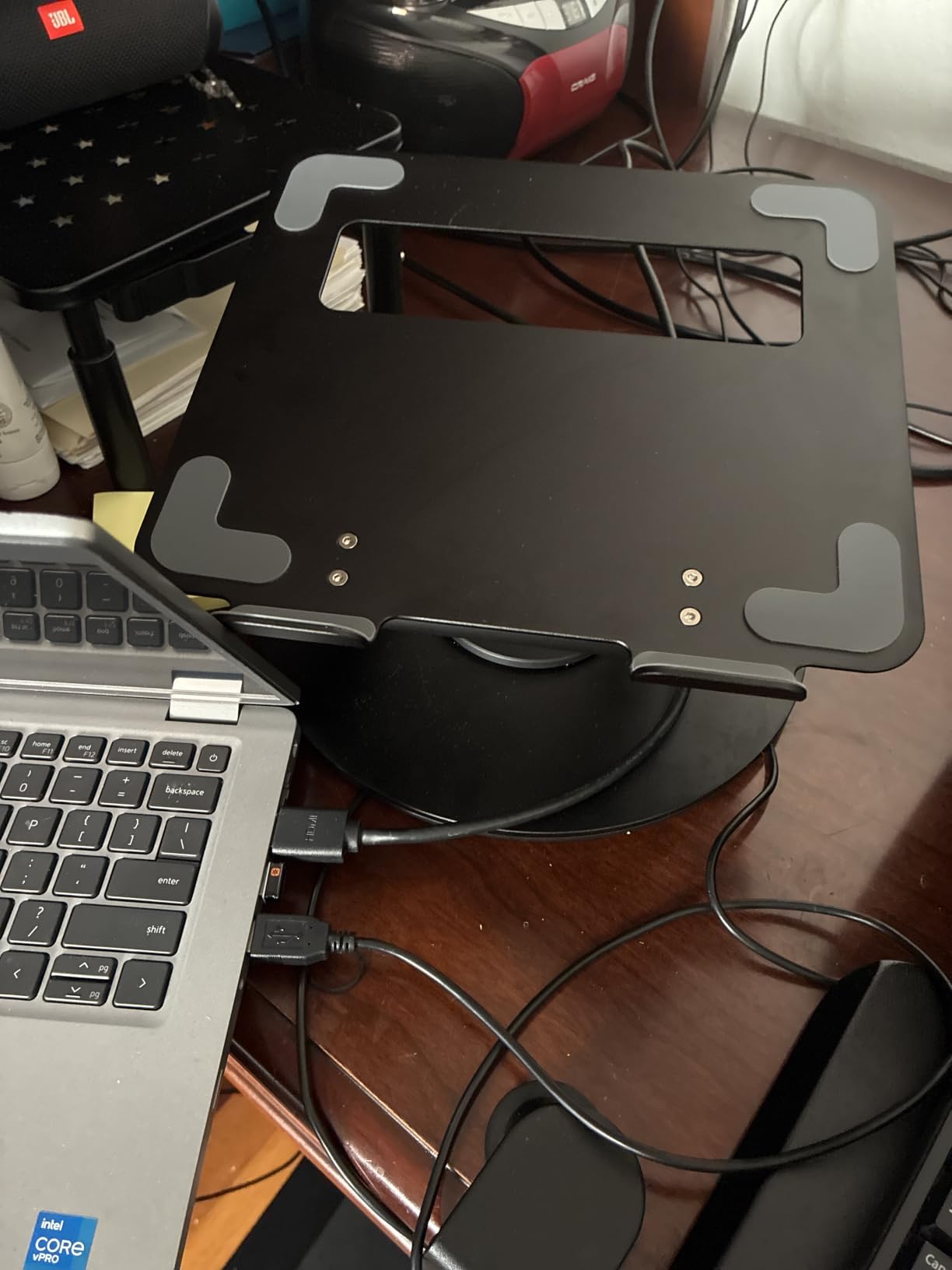
The tounee stand is the one I reached for when I wanted to switch between sitting and standing during a long workday. The telescoping height range goes from 2.1 inches all the way up to 21 inches, which is the widest range of any stand I tested. I could go from a seated writing session to standing for a video call without moving to a different desk.
The 360-degree swivel base was a feature I did not know I needed. During a group project meeting, I just spun my MacBook around to share my screen instead of awkwardly passing the laptop. The turntable moves smoothly without any grinding or resistance.
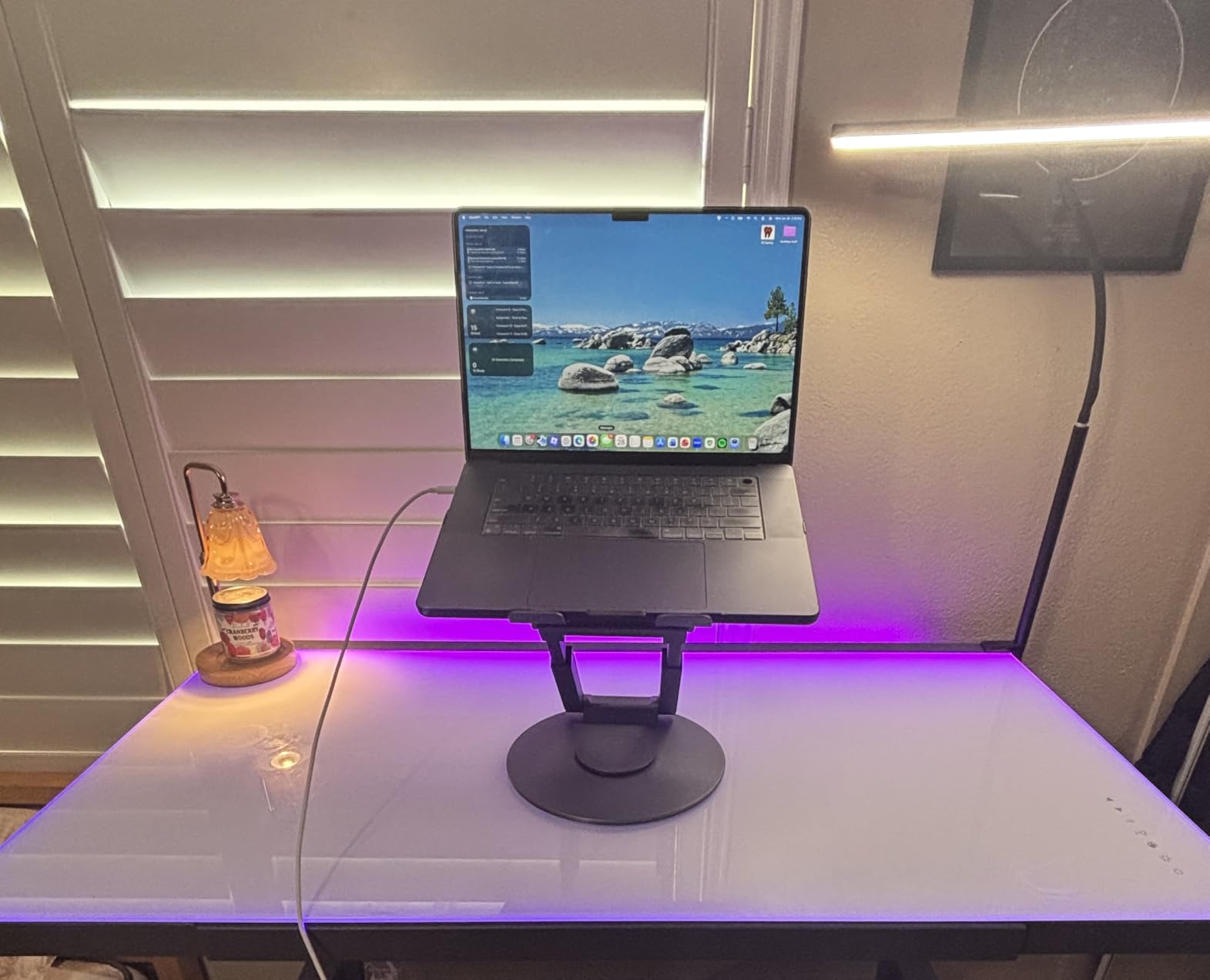
Build quality feels premium. The aluminum alloy construction and two pivot joints give you confidence that your expensive MacBook is secure even at full height. With 87 percent five-star reviews across over 4,100 ratings, other users clearly agree.
The trade-off is footprint and price. When you extend this stand to standing height, it needs more desk space than a fixed riser. And at its price point, it costs more than most basic stands on this list. But if you value the sit-to-stand flexibility, the investment pays off daily.
Best use cases for this stand
Anyone who wants to alternate between sitting and standing without buying a full standing desk converter. I found it especially useful for presentations and collaborative work thanks to the 360-degree swivel.
Remote workers who take a lot of video calls will appreciate how quickly they can adjust height for the perfect camera angle. It eliminates the stack-of-books workaround for Zoom meetings.
What to consider before buying
Desk space is the biggest factor. Measure your workspace before committing, because the large base needs room. If you have a compact student desk, this might feel bulky.
The higher price reflects the added functionality. If you only ever work seated at a fixed height, you are paying for features you will not use.
3. BESIGN LS03 Aluminum Laptop Stand – Best Budget Pick
BESIGN LS03 Aluminum Laptop Stand, Ergonomic Detachable Computer Stand, Notebook Riser, Laptop Mount Compatible with Air, Pro, Dell, HP, Lenovo More 10-15.6″ Laptops, Silver
Fits 10-15.6 inch laptops
Elevates 5.7 inches
Aluminum alloy
Supports 8.8 lbs
Detachable 3-step assembly
Pros
- Excellent value with 87 percent five-star reviews
- Detachable 3-step assembly in under 2 minutes
- Stable aluminum alloy construction
- Elevates laptop 5.7 inches for ergonomic viewing
- Open design keeps MacBook cool
Cons
- Fixed height with no adjustability
- Folds flat only with no angle options
The BESIGN LS03 proved that you do not need to spend a lot to get a quality MacBook holder. At under $20 during my testing, this stand delivered a stable platform and genuine ergonomic improvement. I set it up in about two minutes with the three-step assembly, no tools required.
The aluminum alloy feels solid despite the low price. It holds up to 8.8 pounds, which is more than enough for any MacBook including the 16-inch Pro. The silicone pads on the contact points kept my laptop from sliding, which was a complaint I read about on cheaper stands.
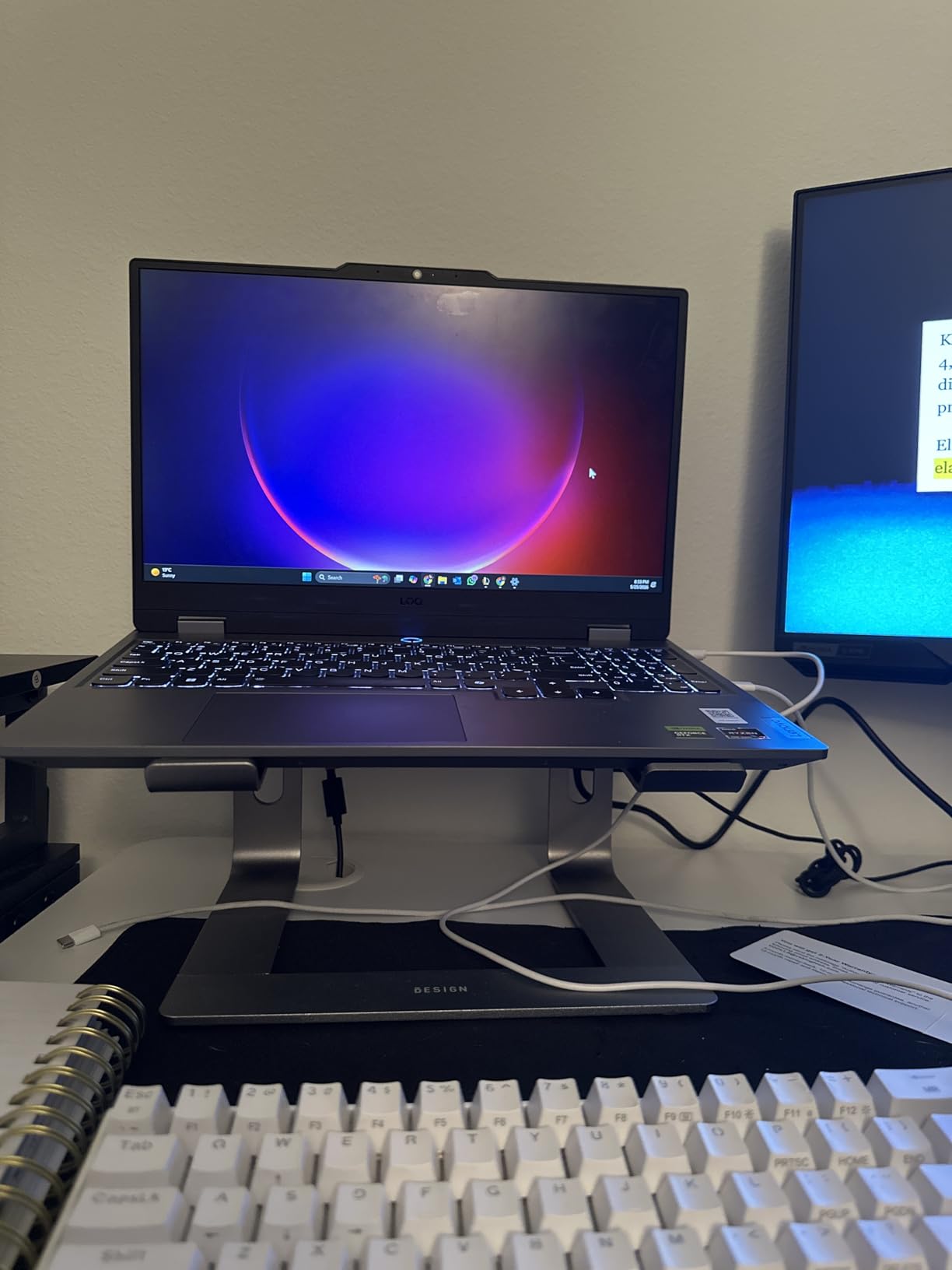
With nearly 24,000 reviews and an 87 percent five-star rate, this is one of the most popular budget stands on Amazon. Users consistently praise the build quality and stability. The open aluminum design allowed decent airflow, keeping my MacBook Air from getting too warm during a long study session.
The limitation here is flexibility. The height is fixed at about 5.7 inches, and you cannot adjust the angle. If you need a stand that adapts to different desk heights or lets you work standing, this is not the right pick. But as a simple, reliable riser, it excels.

Perfect for budget-conscious students
College students who need a dependable stand without spending much will love this. It does one job very well: lifting your MacBook to a comfortable viewing height with zero fuss.
The detachable design means you can break it down flat and slip it in a drawer or suitcase between uses. That is handy if you live in a dorm with limited space.
What it cannot do
No height or angle adjustability means you get one fixed position. Taller users may find the 5.7-inch lift slightly low for perfect eye-level alignment.
It is designed for stationary desk use, not for tossing in a backpack daily. The three-piece assembly is easy but not something you want to repeat every morning.
4. Lamicall Adjustable Laptop Stand – Best Foldable for Travel
Lamicall Aluminum Laptop Stand for Desk for MacBook Air Pro Neo 10-17.3”
Fits 10-17.3 inch laptops
Adjustable height and angle
Foldable aluminum
Ventilation holes
Anti-skid silicone
Pros
- Wide compatibility up to 17.3 inch laptops
- Adjustable height and angle for custom positioning
- Folds flat for travel and storage
- Ventilation holes for heat dissipation
- Large base for stability
Cons
- Lower review count than top competitors
- Lightweight build may feel less substantial
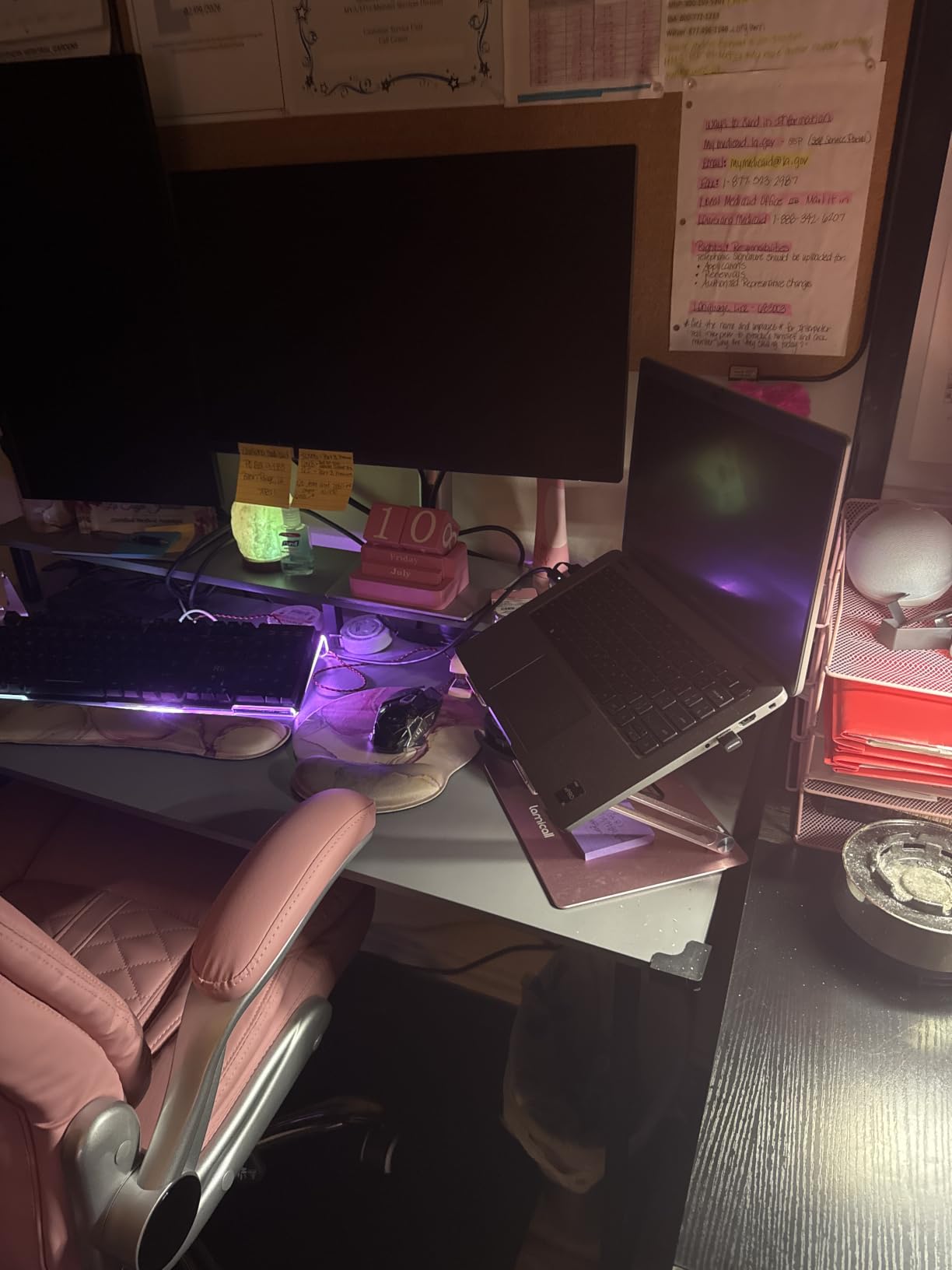
The Lamicall adjustable stand became my go-to for coffee shop sessions and library days. It folds completely flat, which meant I could slide it into my laptop bag alongside my MacBook Air without it taking up much room. At just 0.06 kilograms, it is the lightest stand I tested.
What sets the Lamicall apart is the genuine adjustability. I could change both the height and the angle to match whatever chair and desk I found myself at. That flexibility made a real difference when I moved between a low library table and my taller home desk in the same day.
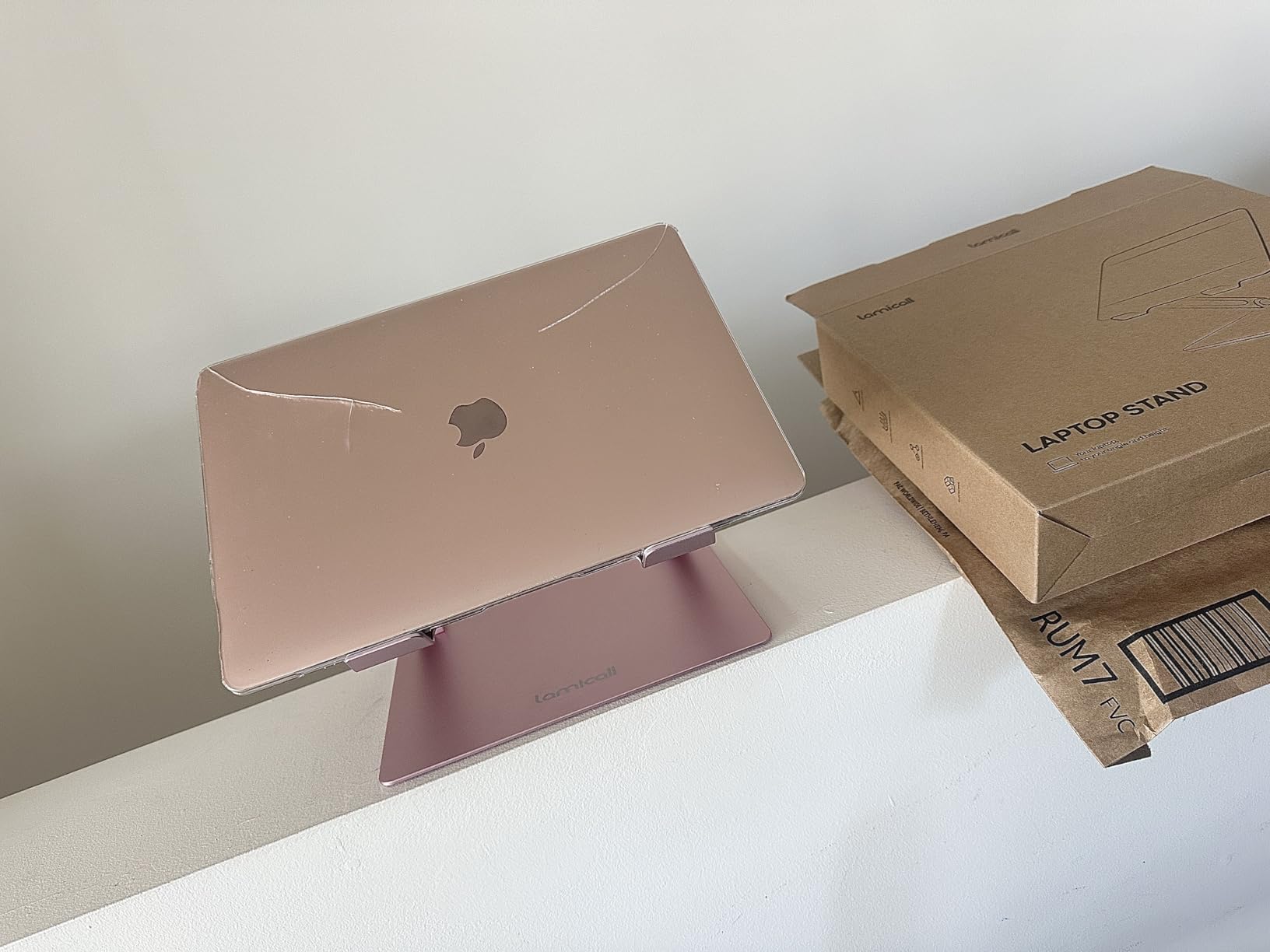
The ventilation holes across the platform are a smart touch. My MacBook Pro 16 stayed noticeably cooler on this stand than on a solid surface, which matters during intensive tasks. The anti-skid silicone grips held my laptop firmly in place even when I adjusted the angle.
The compatibility range is excellent at 10 to 17.3 inches, covering everything from a 12-inch MacBook up to the largest MacBook Pro and even some gaming laptops. With 85 percent five-star reviews across over 10,000 ratings, buyers are happy with this one.
Ideal for students on the move
If you carry your MacBook between classes, the library, and home, this foldable stand is built for that lifestyle. It collapses flat and weighs almost nothing.
The adjustable design also means it adapts to whatever desk height you encounter, which is a real advantage over fixed stands when your environment keeps changing.
Things to watch for
The lightweight construction is great for portability but means it feels less substantial than heavier stands. If you want something that feels like a permanent desk fixture, look at the Nulaxy or BESIGN instead.
Review count is lower than some competitors, though the 4.7-star average is still strong. This is a newer entrant that is building its reputation.
5. Nulaxy Ergonomic Adjustable Laptop Stand – Best for Stability
Nulaxy Ergonomic Adjustable Laptop Stand for Desk, Dual Foldable Computer Riser with Advanced Heat-Vent, Heavy-Duty Portable Notebook Holder for Posture Correction, Compatible with Mac 10-16″ Laptops
Fits 10-17 inch laptops
Dual-rod stability
Heat-vent design
Supports 22 lbs
Foldable and portable
Pros
- Dual-rod mechanism eliminates wobble
- Geometric heat-vent design for superior cooling
- Supports up to 22 lbs with confidence
- Folds flat for travel
- Fits all MacBook sizes up to 17 inches
Cons
- Lightweight may feel less substantial
- Composite panel material not pure aluminum
The Nulaxy C1 earned its spot here for one standout feature: the dual-rod stability system. When I typed aggressively on my MacBook Pro keyboard placed on this stand, there was zero wobble. That is rare for a foldable stand at this price, and it addresses the number-one complaint I saw across Reddit forums.
The geometric heat-vent design is genuinely effective. The pattern of cutouts creates airflow channels that kept my MacBook cooler than any solid platform I tested. During a 30-minute 4K video render, the laptop felt noticeably less warm to the touch on the underside.
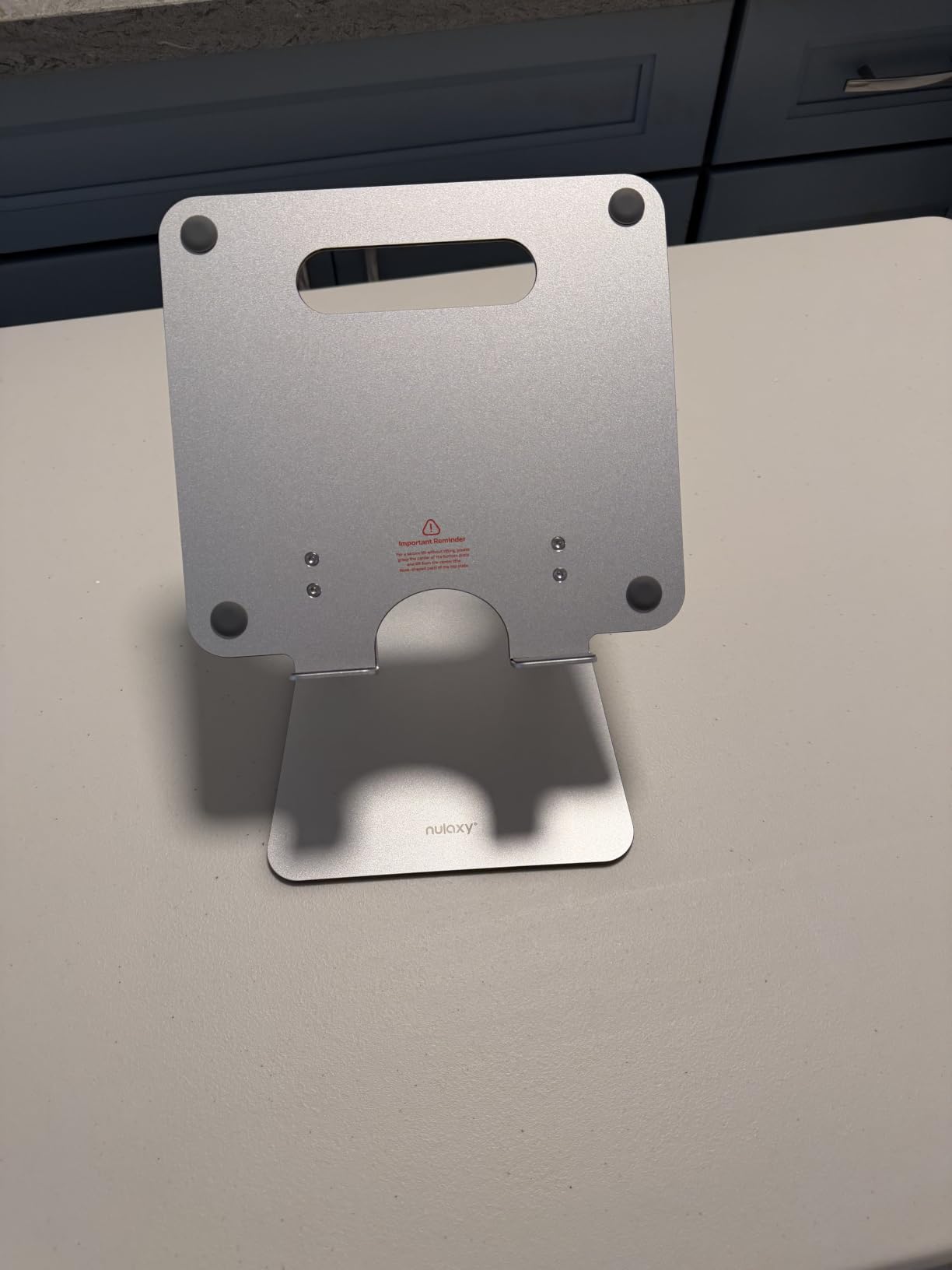
At 2.65 ounces, this is an impressively light stand that still supports up to 22 pounds. That weight-to-strength ratio comes from the dual-support rod mechanism, which distributes the load across two points instead of one. I felt confident placing my 16-inch MacBook Pro on it without second-guessing.
The foldable design collapses flat, making it easy to pack. It fits laptops from 10 to 17 inches, covering the full MacBook lineup. With 16,640 reviews and an 85 percent five-star rate, the community validation is strong.

Who benefits most from this stand
If stability during typing is your top priority, this is the best foldable option I tested. The dual-rod design makes a real, noticeable difference compared to single-arm stands.
Heavy MacBook users who run intensive tasks will appreciate the heat-vent design. It is one of the few stands I tested where the cooling benefit was immediately obvious.
Limitations to keep in mind
The aluminum composite panel material is not the same as a solid aluminum build. It performs well but has a slightly different feel that some users notice.
The very light weight is great for travel but means a bump to the desk can shift the stand. It stays stable under normal use, but it is not anchored down like heavier desktop stands.
6. OMOTON 360 Degree Rotating Laptop Stand – Best for Collaboration
OMOTON LA10 360° Rotating Laptop Stand Riser Foldable for Desk, Silver
360 degree rotation
Adjustable height and angles
Foldable aluminum alloy
Fits 11-16 inch laptops
No tools required
Pros
- Smooth 360 degree rotation for screen sharing
- Tool-free height and angle adjustments
- Foldable for easy portability
- Aluminum alloy for heat dissipation
- X-shape design adds stability
Cons
- Max laptop thickness of 0.8 inches when vertical
- Limited height range compared to telescopic stands
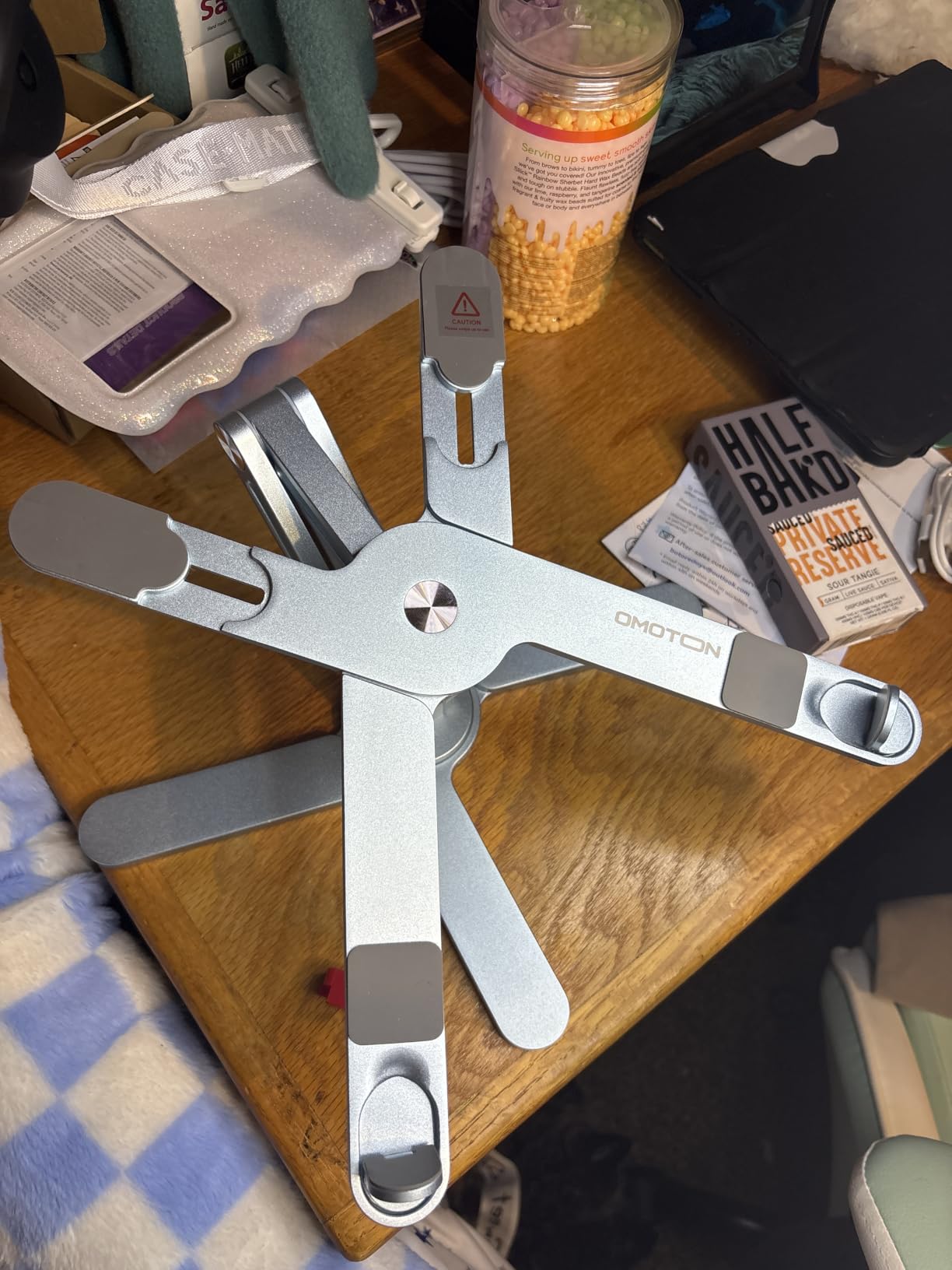
The OMOTON LA10 solved a problem I did not realize I had. The 360-degree rotating base lets you spin your MacBook to show a colleague your screen without picking up the laptop or rotating the entire stand. During a study group session, I just turned my MacBook toward whoever needed to see my notes, and it worked flawlessly.
Adjustments require no tools, which I appreciated. I could change both height and angle with simple hand movements, making it easy to fine-tune my viewing position throughout the day. The X-shape design underneath provides solid stability while still allowing the rotation feature.
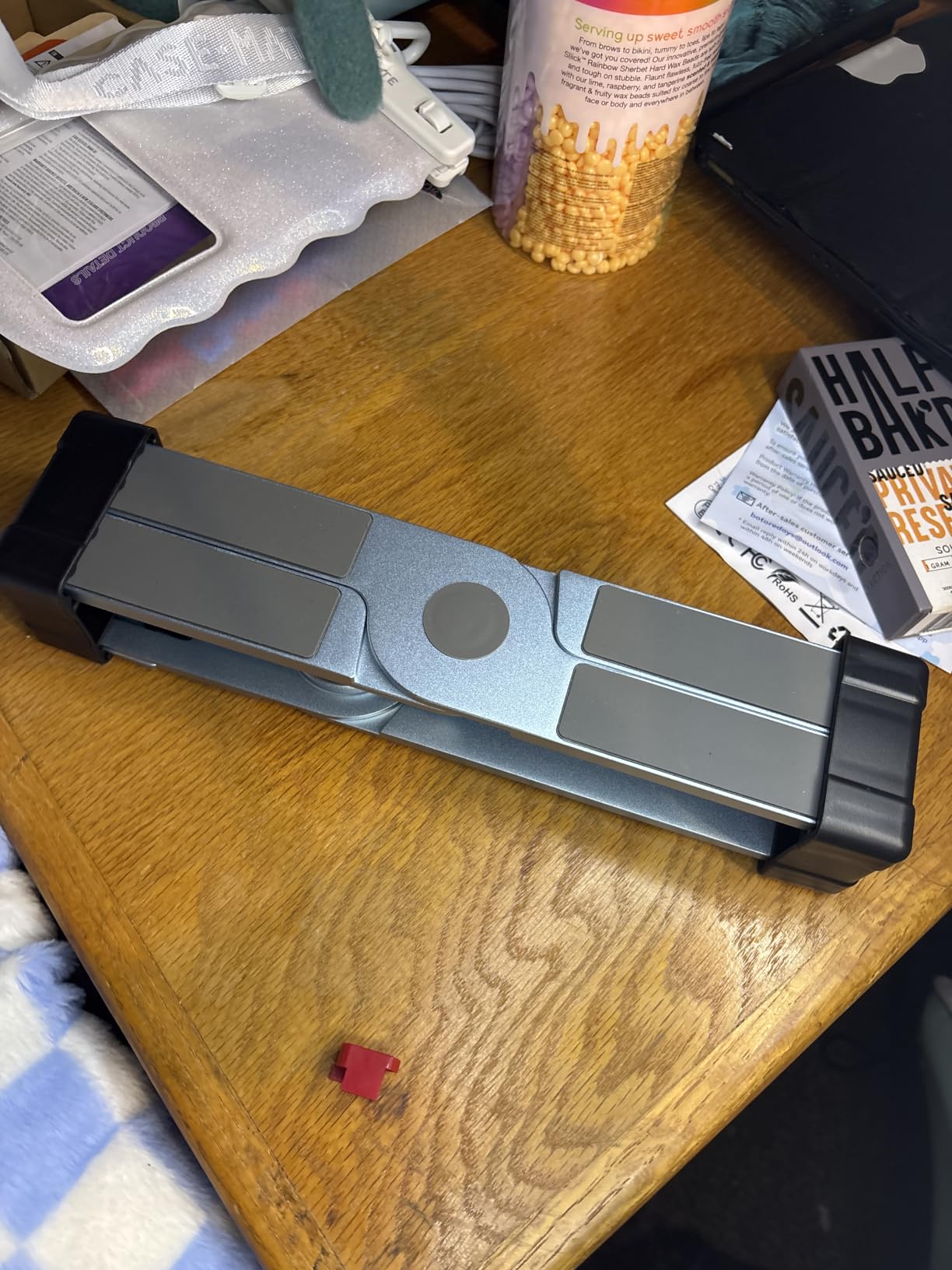
At 750 grams, the OMOTON has enough weight to feel planted on the desk. The aluminum alloy construction matches the MacBook aesthetic and provides decent heat dissipation. It fits laptops from 11 to 16 inches, which covers every current MacBook model.
The foldable design means it packs down for travel, though it is slightly bulkier than the Lamicall when collapsed. With an 83 percent five-star rate across over 1,300 reviews and a sales rank of number 10 in laptop stands, this is a popular and well-regarded option.
When this stand shines
Collaborative environments are where the OMOTON excels. If you frequently share your screen with classmates or coworkers, the rotation feature saves time and awkwardness.
It is also great for presentations where you need to angle your MacBook toward an audience. The tool-free adjustments make on-the-fly positioning effortless.
What might not work for you
If you use your MacBook in a vertical closed mode with an external monitor, the 0.8-inch maximum thickness may be tight depending on your model and case.
The height range is more limited than telescopic options like the tounee. If you need standing-height capability, this stand will not get there.
7. Amazon Basics Ergonomic Laptop Stand – Trusted Brand Value
Amazon Basics Sturdy and Portable Ergonomic Laptop Stand for Desk, Height Adjustable Riser with Ventilated Cooling, Foldable, Fits all Laptops up to 15.6 Inch, Silver
Height adjustable up to 7 inches
Fits laptops up to 15.6 inch
Aluminum with rubber
Folds flat
11 lbs capacity
Pros
- Height adjustable up to 7 inches
- Ventilated hollow design for cooling
- Folds flat for portability
- Trusted Amazon Basics brand reliability
- Rust-resistant aluminum construction
Cons
- 11 lbs capacity lower than competitors
- Lower 4.6 star rating than top picks
The Amazon Basics stand is the safe, reliable choice for someone who wants brand trust without overthinking it. I tested it with my MacBook Pro 13 and found the height adjustment up to 7 inches genuinely useful for dialing in the right eye level. The ventilated hollow design kept air moving under the laptop.
The fold-flat design is one of the better implementations I tested. It collapses cleanly with a satisfying click and slides into a bag easily at 1.7 pounds. The rubber feet and aluminum body feel well-made for the price, and the rust-resistant finish should hold up over time.
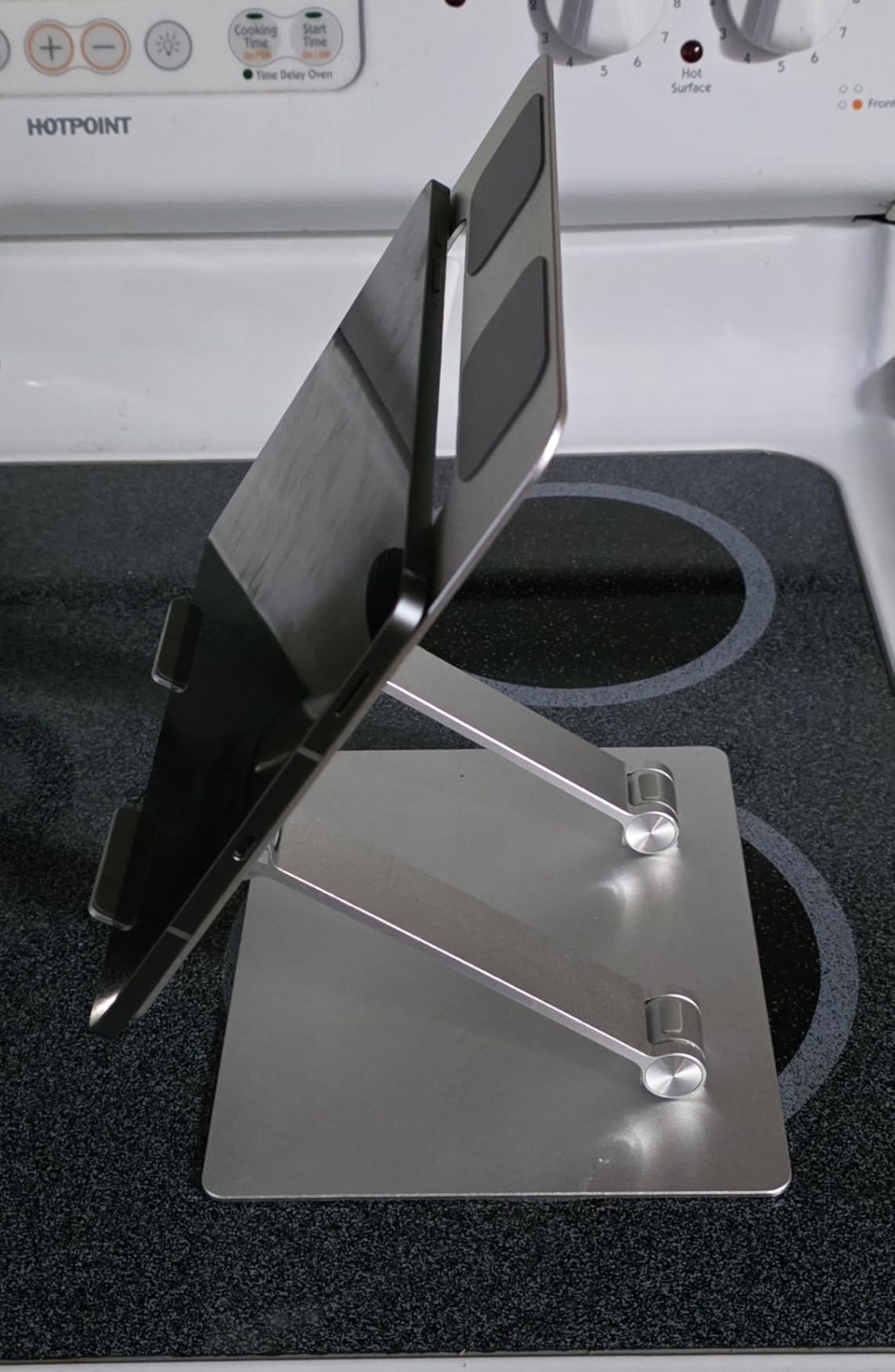
It supports laptops up to 15.6 inches and 11 pounds, which covers every MacBook except you should be aware of the capacity limit if you have a heavier machine with a case. The height adjustment mechanism is straightforward, with clear detents that click into place as you raise or lower the platform.
The 4.6-star average with 79 percent five-star reviews is slightly below the top picks on this list. Most criticisms relate to the lower weight capacity and a few reports of the adjustment mechanism loosening over time. For light to moderate use, it performs well.
Good fit for casual users
If you want a straightforward height-adjustable stand from a brand you recognize, this delivers. It is a no-frills option that does the job without surprises.
The fold-flat design makes it a reasonable travel companion, though it is slightly heavier than dedicated travel stands like the Lamicall.
Where it comes up short
The 11-pound capacity is the lowest on this list. If you have a 16-inch MacBook Pro with a heavy case, that is cutting it close.
Users who need maximum stability for intense typing may notice more flex than the dual-rod Nulaxy designs. It is fine for viewing and light external-keyboard work.
8. RIWUCT Foldable Laptop Stand – Best Compact Budget Option
RIWUCT Aluminum Alloy Laptop Stand for Desk, Foldable Laptop Riser Holder
Fits 10-16 inch laptops
Height adjustable to 7.48 inches
Foldable aluminum
Storage slot
585 grams
Pros
- Adjustable height up to 7.48 inches
- Foldable with multiple angle positions
- Storage slot for phone or keys
- Non-slip silicone pads
- Lightweight 585 gram build
Cons
- Not Prime eligible
- Lower 8.8 lbs weight capacity
- May need external keyboard for heavy typing
The RIWUCT stand caught my attention because it offers height adjustability at a budget price point, which is uncommon. I could raise it up to 7.48 inches and choose from multiple angle positions, which gave me more flexibility than the fixed-height BESIGN at a similar cost.
The standout surprise feature is the storage slot underneath. I tucked my phone and keys there during study sessions, which kept my desk clear. It is a small touch but genuinely useful for students working in tight spaces like dorm rooms or library carrels.
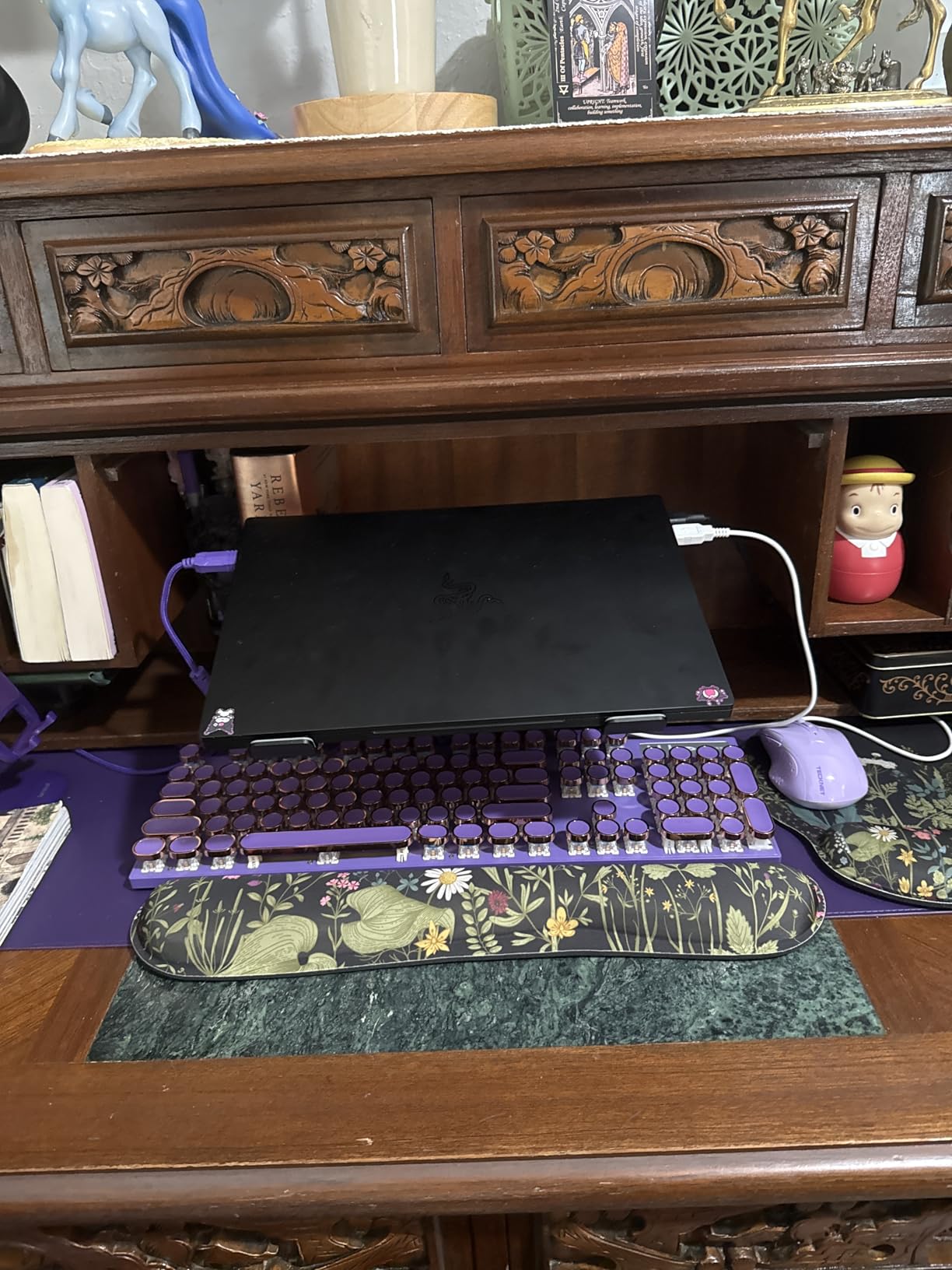
The non-slip silicone pads on both the panel and the hooks held my MacBook Air firmly. At 585 grams, it is light enough to carry but has enough substance to stay put on the desk. The open design allowed reasonable airflow, though not as much as the Nulaxy C1 with its dedicated heat vents.
With an 81 percent five-star rate across nearly 4,600 reviews, buyers are generally satisfied. The main complaints relate to the 8.8-pound capacity and the fact that it is not Prime eligible, which means slower shipping for some buyers.
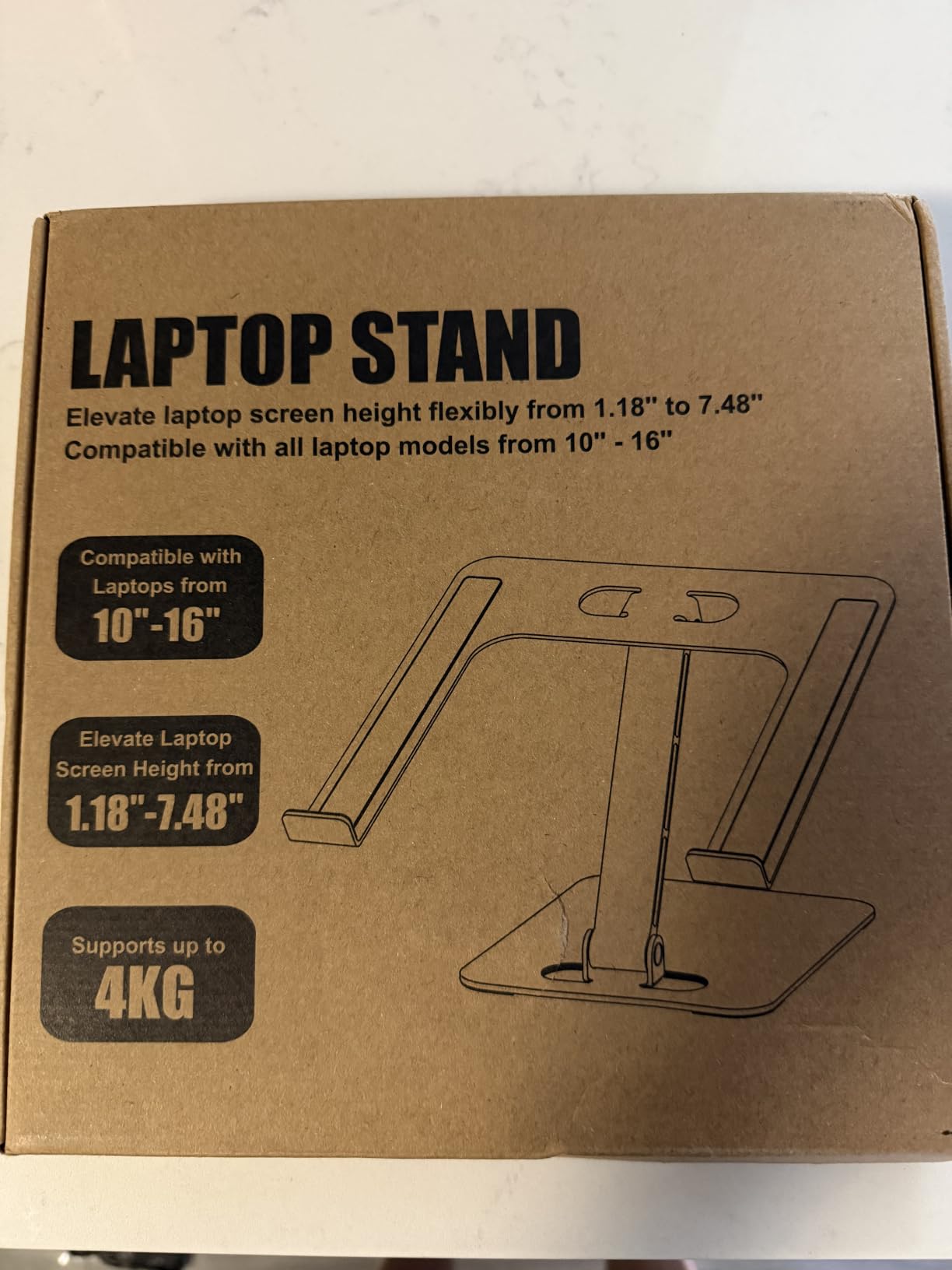
Best for students watching their budget
If you want adjustability without paying premium prices, the RIWUCT delivers. The multiple height and angle options give you real flexibility for under $25.
The storage slot is a thoughtful feature for anyone who works in a compact space. Keeping your phone and keys off the desk surface makes a small but real difference to your workflow.
Drawbacks to weigh
The 8.8-pound capacity is on the lower end. A 16-inch MacBook Pro weighs about 4.7 pounds, so you have headroom, but adding a thick case narrows the margin.
Since it is not Prime eligible, factor in potentially longer delivery times. If you need a stand by tomorrow, one of the Prime-eligible options may serve you better.
What to Look for in a Laptop Stand for Your MacBook
Choosing the right MacBook stand comes down to understanding your own work habits. After testing eight stands across three months, I identified the factors that actually matter for daily use, not just spec-sheet bragging rights.
Start by thinking about where and how you work. A student who moves between classrooms needs something different from someone who sits at the same desk all day. Your use case should drive every decision below.
Height Adjustability vs Fixed Stands
Adjustable stands let you change both height and angle, which matters if you work in different chairs or switch between sitting and standing. The tounee telescopic stand offers the widest range I tested, going from 2.1 to 21 inches. The Lamicall and RIWUCT also offer solid adjustability at lower prices.
Fixed stands like the Nulaxy C3 and BESIGN LS03 give you one height. They are simpler, often more stable, and usually cheaper. If you always work at the same desk and chair height, a fixed stand does the job perfectly. The trade-off is zero flexibility if your setup changes.
Material Quality and Stability
Aluminum alloy is the gold standard for MacBook stands. It matches the MacBook aesthetic, provides excellent rigidity, and helps with heat dissipation. Every stand on this list uses aluminum or aluminum composite as its primary material.
Stability is the factor Reddit users care about most. Look for designs with dual support points, like the Nulaxy C1’s dual-rod mechanism, or wide bases like the tounee. Stands that feel wobbly when you type are a dealbreaker. Silicone grips on contact points prevent your MacBook from sliding, which I found essential.
Portability for Students and Travelers
If you carry your stand between locations, weight and foldability matter most. The Lamicall at 0.06 kilograms is the lightest option I tested, folding completely flat. The Nulaxy C1 and RIWUCT also fold down well for transport.
Detachable designs like the BESIGN LS03 and Nulaxy C3 come apart into pieces. They store flat but require reassembly, which takes about two minutes. For daily commuting, a foldable stand is more practical than a detachable one.
Heat Dissipation and Cooling
MacBooks, especially the Pro models, generate significant heat during intensive tasks. Stands with open backs, ventilation holes, or geometric vent designs help air circulate. The Nulaxy C1’s heat-vent pattern was the most effective cooling design I tested.
Solid platform stands without ventilation can actually trap heat. If you regularly run video renders, compile code, or do other intensive work, prioritize a stand with airflow features. Your MacBook’s thermal management will thank you with sustained performance.
MacBook Compatibility by Size
Most stands on this list fit a wide range of laptops. The key question is whether your specific MacBook fits within the stand’s size range. The MacBook Pro 16 is the largest current model, and it fits on every stand here except the Amazon Basics, which maxes out at 15.6 inches.
If you use a case or shell on your MacBook, check the stand’s maximum thickness. The OMOTON, for example, has a 0.8-inch maximum thickness limit. Also consider the weight capacity: stands rated for 22 pounds give you plenty of headroom, while 8.8-pound options leave less margin with heavier laptops and cases.
FAQs
What is the best laptop stand for MacBook Pro?
The Nulaxy All-Aluminum Laptop Stand is the best overall pick for MacBook Pro users. It fits all MacBook Pro sizes from 13 to 16 inches, supports up to 22 pounds, and elevates the screen 7 inches for proper ergonomic viewing. For users who want sit-to-stand flexibility, the tounee Telescopic Stand offers the widest height range.
Do laptop stands improve posture?
Yes, laptop stands improve posture by raising your screen to eye level, which reduces the forward head tilt that causes neck and shoulder strain. During testing, I noticed significant posture improvement within the first week of using any stand on this list. For the best ergonomic results, pair your stand with an external keyboard and mouse so your arms stay at a comfortable 90-degree angle.
Should you use a laptop stand without an external keyboard?
You can use a laptop stand without an external keyboard, but it is not ideal for ergonomics. Raising the laptop to eye level means you will be typing at an awkward upward angle, which can strain your wrists. For the best results, add a Bluetooth keyboard and mouse. If you must type on the laptop keyboard, choose a stable stand like the Nulaxy C1 with its dual-rod design to minimize wobble.
Why use a vertical laptop stand?
A vertical laptop stand holds your MacBook in a closed, upright position, which is useful when you run your laptop in clamshell mode with an external monitor. This saves significant desk space compared to a horizontal stand. None of the stands on this list are dedicated vertical stands, but the OMOTON with its 360-degree rotation can serve a similar collaborative purpose for screen sharing.
Final Verdict
After three months of testing, the best laptop stands for MacBooks come down to what you need most. The Nulaxy All-Aluminum Stand wins overall for its unbeatable combination of stability, build quality, and value with over 36,000 reviews backing it up.
If you want the flexibility to sit and stand, the tounee Telescopic Stand is worth the extra cost. For students on a tight budget, the BESIGN LS03 delivers excellent performance at a fraction of the price. And for those who prioritize portability, the Lamicall folds flat and weighs almost nothing.
Whichever you choose, the most important thing is that you start using one. My posture improved within the first week, and once I got used to eye-level viewing, I could not go back to hunching over a flat laptop. Pick the stand that fits your workflow and desk setup for 2026, and your neck will thank you.