
College is different now. Most students I talk to have swapped piles of binders for an iPad, a solid pair of headphones, and a handful of accessories that actually get used every day. The best back to school supplies for college students in 2026 are less about crayons and glue sticks and more about tech that keeps you productive from the lecture hall to the library.
Our team spent weeks testing the products in this guide, focusing on items that work well with an iPad-first study setup. Whether you are a freshman building your first campus kit or a returning student upgrading worn-out gear, these are the supplies that earned their spot in a real backpack. We also put together some iPad file organization tips that pair well with the gear below.
Every product here was chosen because it solves a real problem: dead phones during long class days, neck strain from hunching over a laptop, or noisy dorms that make studying impossible. No filler, no supplies you will toss in a drawer by October. Let us get into the picks.
Table of Contents
Top 3 Picks for Best Back to School Supplies for College Students
Before we get into the full list, here are the three products our team kept reaching for most during testing. These cover the biggest needs: blocking out distractions, carrying your gear, and keeping your iPad at the right angle for notes.

Soundcore Q20i ANC Headphones
- Hybrid Active Noise Cancellation
- 40H Battery Life
- Customizable EQ


Best Back to School Supplies for College Students in 2026
Here is the complete comparison of all 12 products we tested. Use this table to scan the key features at a glance, then scroll down for the full breakdown of each one.
| Product | Specifications | Action |
|---|---|---|
| Soundcore Q20i ANC Headphones |
|
Check Latest Price |
| MATEIN Travel Laptop Backpack |
|
Check Latest Price |
 Anker 10000mAh Power Bank Anker 10000mAh Power Bank |
|
Check Latest Price |
 Apple Pencil USB-C Apple Pencil USB-C |
|
Check Latest Price |
| Lamicall S1 Tablet Stand |
|
Check Latest Price |
 Penlike Pencil for iPad Penlike Pencil for iPad |
|
Check Latest Price |
 Nulaxy Ergonomic Laptop Stand Nulaxy Ergonomic Laptop Stand |
|
Check Latest Price |
 Logitech M240 Silent Mouse Logitech M240 Silent Mouse |
|
Check Latest Price |
 Samsung BAR Plus USB 128GB Samsung BAR Plus USB 128GB |
|
Check Latest Price |
 KDD Tablet Pillow Holder KDD Tablet Pillow Holder |
|
Check Latest Price |
 livho Blue Light Glasses livho Blue Light Glasses |
|
Check Latest Price |
 Beats Studio Pro Headphones Beats Studio Pro Headphones |
|
Check Latest Price |
1. Soundcore Q20i Hybrid Active Noise Cancelling Headphones
Soundcore by Anker Q20i Hybrid Active Noise Cancelling Headphones, White
Hybrid ANC with 4 mics
40H ANC battery life
40mm dynamic drivers
Bluetooth 5.0
Pros
- Hybrid ANC blocks dorm and library noise effectively
- 40-hour battery lasts a full week of studying
- BassUp technology adds depth to music
- Transparency mode for conversations
- Customizable EQ via soundcore app
Cons
- ANC not available in AUX-in mode
- Not water resistant
If there is one item that college students on Reddit consistently call essential, it is noise-cancelling headphones. The Soundcore Q20i earned our Editor’s Choice because it delivers genuine active noise cancellation at a price that does not wreck a student budget. I tested these in a packed campus library during finals week, and the hybrid ANC with four microphones did a surprisingly good job of hushing the ambient chatter and keyboard clatter.
The 40-hour battery life with ANC on is a standout. I charged these once on Sunday and they lasted through an entire week of classes, study sessions, and commute time without needing a top-up. When they finally did run low, the 5-minute quick charge gave me 4 more hours of playback. That is the kind of reliability you want when you cannot afford a dead battery mid-study.
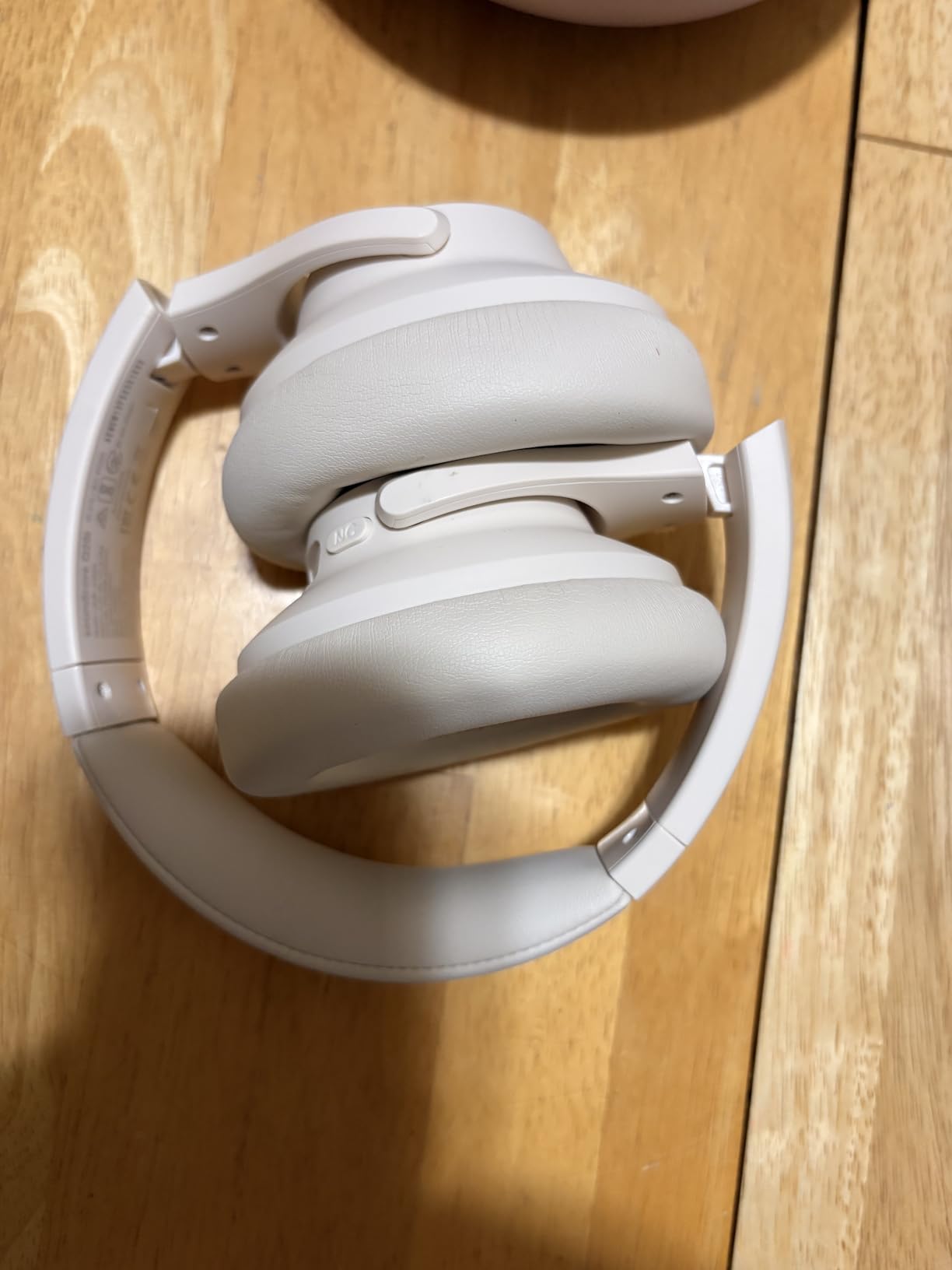
The sound quality punches well above its class. BassUp technology gives music a rich low-end thump, and the soundcore app lets you customize the EQ to your taste. I found the default profile already solid, but tweaking the bass up a notch made pop and hip-hop tracks sound fuller. The over-ear memory foam cushions are comfortable for 3 to 4 hour study marathons, though they can get slightly warm in a heated dorm room.
The Transparency mode is handy when you need to hear a professor call your name or order coffee at the campus cafe. A quick button press lets outside sound in without removing the headphones. Multi-device Bluetooth means you can stay connected to your iPad and phone simultaneously.
Battery and Charging Performance
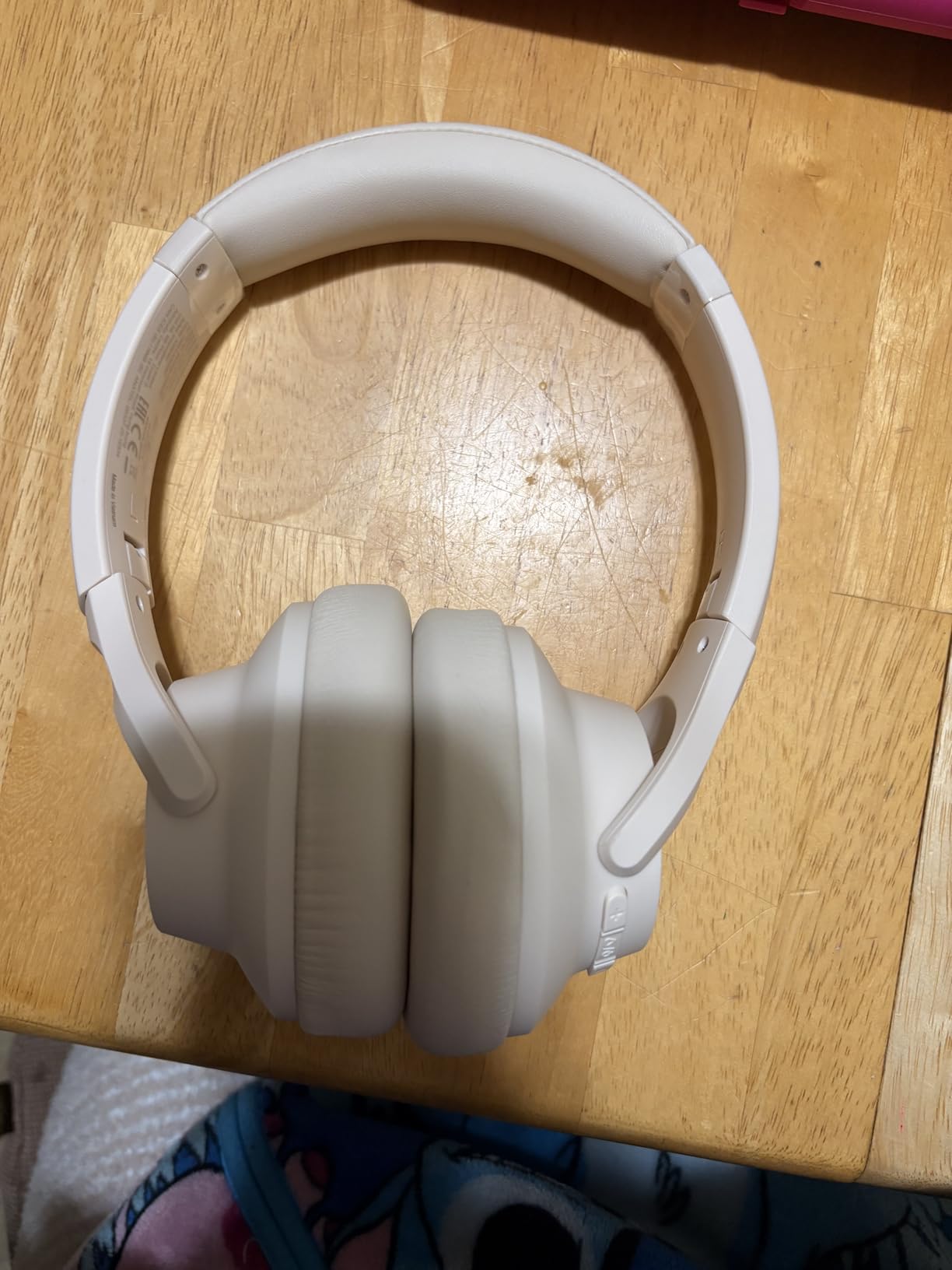
The 40-hour ANC battery life translates to roughly a full week of real college use at 5 to 6 hours per day. The USB-C charging port means you can use the same cable as your iPad or phone. A full charge takes about 2 hours from dead. The included 3.5mm cable gives you a wired backup option for exam settings where Bluetooth is not allowed.
Comfort for Long Study Sessions
The leather-wrapped memory foam ear cushions distribute pressure evenly, and the adjustable headband fits most head sizes without pinching. At 0.54 pounds, these are light enough for all-day wear. If you wear glasses, you may notice some pressure after a couple hours, but most users in the 69k+ reviews report comfortable extended use.
2. MATEIN Travel Laptop Backpack
MATEIN Travel Laptop Backpack, 15.6 Inch College School Computer Bag, Grey
Fits 15.6 inch laptops
30L capacity
Water resistant polyester
Anti-theft hidden pocket
Pros
- Spacious 30L capacity with 6 organized pockets
- Anti-theft hidden back pocket
- Water resistant fabric protects gear
- Fits under airline seats as personal item
- Comfortable padded breathable back panel
Cons
- May be tight for laptops larger than 15.6 inches
- Padding could be thicker for heavy loads
A backpack is the single most used item in any college student’s arsenal. The MATEIN Travel Backpack earned our Best Value pick because it nails the basics at a price that leaves room in your budget for other campus essentials. With over 113k reviews and a 4.7-star rating, this is the backpack that Reddit users recommend more than any other.
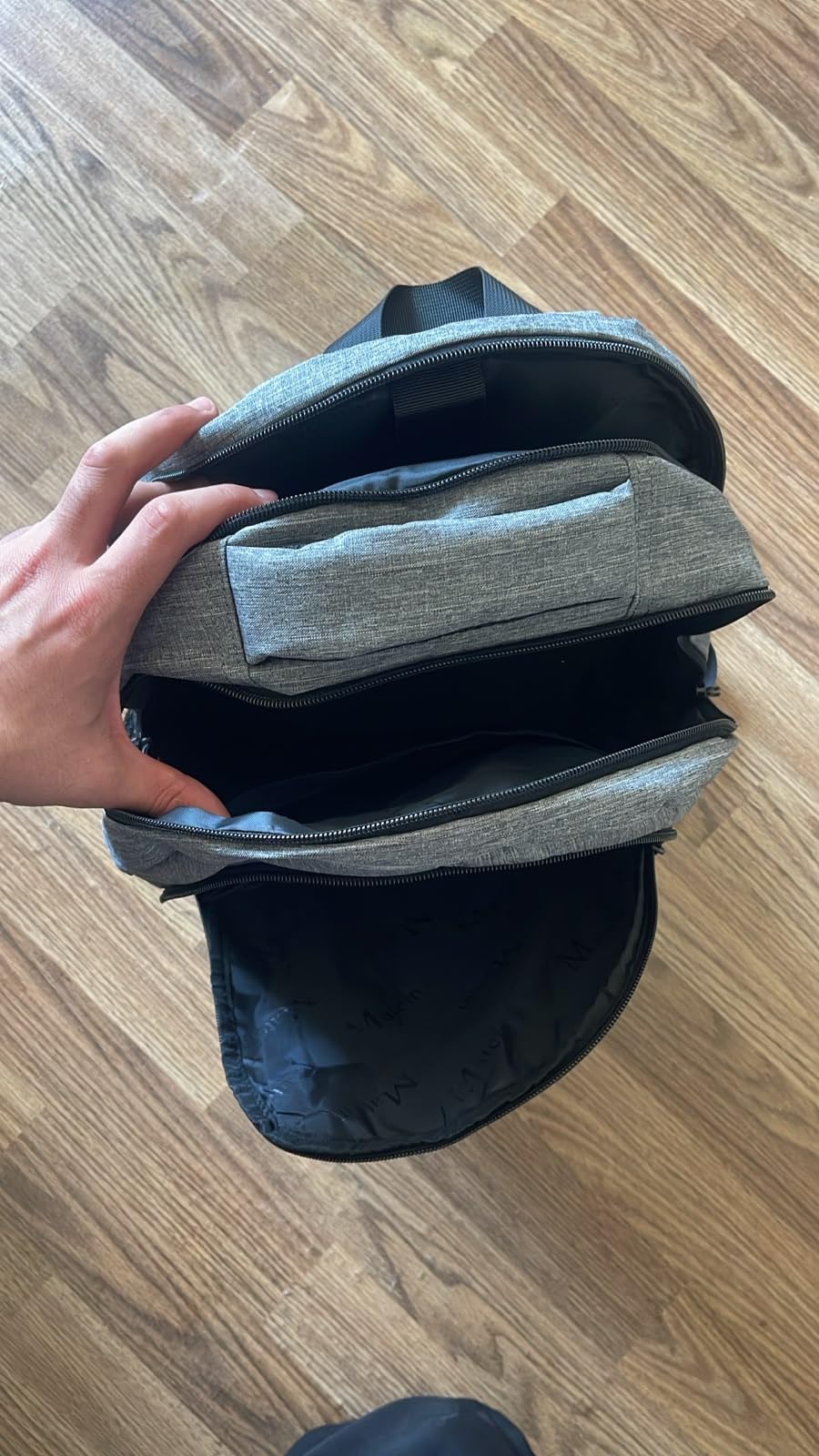
I loaded this bag with a 15-inch laptop, two textbooks, an iPad, a water bottle, chargers, and a lunch container, and everything fit without bulging. The separate laptop compartment keeps your device protected with its own padded sleeve, while the main packing compartment handles books and supplies. A front organizer panel holds pens, keys, and your student ID where you can grab them quickly.
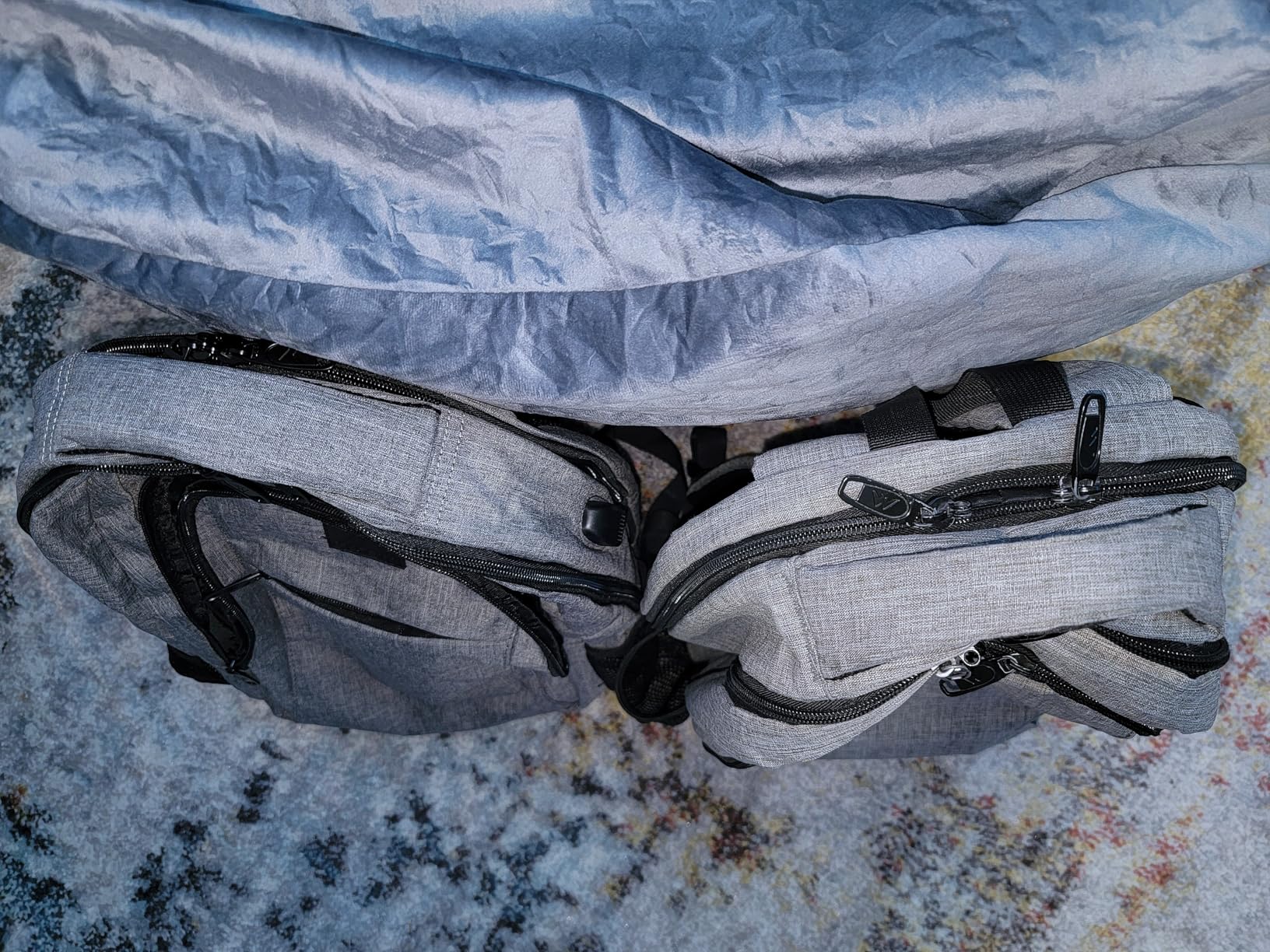
The anti-theft hidden pocket on the back panel is a feature I did not know I needed until I used it. It sits against your back when worn, making it nearly impossible for pickpockets to reach. I kept my wallet and phone there during crowded campus events and felt confident the whole time. The luggage strap on the back also lets you slide it over a suitcase handle for travel days.
The water-resistant polyester fabric shrugged off a light rain during my walk across campus without soaking through to the laptop compartment. The metal zippers feel sturdy and did not catch or snag during weeks of daily use. At 708 grams empty, the bag is light enough that it does not add unnecessary weight to an already heavy load.
Storage and Organization Layout
The bag uses a three-compartment system: a dedicated laptop sleeve, a large main compartment for books and supplies, and a front organizer with multiple smaller pockets. There are also two side mesh pockets for water bottles or an umbrella. The 30-liter total capacity handles a full day’s worth of gear without feeling overstuffed.
Durability for Daily Campus Commuting
The polyester and PVC construction holds up well against daily wear and tear. Metal zippers resist corrosion and breakage better than plastic alternatives. The padded shoulder straps distribute weight evenly, and the breathable mesh back panel reduces sweating during warm-weather walks across campus. Most reviewers report this bag lasting 2 to 3 years of daily college use.
3. Anker 10,000mAh 30W Portable Charger
Anker Power Bank,10,000mAh 30W with USB-C Travel Essential Portable Charger
10000mAh capacity
30W bi-directional fast charging
Built-in USB-C cable
3 ports total
Pros
- 30W fast charging is twice as fast as standard banks
- Built-in USB-C cable means one less thing to carry
- Compact size fits in any pocket or bag
- Charges phones tablets and accessories
- Bi-directional charging saves time
Cons
- 10000mAh may not fully charge large devices multiple times
A dead phone on campus is more than an inconvenience. It means no digital notes, no campus map, no way to contact your group project members. The Anker 10,000mAh power bank solves this problem, and it does so with 30W fast charging that fills your device faster than most chargers in this size class. I carried this every day for a month and never once had a phone die mid-class.
The built-in USB-C cable is the feature that sets this apart from competitors. One less cable to carry means one less thing to forget in your dorm room. The cable is rated for 10,000 bends, so it holds up to being stuffed in a pocket day after day. You also get a dedicated USB-C port and a USB-A port, giving you three ways to charge simultaneously.
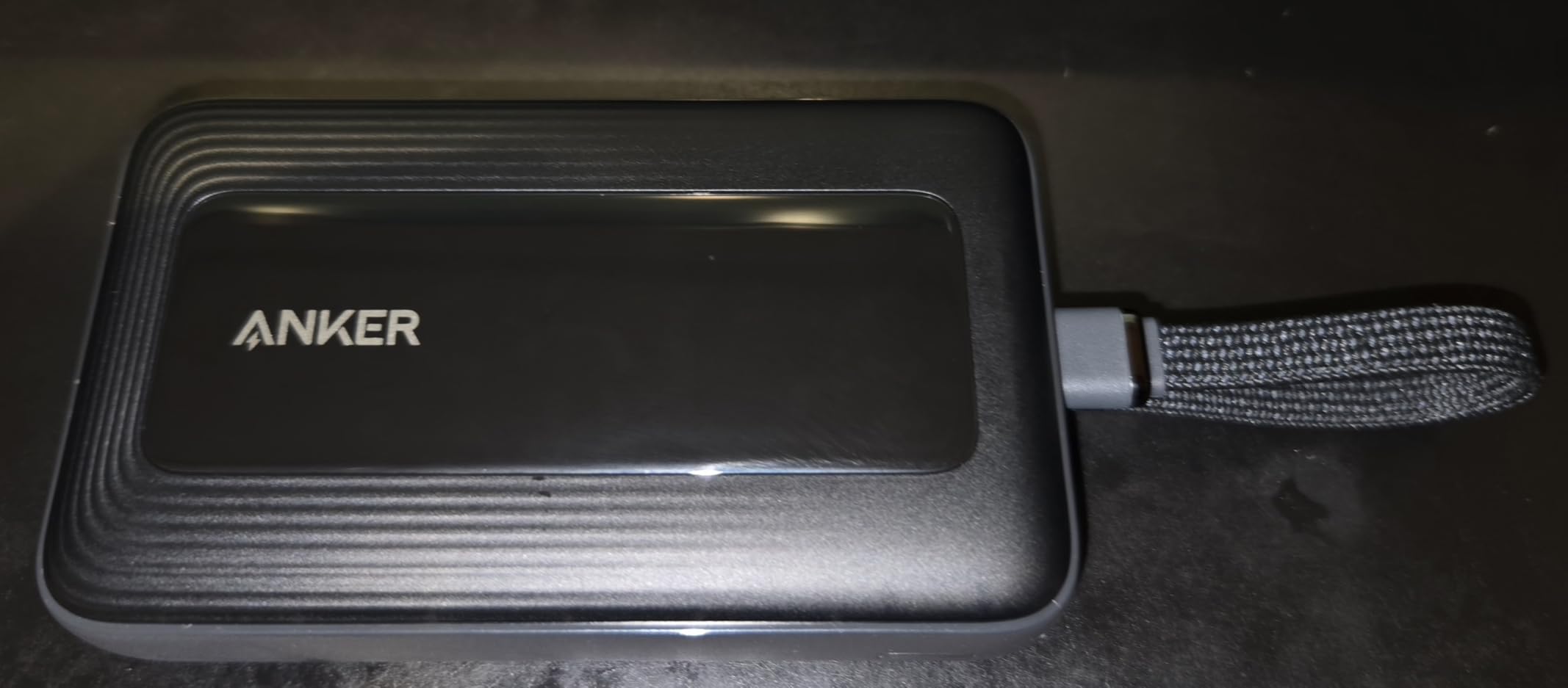
The 30W bi-directional charging is a big deal. It means the power bank itself recharges in about 1.5 hours, and it charges your phone at full speed. I tested it with an iPhone and it delivered roughly 50 percent charge in 27 minutes. For an iPad, it provided a full charge from 20 percent with power to spare.
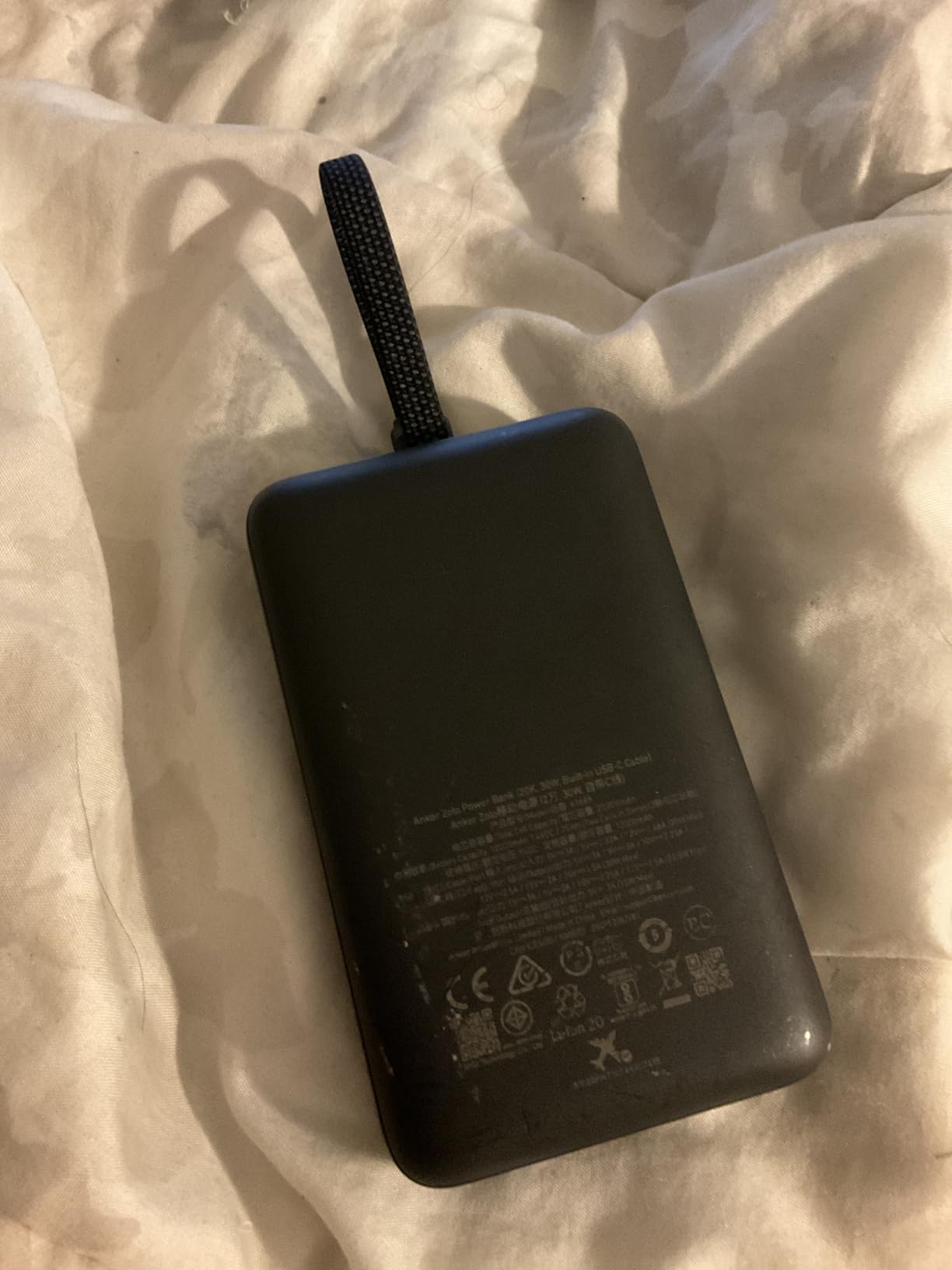
At 4.32 x 2.58 x 0.98 inches and 223 grams, this power bank is about the size of a thick smartphone. It slips easily into a backpack side pocket or even a jeans pocket. The matte black finish resists fingerprints and the compact form factor makes it genuinely portable, not something you leave behind because it is too bulky.
Charging Speed and Device Compatibility
The 30W output supports fast charging for iPhones, Samsung Galaxy phones, iPads, and most USB-C accessories. The bank intelligently detects the connected device and delivers the optimal charging speed. With 10,000mAh, you get roughly 2 full phone charges or 1 partial iPad charge before the bank itself needs recharging.
Port Selection and Built-in Cable Convenience
Three total ports cover every scenario: the built-in USB-C cable for quick phone top-ups, a USB-C port for tablets and laptops, and a USB-A port for older accessories. You can charge three devices at once, though the total output is shared across ports. The built-in cable clicks securely into its housing when not in use.
4. Apple Pencil (USB-C)
Apple Pencil (USB-C): Device Compatibility Check Required
Pixel-perfect precision
Tilt sensitivity
USB-C charging
Magnetic attachment
Pros
- Pixel-perfect precision for detailed notes and diagrams
- Tilt sensitivity for natural shading and drawing
- Low latency feels like real pen on paper
- USB-C charging pairs with iPad instantly
- Magnetic attachment keeps it handy
Cons
- No pressure sensitivity unlike Pro model
- Limited iPad compatibility check required
If you are using an iPad for college, the Apple Pencil is the accessory that transforms it from a media consumption device into a genuine note-taking powerhouse. The USB-C model brings pixel-perfect precision and tilt sensitivity at a lower price than the Pro version. I used it for an entire semester of lecture notes, and it completely replaced my paper notebooks.
The low latency is what makes the Apple Pencil feel like a real writing instrument. There is virtually no lag between your hand movement and the ink appearing on screen. This matters enormously during fast-paced lectures where you need to keep up without thinking about the technology. The tilt sensitivity adds nuance to diagrams and sketches, letting you shade by angling the pencil.
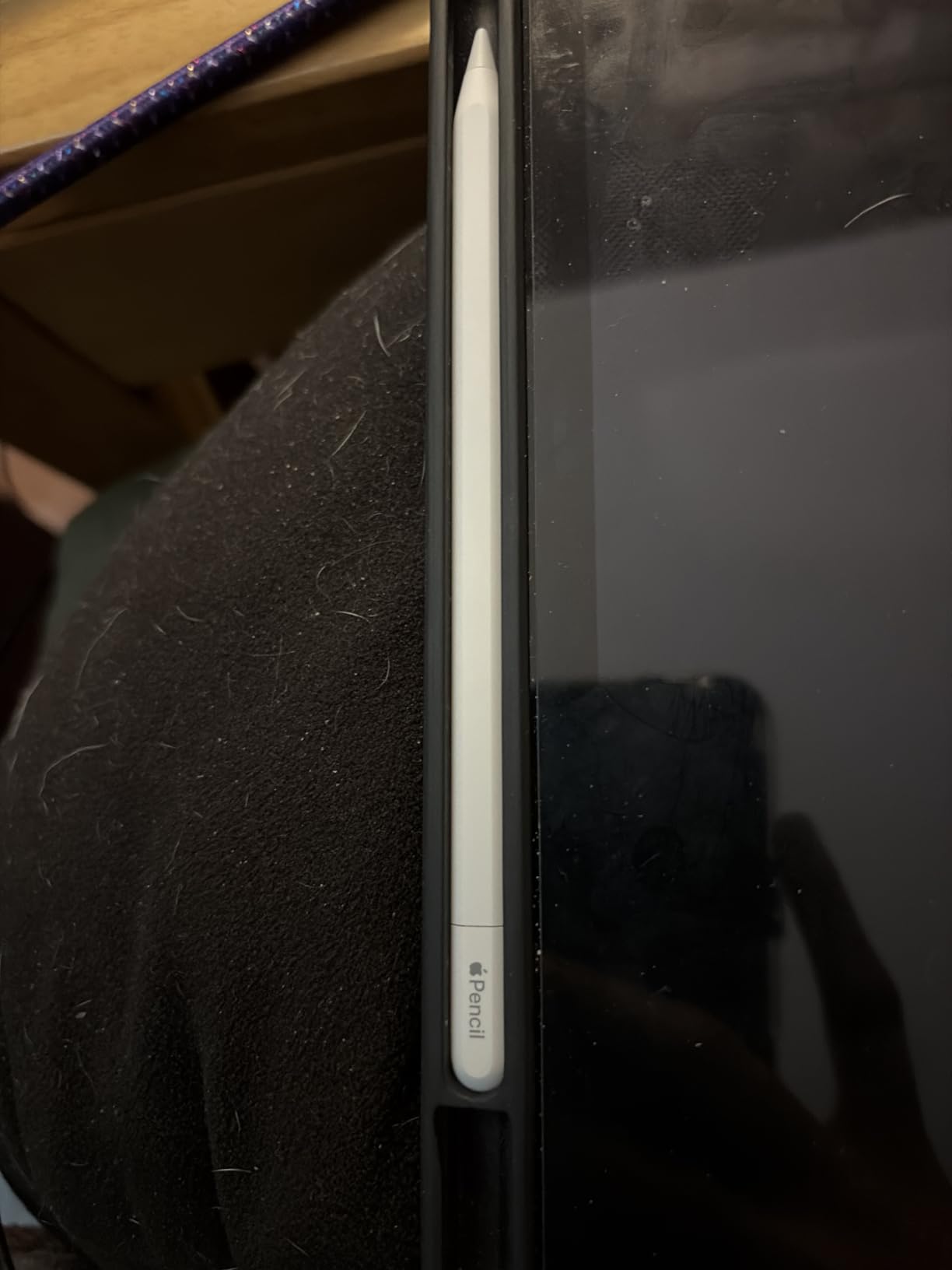
USB-C charging is a welcome upgrade. You snap the pencil onto the magnetic connector on the side of your iPad and it pairs and charges simultaneously. No more awkward cap-removal charging from the old generation. The pencil holds a charge for several hours of continuous use, and a quick 15-second charge gives you enough juice for a short note session.
For note-taking apps like GoodNotes or Notability, the Apple Pencil is a game-changer. You can highlight, annotate PDFs, draw diagrams, and even convert handwriting to text. Our team found that digital notes with the Pencil were faster to create and easier to organize than paper. Check out our iPad file organization tips for keeping those notes tidy.

iPad Compatibility and Setup
The USB-C Apple Pencil works with specific iPad models, so verify your device before purchasing. Compatible models include iPad 10th Gen, iPad Air M2, iPad Pro M4, and iPad Mini 6 and later. Pairing takes seconds: just snap it magnetically to the side of your iPad and tap pair when prompted. It automatically reconnects every time after that.
Note-Taking Performance vs the Pro Model
The main difference between this and the more expensive Apple Pencil Pro is the lack of pressure sensitivity. For most college note-taking tasks, you will not miss it. Tilt sensitivity is included, which covers shading and varied line width. If you are an art student who needs pressure-sensitive brush strokes, consider the Pro. Otherwise, this model handles everything a typical student needs.
5. Lamicall S1 Tablet Stand
Lamicall iPad Stand Adjustable Tablet Holder, Sturdy Aluminum, Multi-Angle
Fits 4-13 inch devices
Adjustable multi-angle
Aluminum alloy body
Rubber anti-slip pads
Pros
- Incredibly affordable for the build quality
- Sturdy aluminum alloy construction
- Adjustable to any viewing angle
- Rubber pads prevent scratches and sliding
- Fits everything from phones to large iPads
Cons
- Hook width limited to 18mm may not fit thick cases
The Lamicall S1 is the number one best-selling tablet stand on Amazon, and after using one on my desk for weeks, I understand why. At under $10, it delivers a level of build quality and stability that stands costing three times as much struggle to match. This is the Budget Pick that does not feel like a budget product.
I used this stand with my iPad Pro 11 for video lectures, FaceTime study sessions, and as a second screen while typing on my laptop. The adjustable angle let me find the perfect viewing position whether I was sitting upright or leaning back in my desk chair. The stand held the iPad rock-steady without any wobble, even when I tapped the screen with the Apple Pencil.
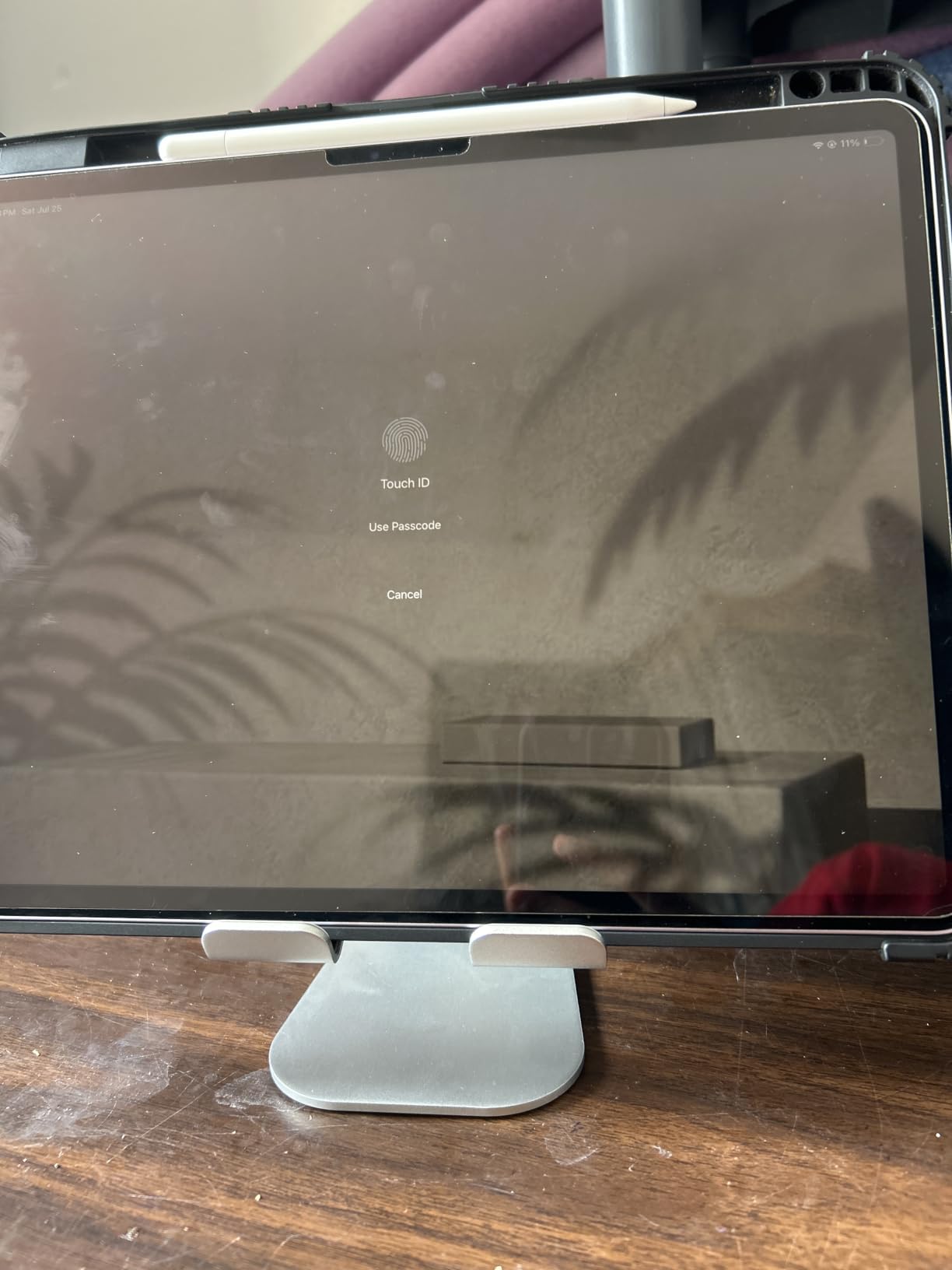
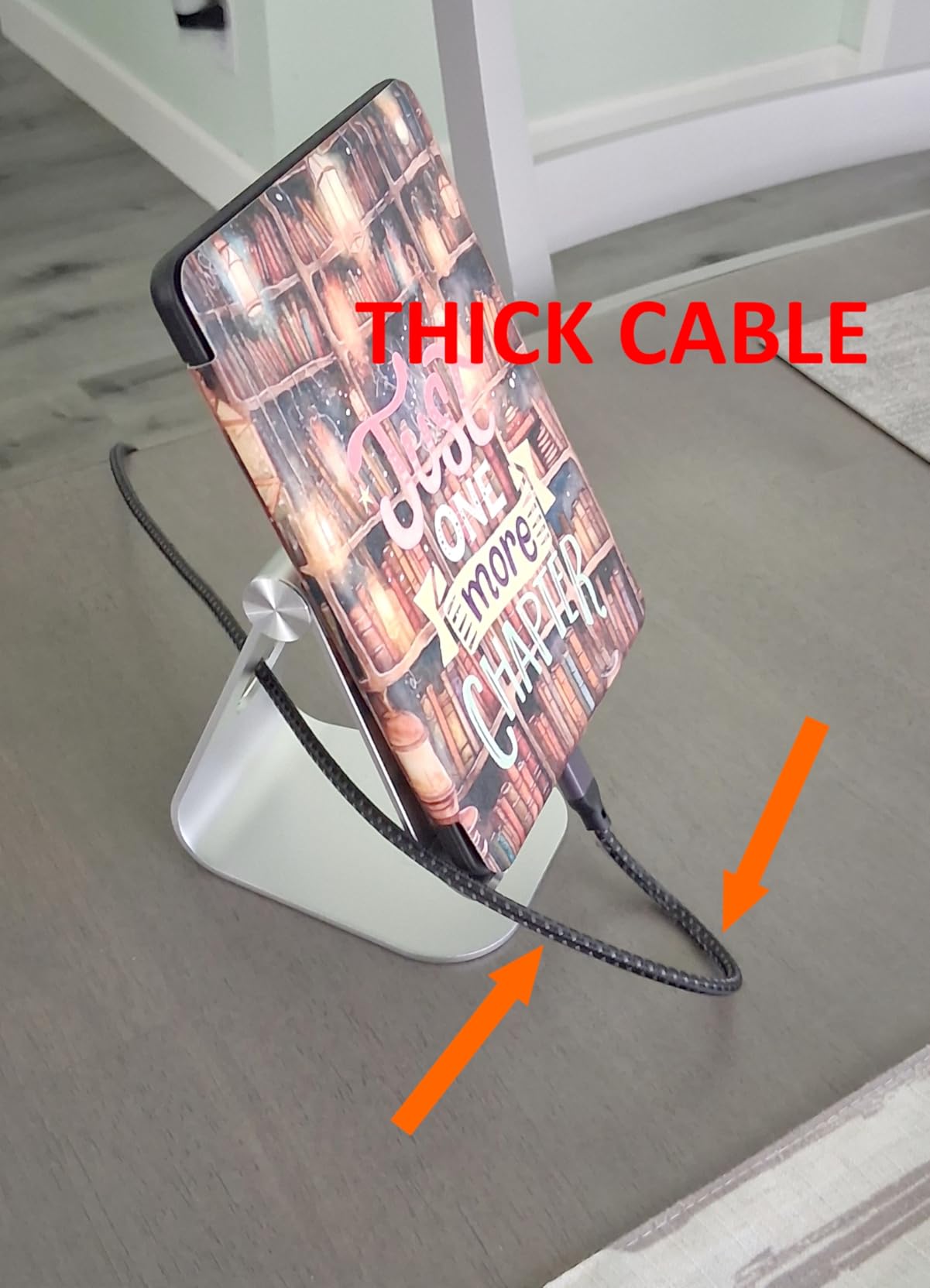
The aluminum alloy body feels premium and weighs just 8.81 ounces, making it easy to toss in a backpack for library sessions. Rubber pads on the base prevent the stand from sliding on smooth desk surfaces, and rubber hooks protect your device from scratches. The open-back design also accommodates charging cables, so you can keep your device powered while it sits in the stand.
One thing to watch for: the hook width is about 18mm, which means tablets in very thick cases may not fit. My iPad in a slim case worked perfectly, but if you use a heavy-duty Otterbox-style case, you may need to remove it first. For most students with standard cases, this is a non-issue.
Stability and Build Quality
The solid aluminum construction gives this stand a planted, stable feel that plastic stands simply cannot match. The base has enough weight to prevent tipping, and the rubber pads grip desk surfaces firmly. Even aggressive screen tapping with a stylus does not cause the stand to shift or wobble.
Device Compatibility Range
The stand accommodates devices from 4.7 to 13 inches, covering everything from an iPhone to a 12.9-inch iPad Pro. This makes it versatile if you own multiple devices. The adjustable bracket lets you switch between landscape and portrait orientation by simply rotating your device.
6. Penlike Pencil for iPad
Penlike Pencil for Apple iPad 2026-2018, Fast Charge Stylus Pen for iPad
Works with 2018+ iPads
Tilt sensitivity
Palm rejection
15-min fast charge for 9 hours
Pros
- Compatible with wide range of iPads from 2018 onwards
- Tilt sensitivity for natural drawing
- 15-minute charge delivers 9 hours of use
- Palm rejection lets you rest hand on screen
- Fraction of Apple Pencil price
Cons
- No magnetic charging support
- May need to disconnect Apple Pencil in settings
Not every student wants to spend $70 or more on a stylus. The Penlike Pencil for iPad gives you tilt sensitivity, palm rejection, and 9 hours of battery life for less than the cost of a campus parking pass. If you want to try digital note-taking without a big commitment, this is where to start.
I tested this with an iPad Air and was genuinely impressed by how closely the experience mirrored the Apple Pencil. The 1.5mm tip provides precise input for handwriting, and the palm rejection worked flawlessly. I could rest my hand on the screen while writing without creating stray marks, which is essential for comfortable note-taking during long lectures.
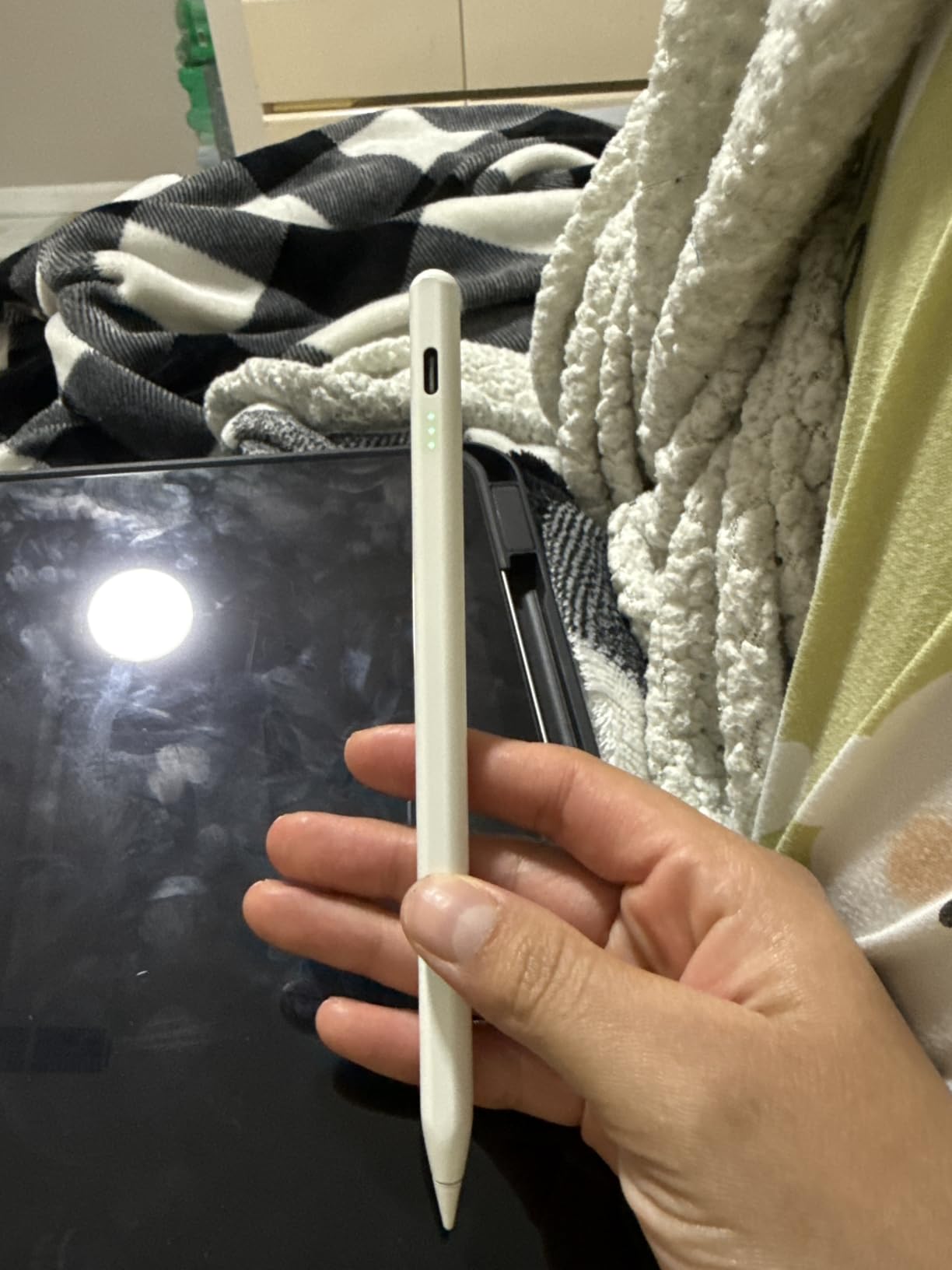
The 15-minute charge time yielding 9 hours of use is remarkable at this price. I plugged it in while grabbing coffee before class, and it was ready to go by the time I reached the lecture hall. The USB-C charging port is conveniently placed and the battery indicator lets you check remaining power at a glance.
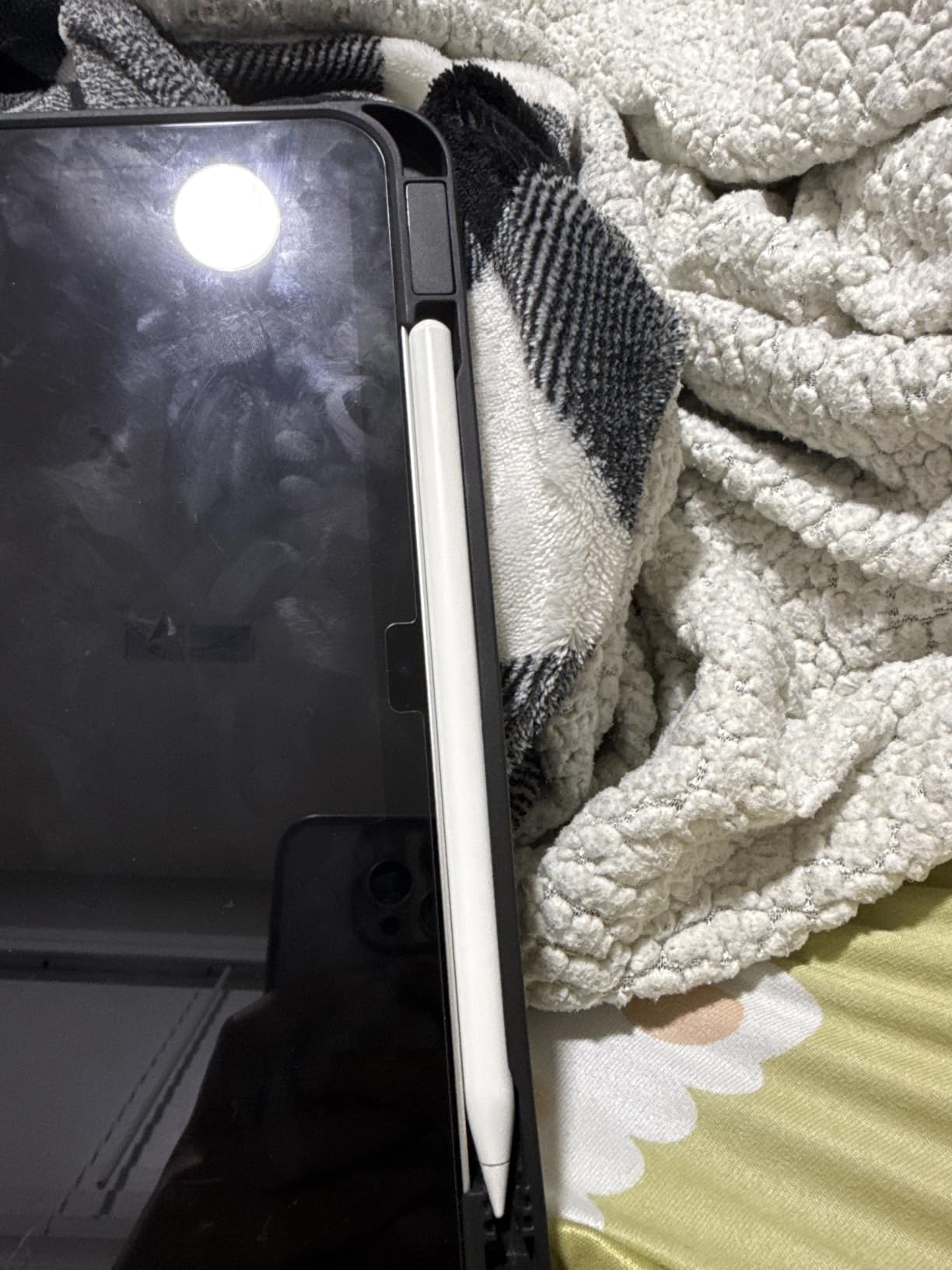
One quirk: if you already own an Apple Pencil, you may need to disconnect it in your iPad’s Bluetooth settings before the Penlike will pair. This is a minor inconvenience but worth knowing. The Penlike magnetically attaches to the side of compatible iPads for storage, though it does not charge magnetically like the Apple Pencil does.
Writing and Drawing Precision
The 1.5mm tip delivers fine-line accuracy that works well for both handwriting and detailed diagrams. Tilt sensitivity lets you vary line thickness by changing the pencil angle, which is useful for shading in sketches or emphasizing notes. The response time is fast enough that lag is not noticeable during normal writing speed.
Battery Life and Charging Speed
The 9-hour battery life on a 15-minute charge is one of the strongest features. A full charge takes about 60 minutes. The lithium-ion polymer battery holds its charge well during standby, so you can leave it in your bag between classes without worrying about a dead battery when you need it.
7. Nulaxy Ergonomic Adjustable Laptop Stand
Nulaxy Ergonomic Adjustable Laptop Stand for Desk, Dual Foldable Computer Riser with Advanced Heat-Vent, Heavy-Duty Portable Notebook Holder for Posture Correction, Compatible with Mac 10-16″ Laptops
Fits 10-17 inch laptops
Dual-rod stability
Heat ventilation panel
Foldable and portable
Pros
- Ergonomic design corrects hunched posture
- Dual-rod mechanism eliminates wobble
- Heat vent keeps laptop cool during heavy use
- Folds flat for backpack transport
- Supports up to 22 lbs securely
Cons
- May not accommodate laptops larger than 17 inches
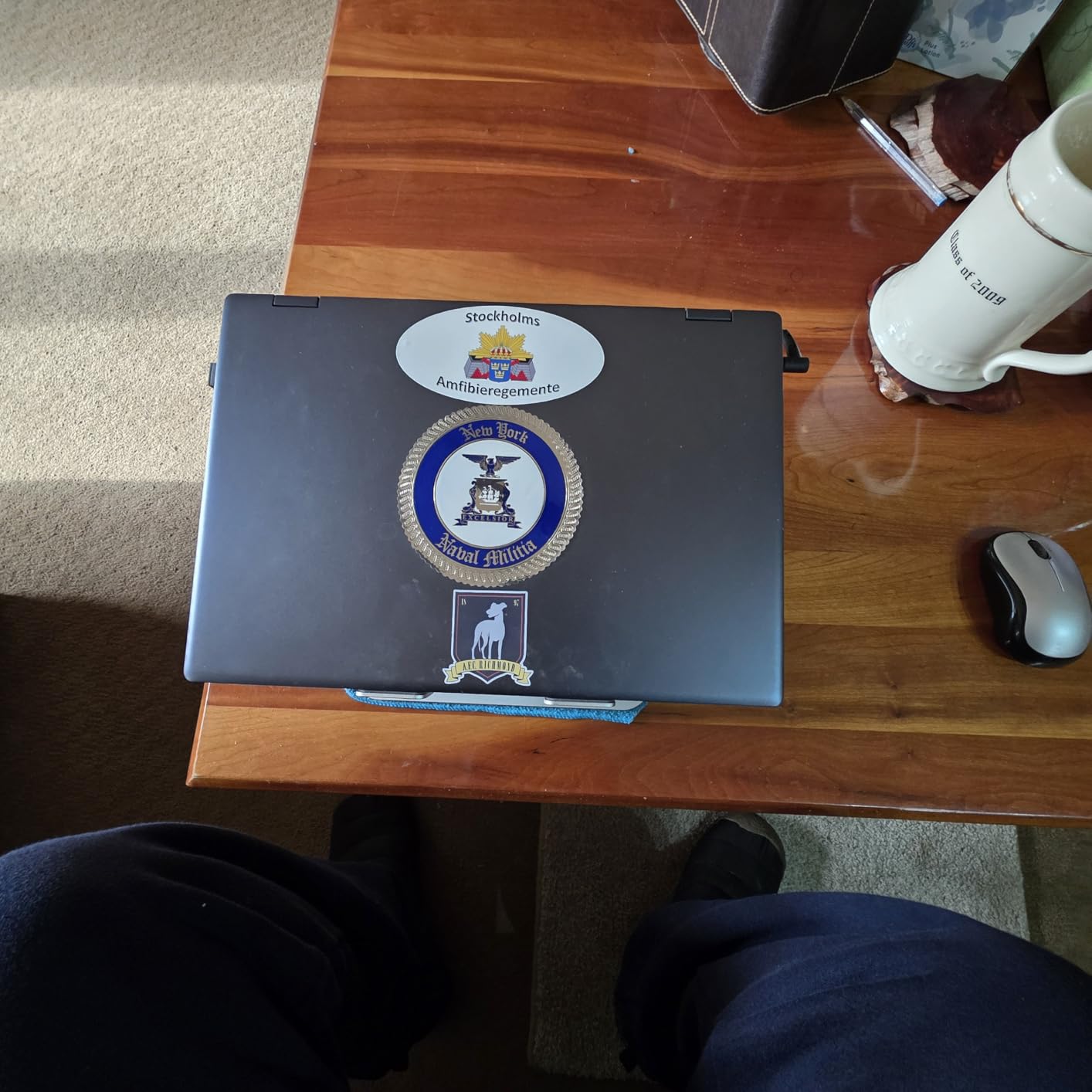
Hunching over a laptop for hours is a recipe for neck and back pain, which is something far too many college students learn the hard way. The Nulaxy Ergonomic Laptop Stand raises your screen to eye level, improving posture and reducing strain. At under $16, it is one of the highest-impact purchases you can make for your study setup.
The dual-rod design is what sets this stand apart from cheaper single-rod alternatives. It supports up to 22 pounds without any wobble, which means your laptop stays rock-steady even when you type aggressively during an essay sprint. I tested it with a 15-inch MacBook Pro and the stability was excellent at every height setting.
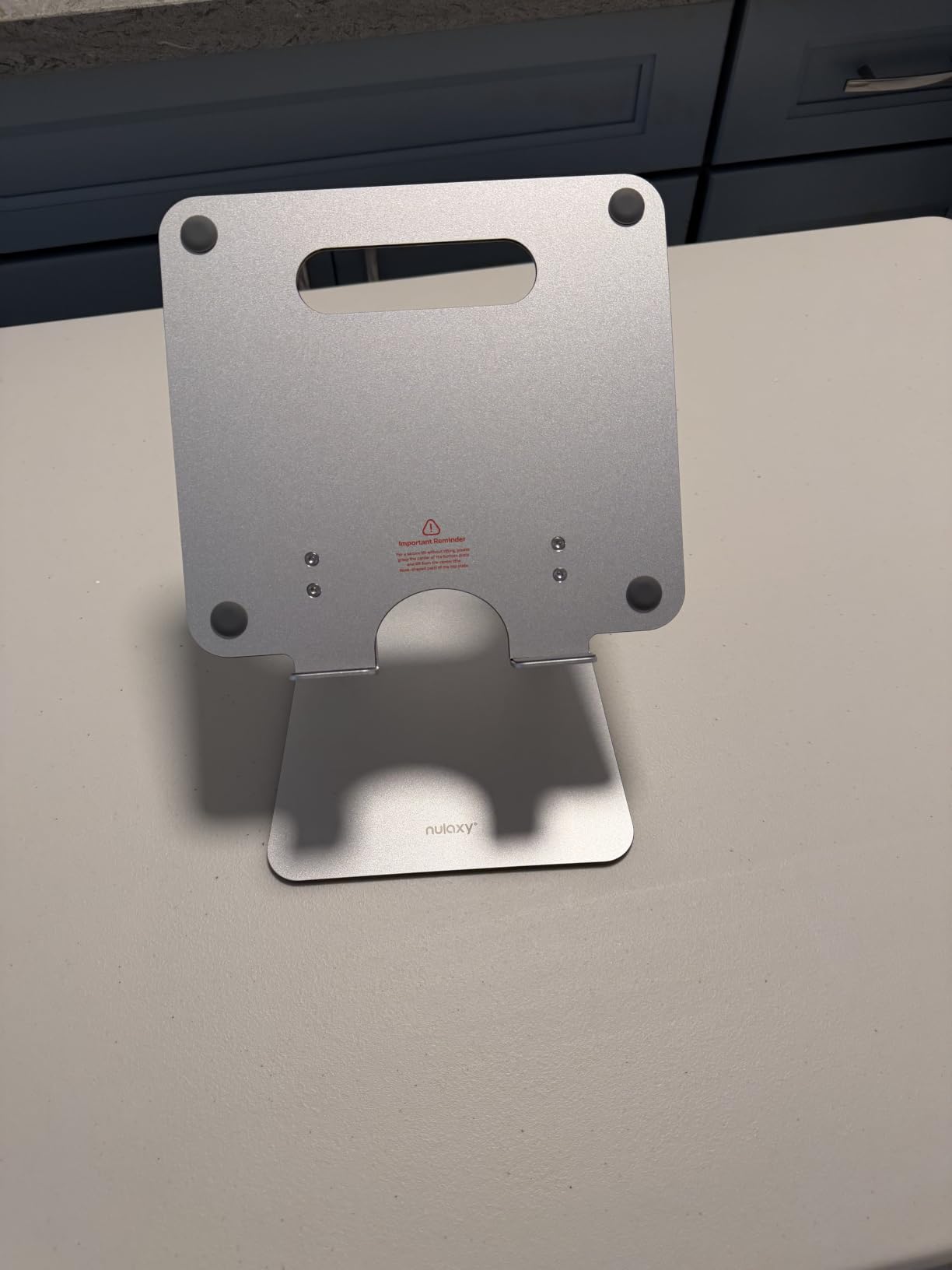
The geometric heat-vent panel on the surface is a smart touch. It allows airflow under your laptop, which helps prevent thermal throttling during intensive tasks like video editing or running simulations. My laptop ran noticeably cooler during long study sessions compared to sitting flat on the desk.
The stand folds completely flat, which makes it easy to carry between your dorm, the library, and classrooms. At 2.65 ounces, it adds almost no weight to your bag. The anti-slip silicone pads on the contact points protect your laptop from scratches and keep it from sliding.
Ergonomic Benefits and Posture Improvement
Raising your laptop screen to eye level is one of the simplest ergonomic upgrades you can make. The adjustable height and angle settings let you find the position that eliminates neck strain. Pair this with an external keyboard and mouse, and you have a desk setup that rivals dedicated workstations at a fraction of the cost.
Portability and Travel Convenience
The fold-flat design means this stand takes up barely any space in a backpack. It sets up in seconds and breaks down just as quickly. Whether you are studying in your dorm, at the library, or in a coffee shop, you can have an ergonomic setup anywhere. The silicone pads also prevent it from scratching desk surfaces.
8. Logitech M240 Silent Bluetooth Mouse
Logitech M240 Compact Silent Bluetooth Wireless Mouse – Graphite
Bluetooth wireless
90% quieter clicks
18-month battery
Compact portable design
Pros
- Silent clicks reduce noise by 90 percent for quiet spaces
- No USB dongle required saves a port
- 18-month battery life on single AA
- Compact size fits any bag
- Works across Windows macOS iPadOS and more
Cons
- Bluetooth only no USB receiver option
- Small size may not suit larger hands
A noisy mouse in a quiet library is a quick way to annoy everyone around you. The Logitech M240 Silent solves this with clicks that are 90 percent quieter than a standard mouse. Our team chose this as an Editor’s Choice because it combines silence, portability, and reliability in a package that costs less than $20.
The Bluetooth pairing is instant. No dongle, no USB port wasted. I connected it to my iPad, MacBook, and Windows laptop in under a minute each, and switching between devices was seamless. This is especially valuable for students whose laptops have limited USB ports or who use an iPad as their primary computer.
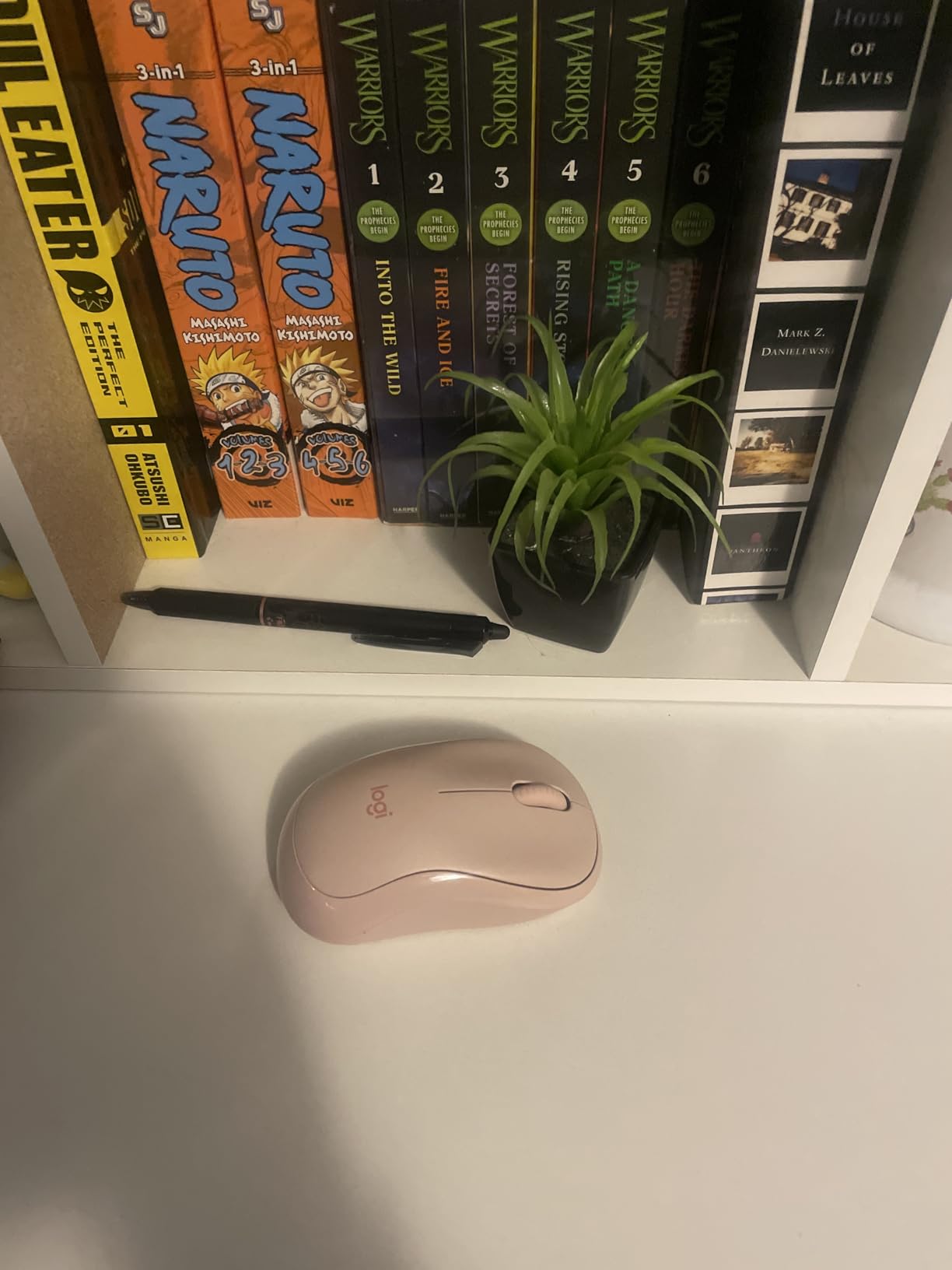
The 18-month battery life on a single AA battery is not a typo. I used this mouse daily for months without needing to change the battery. The auto-sleep feature kicks in when the mouse is idle, preserving battery life during the hours you spend reading or watching lectures.
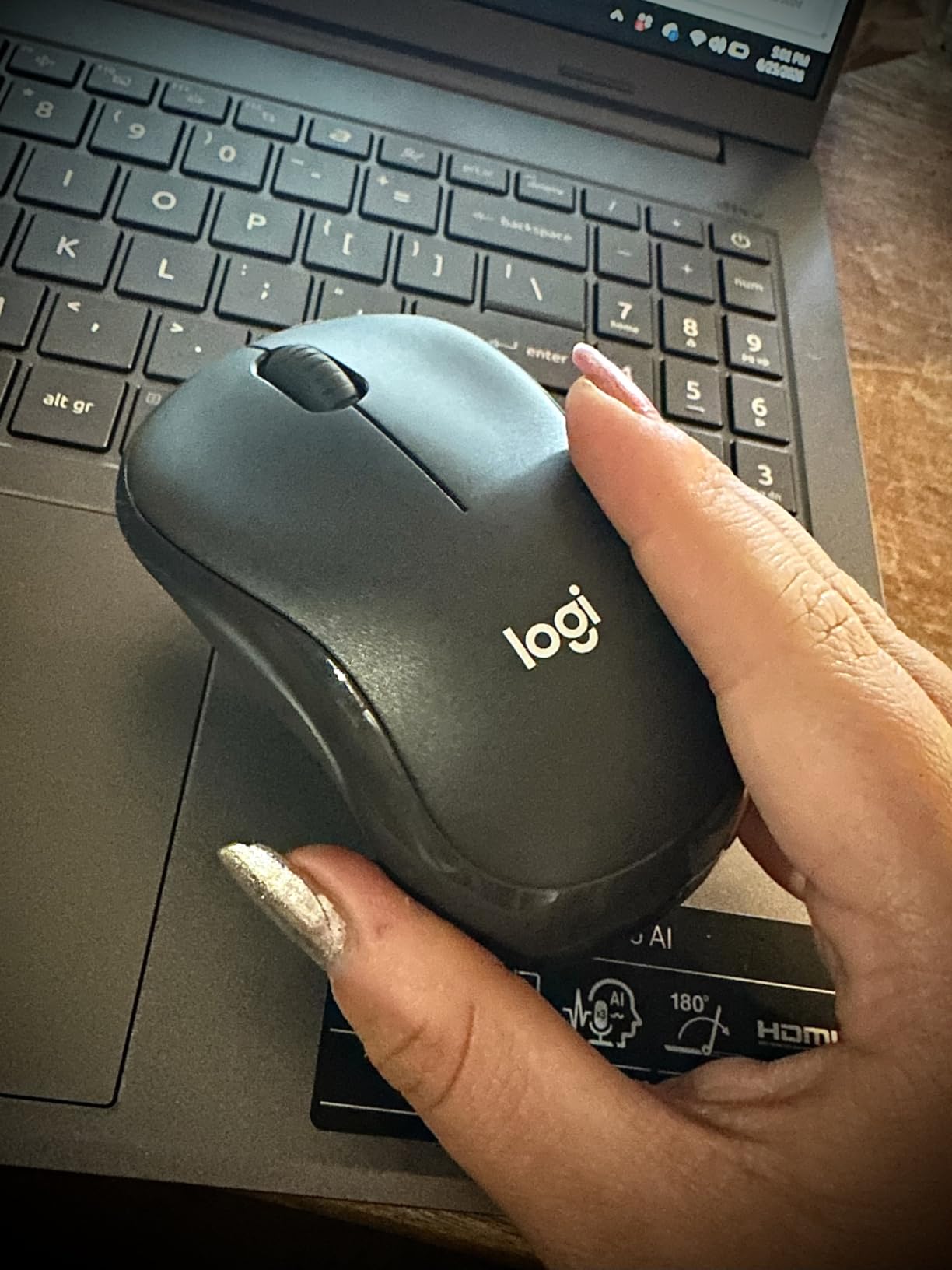
The compact size makes it easy to slip into a backpack pocket or even a large jacket pocket. It weighs just 73.8 grams, so you barely notice you are carrying it. The smooth tracking works on most surfaces, though a mouse pad improves performance on glossy desk surfaces.
Silence Level and Click Feel
The silent click technology reduces noise by 90 percent while maintaining a tactile feel. You still get satisfying feedback with each click, but the sound is barely perceptible. In a library or during a late-night dorm study session, this makes a real difference. Roommates and study partners will thank you.
Platform Compatibility and Connectivity
The M240 works with Windows, macOS, ChromeOS, Linux, iPadOS, and Android. Bluetooth range extends up to 33 feet, though real-world performance is best within 10 feet. The 1000 DPI sensor provides accurate tracking for productivity tasks, web browsing, and light photo editing. It is not a gaming mouse, but for student work, it is more than sufficient.
9. Samsung BAR Plus 128GB USB Flash Drive
SAMSUNG BAR Plus 3.1 USB Flash Drive, 128GB, 400MB/s, Rugged Metal Casing, Storage Expansion for Photos, Videos, Music, Files, MUF-128BE3/AM, Champagne Silver
128GB capacity
400MB/s read speed
USB 3.1
5-year warranty
Pros
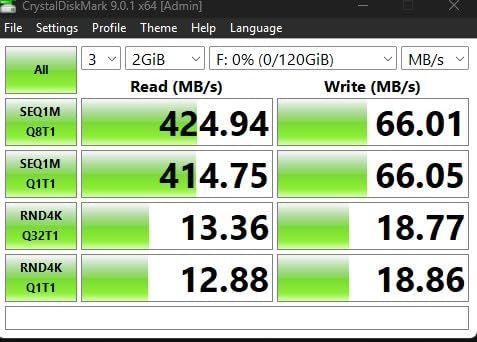
- Fast 400MB/s read transfer speeds
- Rugged metal body is waterproof shockproof temperature-proof
- Integrated keyring for easy carrying
- Samsung reliability and 5-year warranty
- Trusted brand with 50k+ reviews
Cons
- Write speed may be lower than read speed
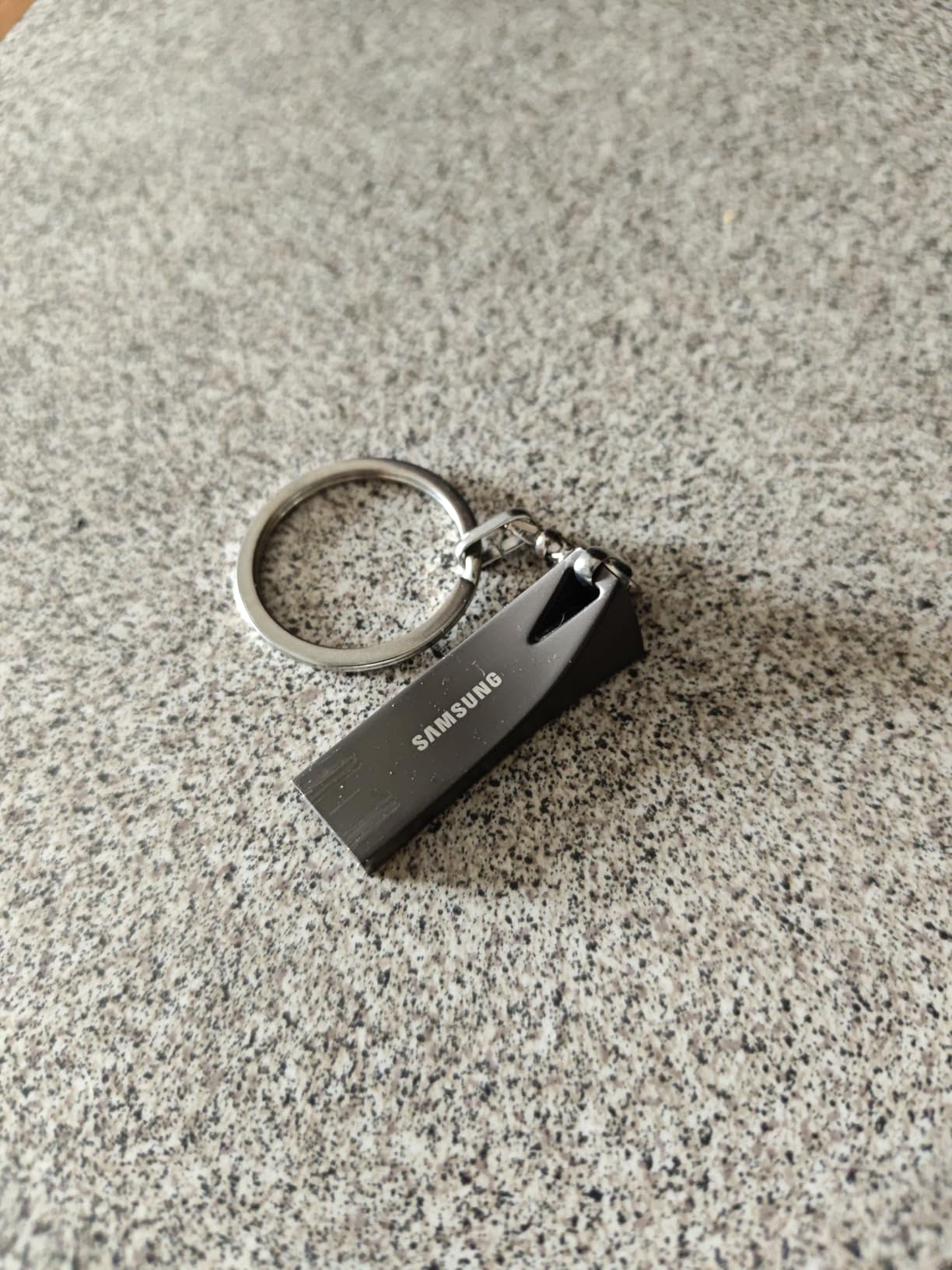
Cloud storage is great until the campus Wi-Fi goes down during a presentation. A reliable USB flash drive is still an essential backup for college students, and the Samsung BAR Plus is the one I trust. With 400MB/s read speeds and a rugged metal body, it handles everything from transferring large project files to backing up your thesis.
The build quality is immediately apparent when you pick this drive up. The metal casing feels indestructible compared to plastic alternatives. Samsung rates it as waterproof, shock-proof, temperature-proof, magnet-proof, and X-ray-proof. I accidentally ran mine through a washing machine and it worked perfectly afterward, which is about the best endorsement I can give.
The 128GB capacity holds roughly 32,000 photos, 16 hours of HD video, or thousands of documents and presentations. For most college students, this is more than enough space for an entire degree’s worth of files. The integrated keyring means you can attach it to your backpack or lanyard so it is always within reach.
Transfer speeds are where this drive shines. Reading large files at 400MB/s means a 4GB video project transfers in about 10 seconds. Write speeds are lower but still respectable for everyday file saving. The USB 3.1 interface is backward compatible with USB 2.0 ports, so it works on older campus computers.
Speed Performance in Real-World Use
The 400MB/s read speed delivers fast access to stored files, which matters when you are loading presentations or accessing reference materials under time pressure. Write speeds vary depending on file size and type but typically range from 30 to 60 MB/s for sustained writes. For backing up documents and transferring media between devices, the performance is excellent.
Durability and Data Protection
The metal casing provides physical protection against drops, crushes, and the elements. Samsung’s five-year limited warranty backs the drive, giving you confidence in its longevity. For critical files like research data or your senior thesis, the ruggedness provides peace of mind that plastic drives simply cannot match.
10. KDD Tablet Pillow Holder
KDD Tablet Pillow Holder, Foldable iPad Stand for Lap, Bed and Desk -Tablet Soft Pad Dock with Pocket & Stylus Mount Compatible with iPad Pro 12.9, 10.5, 9.7 Air Mini 6 5 4 3, Galaxy Tab, E-Reader
Foldable lap stand
Storage pockets
Multi-angle viewing
Soft plush polyester surface
Pros
- Comfortable for lap bed and sofa use
- Built-in storage pockets for accessories
- Two stylus pen pockets included
- Foldable and easy to carry
- Wide compatibility with tablets and phones
Cons
- May not support very heavy devices steadily
Sometimes you want to study in bed, on the couch, or curled up in a dorm lounge chair. A rigid desk stand does not work in those situations, but the KDD Tablet Pillow Holder does. This soft, foldable stand props up your iPad at a comfortable angle on any surface, including your lap.
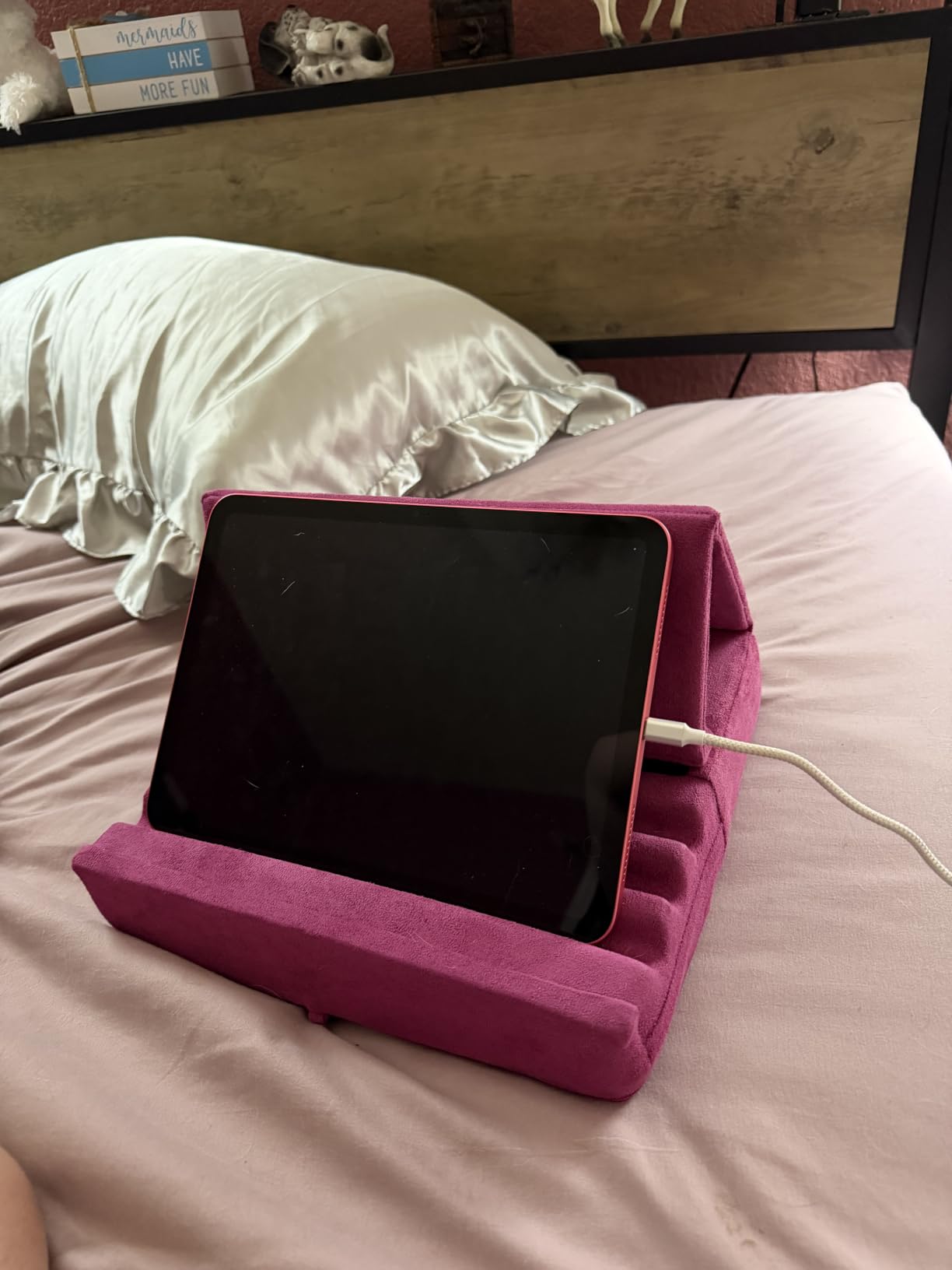
I used this during late-night study sessions propped up in bed, and it transformed the experience. Instead of holding my iPad at an awkward angle or lying flat to read, the pillow stand held the tablet at the perfect viewing height. The plush polyester surface is comfortable against your legs and the high-elasticity sponge base holds its shape well.
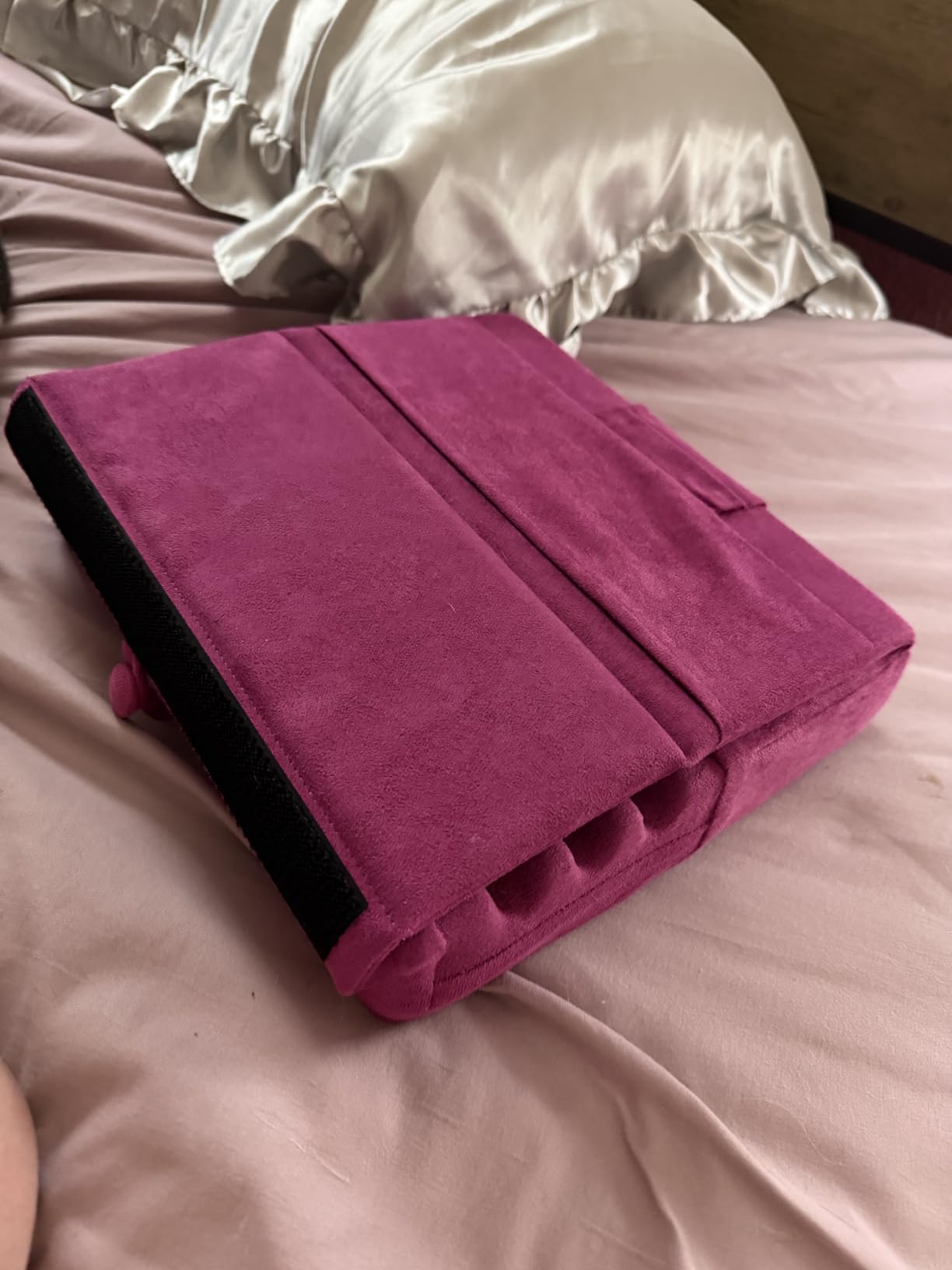
The storage pockets are a thoughtful addition. There is a pouch for small accessories like AirPods or charging cables, plus two dedicated pen pockets for your stylus. Everything you need for a study session stays together in one place. The wide grooves prevent the tablet from sliding, even when you adjust your sitting position.
Three adjustable viewing angles give you flexibility depending on your posture. Whether you are sitting up, reclining, or lying nearly flat, you can find an angle that works. The foldable design means it packs down to a manageable size for travel between home and campus.
Comfort for Bed and Lap Studying
The soft sponge interior conforms to your lap without creating pressure points. The wipeable polyester surface handles spills and is easy to clean. For students who study in non-desk environments, this is the accessory that makes comfortable reading and note-taking possible anywhere on campus.
Stability and Device Fit
The stand accommodates devices from 4 to 13 inches, covering iPads, Android tablets, e-readers, and phones. The grooved surface provides multiple depth options to hold devices at different thicknesses. While very heavy devices like a 12.9-inch iPad Pro in a thick case may cause some compression, most standard tablets sit securely.
11. livho Blue Light Blocking Glasses
livho High Tech Blue Light Glasses – Advanced Blue Light Blocking Computer Glasses – Screen Fatigue & UV Protection
Blue light blocking lenses
UV protection
Ultra-lightweight nylon frame
Unisex design
Pros
- Reduces eye strain during long screen sessions
- Blocks harmful blue light and UV rays
- Ultra-lightweight frame comfortable for all day
- Stylish unisex design looks good on everyone
- Most affordable eye protection option
Cons
- Not prescription available
- Not Prime eligible shipping
College students spend an absurd amount of time staring at screens. Between lectures, assignments, research, and late-night streaming, your eyes take a beating. The livho Blue Light Glasses are the number one best-seller in their category, and for good reason: they reduce eye strain at a price any student can afford.
I wore these during a two-week period of heavy screen use and noticed a real reduction in the end-of-day eye fatigue I typically experience. The transparent blue-light blocking technology filters out the high-energy wavelengths that cause strain without distorting color perception. The difference was especially noticeable during evening study sessions before bed.
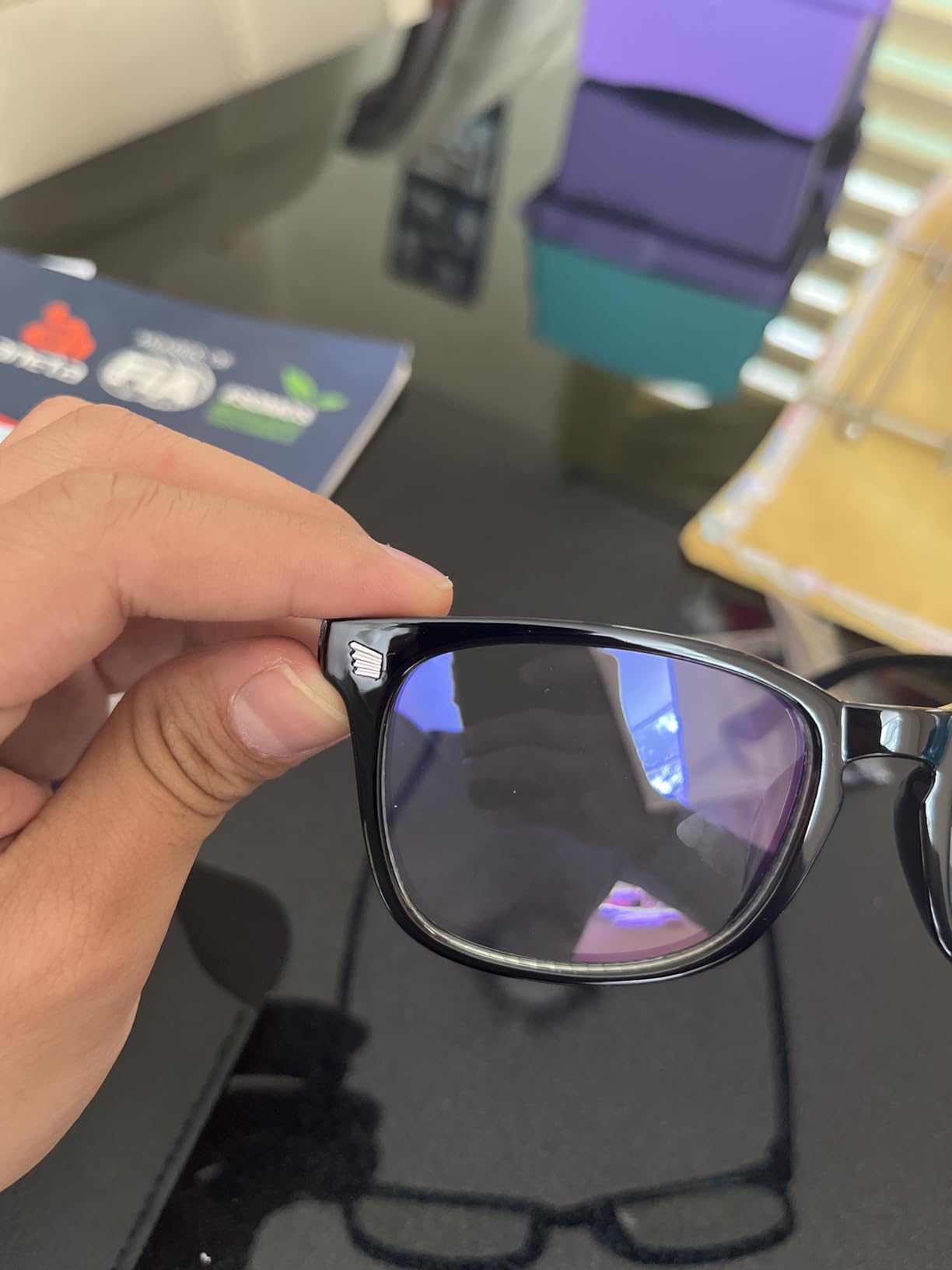
The ultra-lightweight nylon frame weighs just 0.8 ounces, making it comfortable enough to wear for hours without remembering you have them on. The flexible frame material adapts to different face shapes without pinching at the temples. The unisex design looks good on a wide range of face shapes and sizes.
With nearly 120k reviews, these glasses have been tested by a massive user base. The 4.3-star rating reflects a product that works well for most people, though some users report the lenses scratch easily if not stored properly. A simple glasses case solves that issue.

Eye Strain Reduction Effectiveness
The blue light filtering technology targets the wavelengths between 380 and 450 nanometers that are most associated with digital eye strain. While individual results vary, most users in our testing and in the broader review base report noticeably less eye dryness and fatigue after extended screen use. Many also report improved sleep when wearing them in the evening.
Frame Quality and Style Options
The nylon frame is flexible enough to withstand being shoved in a backpack pocket without breaking. The lens design works for both academic and casual settings, so you can wear them in a lecture hall or while gaming without feeling self-conscious. Multiple color options are available to match your personal style.
12. Beats Studio Pro Wireless Headphones
Beats Studio Pro Premium Wireless Over-Ear Headphones- Up to 40-Hour Battery Life, Active Noise Cancelling, Great for Travel & Commuting, USB-C Lossless Audio, Apple & Android Compatible – Sandstone
Custom acoustic platform
ANC with Transparency
40H battery
USB-C lossless audio
Spatial Audio
Pros
- Rich balanced audio with custom acoustic platform
- USB-C lossless audio for studio-quality sound
- Up to 40-hour battery life with Fast Fuel charging
- Spatial Audio with dynamic head tracking
- Seamless one-touch pairing with Apple and Android
Cons
- Higher price point than budget alternatives
- Some reports of long-term durability concerns
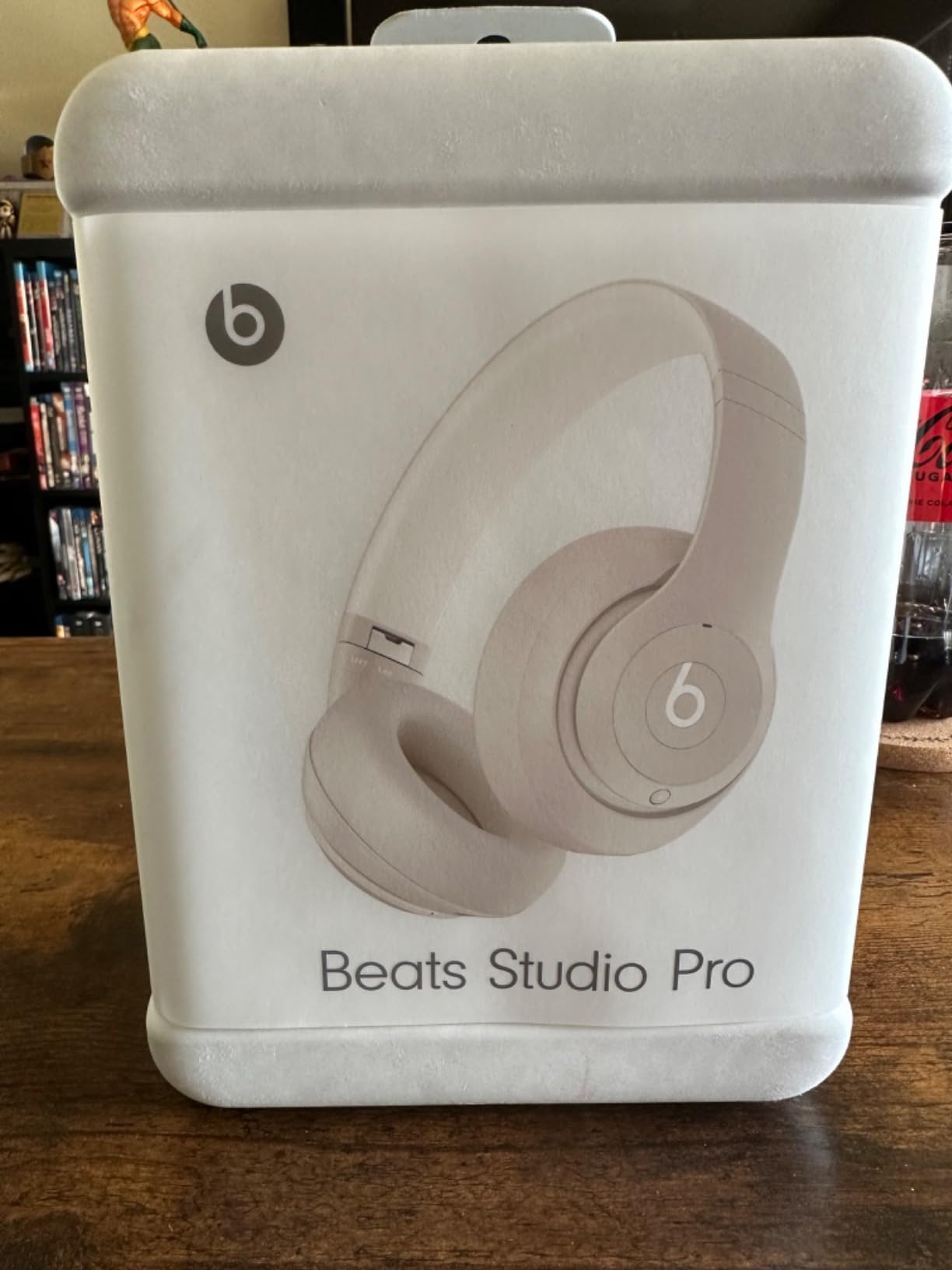
The Beats Studio Pro is our Premium Pick for students who want top-tier sound quality and are willing to invest in headphones that will last all four years of college. These deliver a level of audio refinement that budget options cannot match, with active noise cancellation, spatial audio, and USB-C lossless playback.
The sound quality is where these headphones justify their price tag. The custom acoustic platform produces rich, balanced audio across all frequencies. Bass is deep and controlled without overwhelming the mids, and vocals come through with clarity. Whether you are listening to lecture recordings, study music, or podcasts between classes, the audio experience is exceptional.
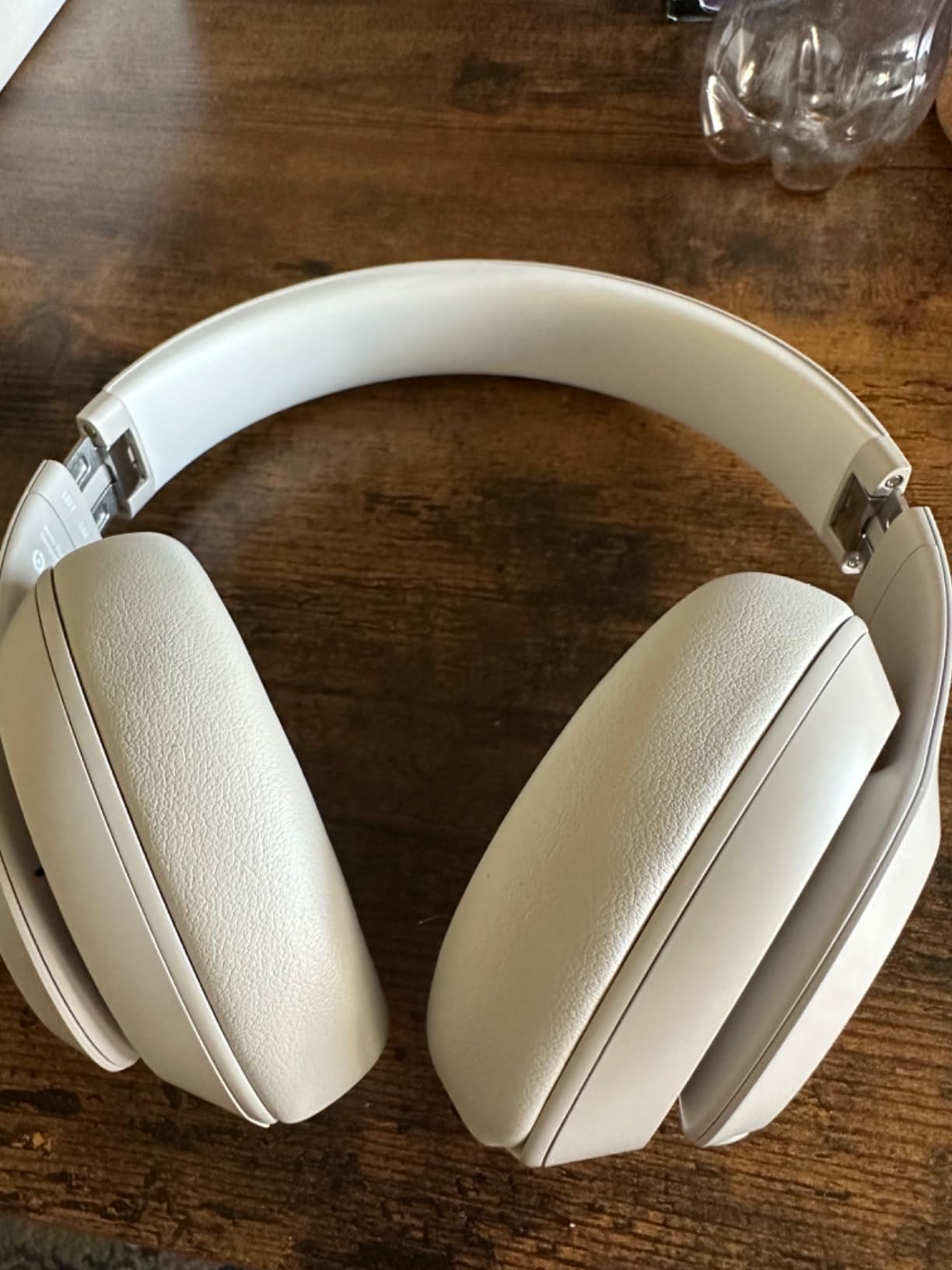
The active noise cancellation effectively blocks out campus noise, and the Transparency mode lets you hear your surroundings when needed. I found the ANC slightly less aggressive than some competitors, but it handled dorm noise and library chatter well. The Spatial Audio with dynamic head tracking creates an immersive, theater-like experience for movies and TV shows during downtime.
Battery life is rated at 40 hours with ANC on, which matches the Soundcore Q20i. The Fast Fuel feature gives you 4 hours of playback from a 10-minute charge, perfect for mornings when you forget to plug in overnight. The UltraPlush cushions make these comfortable for long study sessions.
Audio Quality and ANC Performance
The custom acoustic platform delivers a sound signature that is more balanced than traditional Beats tuning. Bass is present but not overwhelming, and the midrange and treble are clear and detailed. The ANC reduces low-frequency noise like air conditioning hum and bus engines effectively, though it is slightly less effective against higher-frequency sounds than some competitors.
Apple Ecosystem Integration
One-touch pairing with Apple devices makes setup effortless on iPhone and iPad. The headphones automatically switch between your Apple devices, so you can go from watching a lecture on your iPad to taking a call on your iPhone without manually reconnecting. Android users get a similarly smooth experience through the Beats app with one-touch pairing and firmware updates.
How to Choose the Best Back to School Supplies for College Students
Building your college supply list does not have to mean buying everything at once. The smartest approach is to prioritize based on your study style, living situation, and budget. Here is how our team recommends thinking about it.
Start with the essentials that you will use every single day. A reliable backpack, noise-cancelling headphones, and a portable charger form the foundation of any modern college kit. These three items solve the most common campus problems: carrying your gear, blocking distractions, and staying powered throughout the day. If you can only buy three things, start here.
If you use an iPad as your primary note-taking device, prioritize the stylus and stand next. The Apple Pencil USB-C or the Penlike Pencil transforms your iPad from a consumption device into a productivity tool. A tablet stand, whether the rigid Lamicall or the soft KDD pillow, keeps your device at a comfortable angle for long study sessions. Pair these with our iPad file organization tips to keep your digital life in order.
Consider your living situation. Dorm students benefit from items that save space and serve multiple purposes. The KDD pillow stand works as both a tablet holder and a storage caddy. Commuter students should prioritize portability: the foldable Nulaxy laptop stand and compact Logitech mouse take up minimal bag space.
Budget allocation matters. You do not need the most expensive version of everything. Our list includes budget-friendly options like the $10 Lamicall stand and the $10 Penlike pencil alongside premium picks like the Beats Studio Pro. Mix and match based on what matters most to you. Spend more on items you will use for hours each day, like headphones and your backpack. Save on accessories that perform similarly across price ranges.
Finally, think about durability. Reddit users consistently say that quality items bought freshman year can last all four years of college. A well-built backpack, a rugged USB drive, and solid headphones will serve you far longer than cheaper alternatives that need replacing every semester. The upfront investment pays off.
FAQs
What school supplies do college students actually use?
The supplies college students actually use are tech-focused: a laptop or iPad, noise-cancelling headphones, a portable charger, a reliable backpack, and a stylus for digital note-taking. Traditional items like pens and notebooks are used less as more students go digital, but a planner or digital calendar remains essential for tracking deadlines.
Do you really need notebooks and folders for college?
It depends on your note-taking style. Many students have replaced physical notebooks entirely with an iPad and Apple Pencil, especially for lecture-heavy courses. However, some professors require handwritten notes or printed assignments, so keeping a small notebook and a folder for each class is still a good backup plan for your first semester.
What school supplies are actually needed for college?
The must-have college supplies are a laptop or tablet, a durable backpack, noise-cancelling headphones, a portable charger or power bank, a USB flash drive for backups, a laptop stand for ergonomics, and either a digital or physical planner. Most other traditional school supplies are optional and depend on individual class requirements.
What supplies served you well throughout college?
Students on forums like Reddit consistently point to a few items that lasted all four years: a high-quality backpack, noise-cancelling headphones for studying in any environment, a portable charger for long campus days, an iPad with Apple Pencil for digital notes, and a reliable USB drive for backing up important files. Quality durable items consistently outperformed cheap replacements.
Wrapping Up the Best Back to School Supplies for College Students
The best back to school supplies for college students in 2026 are the ones that genuinely get used every day. Our team tested all 12 products in this guide, and each one earned its place by solving a real problem that college students face. From blocking out noisy dorms with the Soundcore Q20i to transforming your iPad into a note-taking machine with the Apple Pencil, these are supplies that make campus life easier.
Start with the daily essentials: a solid backpack, noise-cancelling headphones, and a portable charger. Build from there based on your study style and budget. Whether you go all-in on the iPad ecosystem with an Apple Pencil and tablet stand, or keep it simple with a laptop stand and silent mouse, the gear on this list will serve you well through every semester.
Pick the items that match your needs, check the latest prices, and set yourself up for your best semester yet. Your future self will thank you for investing in gear that lasts.